What Is an Agentic CRM? AI That Takes Actions, Not Just Answers
An agentic CRM lets AI take actions in your CRM, not just answer questions. Learn how it differs, which CRMs offer it and what to check before you choose.
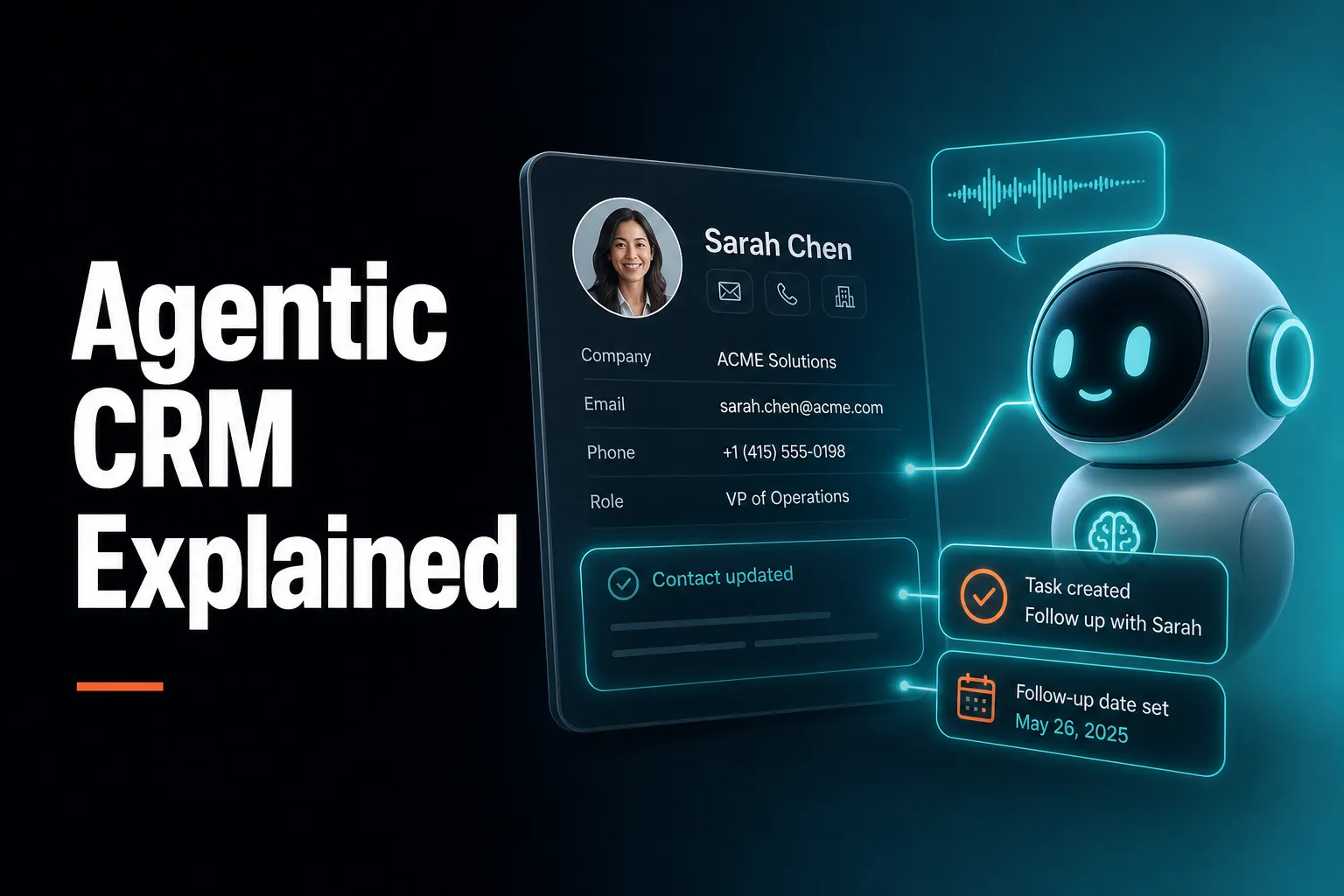
An agentic CRM is a CRM where the AI does work inside the system instead of only talking about it. It can create and update records, log calls, set follow-ups, build segments and draft emails, normally after you confirm, rather than just answering questions or writing text for you to copy and paste somewhere else.
AICRM is one example, built for founders, consultants, small-business owners and small teams who want their CRM to show what needs attention and then act on it in the same conversation. It is not the only option. This guide explains the idea, compares the approaches fairly, and says when a bigger or more pipeline-focused CRM is the better choice.
What is an agentic CRM?
An agentic CRM is a customer relationship management system where an AI agent can take actions inside the CRM on your behalf: creating contacts, logging calls, setting follow-up tasks, building segments and drafting emails. The key difference is write access. A chatbot tells you what is in your CRM. An agent changes it, with guardrails such as confirmation before anything is created, edited or deleted.
'Agentic' comes from 'agent': software that works towards a goal by choosing and using tools, rather than replying to a single prompt. In a CRM, the tools are the everyday jobs: find a contact, pull up their history, log a call, create a task, build a segment, schedule a meeting, draft an email.
It helps to think of three levels of AI in a CRM:
| Level | What the AI does | Example request | What you still do |
|---|---|---|---|
| Answers | Reads your data and replies | 'When did I last speak to Priya?' | Everything that follows from the answer |
| Generates text | Writes copy for you | 'Write a follow-up email to Priya' | Copy it, paste it, save it, log it |
| Acts | Uses tools to change the CRM | 'Log a call with Priya, she wants a demo next week' | Confirm and review |
Most people who have tried 'AI in the CRM' have met the first two levels. The third is what the word agentic is meant to describe.
There is a fourth quality worth looking for: whether the system is proactive. An agent that only acts when you give it a perfect instruction still relies on you to remember what needs doing. The more useful version tells you what needs attention first, then helps you act on it.
How is an agentic CRM different from a CRM with AI features?
A CRM with AI features usually adds a writing assistant, a summary, a score or a prediction to a system you still operate by hand. An agentic CRM lets the AI carry out the operation itself: it finds the records, makes the changes and reports back. The difference is whether the AI finishes the job or hands you a draft of it.
Common AI features that are useful but not agentic on their own:
- Text generation: drafting an email or a campaign message inside an editor.
- Summaries: condensing a long contact history or call notes.
- Scoring and prediction: ranking leads by fit or likelihood to buy.
- Search in plain language: asking a question and getting a list back.
None of these is bad. A good summary saves reading time, and a transparent lead score helps you prioritise. They simply stop short of doing the admin.
Here is a concrete example. Say a consultant finishes a call and wants to record it. In a CRM with AI features, the AI might summarise their notes. They then open the contact, paste the summary, set a follow-up date, create a task and maybe check the calendar. In an agentic CRM, they say what happened, the agent restates what it is about to do, and on confirmation the call is logged, the task is created and the follow-up date is set.
The two approaches are not mutually exclusive. Many products will sit somewhere between them, which is why the practical tests later in this article matter more than the label on the website.
Which CRMs have AI agents?
Many CRMs now offer AI assistants, agents or automation features, including large platforms such as Salesforce, HubSpot and Zoho, and newer tools such as AICRM. What differs is scope: some mainly generate text and summaries, others can carry out multi-step actions. Features change quickly, so check each vendor's current documentation and test with your own tasks before deciding.
It is more useful to group CRMs by what they are built for than to rank them:
Large, configurable platforms
Salesforce, HubSpot and Zoho are broad platforms with deep customisation, large ecosystems and AI features aimed at sales, marketing and service teams. They tend to suit organisations that need complex permissions, reporting across departments, many integrations or a formal sales process. The trade-off is setup effort and, often, cost and complexity that a small team may not need.
Pipeline-first sales tools
Pipedrive and Close are oriented around moving deals through stages, with reminders, activity tracking and automation to keep a sales process moving. If your business runs on a deal pipeline, this model fits naturally.
Flexible, customisable CRMs
Attio, folk and monday CRM lean towards adaptable setups, with AI features layered on top. They suit teams who want a modern, flexible system without enterprise weight.
Proactive, conversation-first CRMs
AICRM sits here. It is built around the idea that your CRM should tell you what to do next, then help you do it by talking to it. It is aimed at small teams rather than large sales organisations.
One honest note: next-action and follow-up features are not new, and AICRM did not invent them. HubSpot, Pipedrive, folk, monday CRM, Close, Breakcold, Attio and Less Annoying CRM all have versions of reminders or next steps. AICRM's angle is narrower: surface what needs attention, then act on it in the same conversation.
Which CRM can actually perform tasks using AI?
The CRM that can actually perform tasks is the one whose AI has real write access and finishes multi-step jobs in your records. You can test any product with a short checklist: does it change data rather than draft text, does it confirm before acting, does it show what it changed, and does it answer from live data rather than guessing?
Here is a practical five-question test to run during any trial:
- Does it write to the CRM? Ask it to create a contact, log a call or make a task. Check the record afterwards.
- Can it chain steps? Ask for something with two or three parts, such as logging a call and setting a follow-up.
- Does it confirm? A trustworthy agent restates what it is about to change before it does it.
- Is it grounded? Ask a factual question about your data. The answer should come from a live lookup, not a plausible guess.
- Can you see what happened? Look for links to the changed record or an entry on the contact's timeline.
What AICRM can do
AICRM's voice agent has real-time conversation with server-side tool calls and write access to the CRM. According to the Features page, there are 40 things you can ask it to do, and the list is generated from the agent's own tool set. In summary:
- Contacts: add, update, remove, find, pull up a full record, log a call, email or meeting, reassign an owner, find customers who have gone quiet, see who hasn't replied to your email, find unassigned contacts.
- Tasks and calendar: create, edit, complete and delete follow-up tasks, list what is due soon, schedule, reschedule or cancel meetings, list overdue and upcoming follow-ups.
- Segments: build, edit and delete segments.
- Campaigns and automation: draft or rewrite a campaign, list campaigns, set up a segment-triggered automation, send a one-off email to a contact, draft a follow-up email for you to review.
- Reporting: count contacts, break them down by source, country, owner, industry or lifecycle stage, surface your highest-scoring leads and recap recent activity.
It is a live, real-time conversation in the browser: you talk, it confirms, it acts. It does not transcribe recorded voice notes or voicemails.
What CRM lets AI take actions rather than just answer questions?
A CRM lets AI take actions when its agent can call tools that create, update or delete data, and send messages, not just query it. Several products are moving this way, and AICRM is built around it: you ask, the agent restates the change, you confirm, and it carries it out. The safeguard that matters most is confirmation before every change.
Confirmation is the part people underrate. An agent with write access can make mistakes: it can mishear a name, pick the wrong contact or misread a date. A good design makes those mistakes cheap to catch.
In AICRM, every create, update or delete is restated and confirmed before it runs, and the interface deep-links to whatever was just changed so you can check it. Here is the kind of exchange the Features page describes:
You: 'Log a call with Priya, she wants a demo next week.' Agent: 'Logged. Want me to set a follow-up task, or check her calendar for next week?'
And for tasks: 'Create a task to follow up with Marcus next Tuesday' results in a task on Marcus's record, due Tuesday.
Two other design choices are worth noting:
- Grounded answers only. The agent is designed to make no factual claim without a live tool call, so when you ask a question about your contacts, the answer comes from your data.
- Sending is deliberate. The agent only sends an email when you explicitly ask it to, after confirming. If you ask it to 'draft follow-ups for my top three contacts', it saves a plain-text draft on each contact without sending anything. You review, edit and send (or discard) from the contact.
That last point reflects a deliberate trade-off. Drafting is quick and low-risk. Sending to a real customer is not, so a human stays in the loop.
Which AI CRMs actually automate work rather than just generate text?
An AI CRM automates work when it completes the surrounding steps, not just the writing: finding the right records, saving the result, setting the follow-up and surfacing what is due. Look for three kinds of automation: things that run by themselves on rules, things the AI surfaces proactively, and things an agent carries out when you ask. Generating text alone is none of these.
It helps to be precise about which kind you are getting. Here is how that breaks down in AICRM:
| Kind of work | How it happens | Example |
|---|---|---|
| Runs automatically | Rules you set | Automation (v1) triggers a campaign when a contact enters a segment, such as an 'Inactive 90 days' re-engagement email |
| Surfaced proactively | Computed from your data | The Daily Brief lists follow-ups due, emails awaiting a reply, tasks, signals and quiet customers |
| Done when you ask | Agent with confirmation | 'Create a task', 'build a segment', 'draft follow-ups for my top three contacts' |
| Decided by you | Review step | Reading, editing and sending drafts |
A few specifics are worth stating so expectations are right:
- Follow-ups are picked up from logged conversations. If a call, meeting, note or email logged in AICRM says 'call me after the 15th' or 'I'll send it Friday', that becomes a follow-up date with a reason. Logging a conversation with no new follow-up in it marks a due one as done.
- Signals are found automatically. A rate-limited enrichment pass looks for company news and job title changes for your contacts, roughly 100 contacts a week. Each signal is tiered Hot, Warm or Monitor, and the ones that matter come with a drafted outreach message.
- It does not listen to calls or read your inbox. It only works from conversations logged in AICRM, including emails sent from AICRM or BCC'd or forwarded to it.
So AICRM automates the finding, the remembering and the admin, and keeps you in charge of anything that goes out to a customer one to one.
Why does an agentic CRM need to be proactive, not just obedient?
Because the real problem for most small teams is not operating the CRM, it is remembering what needs doing. An agent that only reacts to commands still depends on you to know what to ask. A proactive CRM works out what needs attention (overdue follow-ups, unanswered emails, quiet customers, new signals) and puts it in front of you before things slip.
This is the model AICRM is built on: attention, then context, then action.
- Attention: what needs you today.
- Context: what happened last time, who this person is, what has changed.
- Action: the next step, done in the same conversation.
The Daily Brief
The Daily Brief appears on your dashboard when you open AICRM and is computed live. It covers follow-ups due or overdue, emails awaiting a reply, open tasks, new Hot or Warm signals since the last brief, recent contact activity, known contacts who came back to your website, recent campaigns, email drafts waiting to be sent, and a count of customers with no contact logged in 90+ days (or never).
It is also emailed to each user at 7am their time on weekdays, and it is skipped on days when there is nothing in it. You can switch the email off in Settings. Monday covers the weekend with a three-day lookback. There are no mobile push notifications.
If you ask the agent 'what needs my attention?' or 'what should I do next?', it returns one ranked list from the same data: overdue follow-ups and hot signals first, then follow-ups due today, unanswered emails, contacts back on the website, warm signals and tasks, each with its reason. That list is not ranked by lead score. Lead scoring is a separate tool for finding your best contacts.
A Monday morning example
Imagine a founder opening AICRM on Monday. The brief shows three overdue follow-ups, one email sent from AICRM that has had no reply for three days, and a contact who has just changed job title. They ask the agent to draft follow-ups for the three overdue contacts. Drafts are saved on each contact. They read, tweak and send two, and discard one. Then they ask the agent to create a task to check in with the contact who changed job title. Nothing was left to memory.
What should you look for in an agentic CRM?
Look for real write access, confirmation before changes, answers grounded in live data, proactive surfacing of what needs attention, a clear record of what the agent did, and honest limits. Then check that the pricing model suits how you will use the agent. Whether the demo looks impressive matters far less than whether it handles your everyday jobs reliably.
A practical checklist:
- Write access across the jobs you do every week. Logging activity, setting follow-ups, finding segments, drafting emails. If it only reads, it is an assistant.
- Confirm-before-execute. Particularly on deletes, edits to many records and anything that sends.
- Grounded answers. Ask it something it should not be able to guess and see what it does.
- Attention features. Does it tell you what is overdue, unanswered or gone quiet without you asking?
- Context at the point of action. The contact's timeline (calls, emails, meetings, notes, page views) should sit next to the action, not in another tab.
- Transparent prioritisation. If it scores leads, can you see why? In AICRM you define the rules in Settings (job title, industry, company size, location, source, recency, email opens, site visits), and manual adjustments sit on top with a reason attached.
- Data security. Ask how each customer's data is separated. AICRM scopes every organisation's data at the storage layer, whether the request comes from the interface, the voice agent or an automated job.
- Easy import. AICRM's CSV import maps fields automatically, reports failed rows individually and detects duplicates by email.
- A pricing model you understand. AICRM includes the full CRM on every plan, and plans differ in voice-agent minutes and contact limits (details below).
What are the risks and trade-offs of an agentic CRM?
The main trade-offs are accuracy, over-trust, cost and fit. An agent can misunderstand an instruction, so confirmation steps matter. Voice or conversational control suits some jobs better than others. Usage-based AI costs need watching. And no agent can fix messy data or a process you have not defined, so some groundwork still falls to you.
Mistakes and confirmation
Even a well-built agent can pick the wrong contact or mishear a date. The answer is not to avoid agents, but to choose ones that restate changes before making them and show you what changed. Keep a habit of glancing at the confirmation, especially for deletes.
Drafts, not autopilot
Fully autonomous sending sounds efficient, but it carries reputational risk. AICRM's approach is cautious by design: one-to-one email drafts wait for your review, and the agent only sends when you explicitly ask. The trade-off is that you still spend a minute reviewing each one. Drafts are one-to-one only, with no scheduled send, and they do not sync to your own Gmail or Outlook drafts folder.
Data quality
An agent is only as good as your records. If contacts are duplicated or lifecycle stages are inconsistent, the agent will act on that mess as readily as on clean data. Import carefully and decide what your lifecycle stages mean.
Cost
Check how any agentic CRM charges for AI usage. On AICRM, each plan bundles voice minutes, minutes beyond the bundle are billed at $0.15 per minute, and a $2 per day safety cap stops a runaway session. Everything else in the CRM has no usage limit or per-seat charge.
Coverage gaps
No-reply detection in AICRM covers one-to-one emails sent from AICRM, after 3 days with no reply, call or meeting, for up to 14 days. It does not cover campaign or automation emails, or emails sent from your own inbox. If most of your correspondence happens in your own inbox, you will need to BCC or forward it to AICRM, or log it, for the system to see it.
Where does AICRM fit, and where is something else better?
AICRM fits founders, consultants, small-business owners and small teams who want to stay on top of customers with less admin. It is a weaker fit for large sales teams that need a deal pipeline, phone and SMS features or heavy enterprise customisation. In those cases, HubSpot, Salesforce, Pipedrive or similar tools are the better choice.
AICRM is a good fit when
- Your biggest problem is forgetting follow-ups, not knowing who to contact next, or losing track of what happened last time.
- You manage relationships through contacts, lifecycle stages, tasks and campaigns, rather than a staged sales pipeline.
- You want one place for contacts, forms, website tracking, campaigns, automation, calendar and booking, without paying per seat.
- You like the idea of talking to your CRM to get things done.
- Your customer marketing or lifecycle work sits alongside your sales and relationship work, such as re-engaging customers who have gone quiet.
Something else is likely better when
- You need a deal pipeline. AICRM has no sales deal pipeline or deal stages. Lifecycle stages and follow-up tasks cover what most small teams use deals for, but if you track deal values and stages across a sales team, choose a pipeline-first CRM.
- You need calling or SMS. AICRM has no phone dialler, SMS or calling features.
- You need a large, heavily customised system. Big organisations with complex permissions and many integrations will be better served by an enterprise platform. AICRM's integrations are limited to those named on the Features page: Google Calendar, email logging, CSV import and export, embeddable forms and booking pages.
- You need to identify individual anonymous visitors. AICRM recognises known contacts when they return after submitting a form. Anonymous visitors are identified at company level only, through reverse IP lookup with consumer ISPs excluded.
How do you try an agentic CRM in practice?
Start small: import your contacts, set a few scoring rules, then ask the agent to do the jobs you actually dread. Judge it on whether the admin genuinely disappears. A trial should answer one question: after a week, do you forget fewer follow-ups and spend less time typing into the CRM?
A simple one-week plan for AICRM, or any agentic CRM:
- Import your contacts. Use a CSV export from your current CRM or spreadsheet and check the error report.
- Set your scoring rules. In AICRM, define job title, industry, company size, location, source, recency, email opens and site visit rules in Settings.
- Open the Daily Brief each morning. See what is overdue, unanswered or quiet.
- Ask 'what needs my attention today?' and work down the ranked list.
- Ask for drafts. Try 'draft follow-ups for my top three contacts' and edit them yourself before sending.
- Log conversations as they happen. Say what happened and let follow-up dates be picked up from the conversation.
- Find the quiet ones. Ask the agent for customers with no contact in 90 days and turn them into a segment, then consider an automation that sends a re-engagement email when contacts enter it.
AICRM offers a 7-day free trial with full features. A card is required up front, but you are not charged until the trial ends. Plans start at $29 per month (Starter, 120 voice-agent minutes and up to 2,000 contacts), then $79 per month (Growth, 400 minutes, up to 5,000 contacts) and $149 per month (Power, 600 minutes, up to 20,000 contacts). Every plan includes the Daily Brief, follow-ups, tasks, signals, segments, campaigns, automation, forms, web tracking, calendar and booking, and analytics.
Next step
If your CRM mostly waits for you to remember things, an agentic one is worth testing. See everything the agent can do on the Features page, compare plans on the Pricing page, or watch it in action in the demo. Then run it on your own contacts through the free trial and see whether it tells you what to do next.
Frequently asked questions
What is an agentic CRM in simple terms?
An agentic CRM is a CRM with an AI agent that can do jobs inside the system, such as logging a call, creating a task, building a segment or drafting an email, rather than only answering questions. Good ones confirm what they are about to change before they do it. The aim is less manual admin and fewer things falling through the cracks.
Is an agentic CRM the same as a CRM with a chatbot?
Not necessarily. A chatbot usually answers questions or writes text, and you still make the changes yourself. An agentic CRM has write access, so the AI itself creates, updates and organises records. To tell the difference, ask the AI to log a call and set a follow-up, then check whether the CRM actually changed.
Can an agentic CRM send emails without my approval?
It depends on the product, so check before relying on it. In AICRM, the agent saves one-to-one email drafts on the contact without sending anything, and it only sends when you explicitly ask it to, after confirming. Automations you set up yourself, such as a campaign triggered when a contact enters a segment, run on the rules you define.
Does AICRM have a sales deal pipeline?
No. AICRM has no deal pipeline or deal stages. It is built around contacts, lifecycle stages, lead scores, segments, tasks and campaigns, and many small teams find lifecycle stages and follow-up tasks cover what they would otherwise use deals for. If you need to track deal values through stages across a sales team, a pipeline-first CRM is a better fit.
How much does an AI CRM like AICRM cost?
AICRM plans start at $29 per month for Starter, with Growth at $79 and Power at $149. Plans differ in included voice-agent minutes and contact limits, and every plan includes the full CRM with no per-seat charge. Extra voice minutes cost $0.15 per minute with a $2 per day safety cap, and there is a 7-day free trial. Other CRMs price differently, so check their current pages.
Which CRM is best for a small team that wants AI to reduce admin?
It depends on how you work. If you want a CRM that surfaces follow-ups and signals and lets you act by conversation, AICRM is built for that, especially for founders, consultants and small teams. If you run a staged deal pipeline or need deep customisation, look at HubSpot, Pipedrive, Salesforce or similar, and test each with real tasks.