Voice CRM: What to Look For in a CRM You Can Talk To
A voice CRM should do more than take dictation. Here's what small teams should look for, the essential voice capabilities, and which CRMs offer voice control.
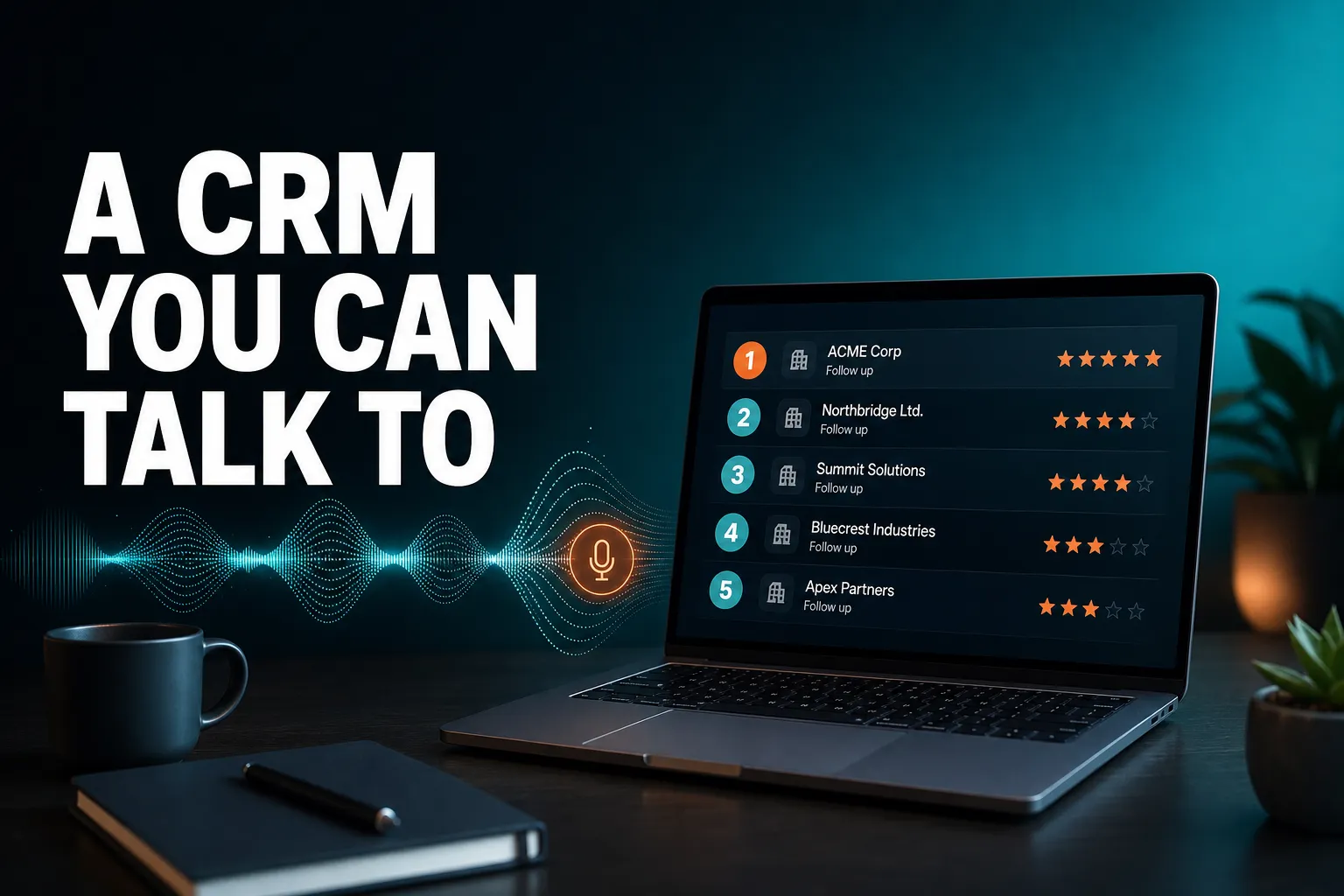
A good voice CRM lets you talk to it and have the work done. It tells you who needs attention, gives you the context on that person, then logs the call, creates the task or drafts the follow-up, and confirms what it did. For a small team, the features that matter are real write access, confirmation before anything changes, answers grounded in your own data, and a CRM that raises what needs attention without being asked.
Voice control in CRMs ranges from phone dictation to live voice agents, so the label alone tells you very little. This guide explains what to look for, which capabilities are essential, which kinds of CRM offer voice control, and where AICRM fits and where something else will suit you better.
What is a voice CRM, and why would a small team want one?
A voice CRM is a customer relationship management tool you can speak to instead of clicking through. The useful versions do more than transcribe. They understand a request such as "log a call with Priya and remind me to follow up next week", make the change in your records, and confirm what they did. Small teams want one mainly to cut admin, so follow-ups and notes actually get recorded.
The real problem is rarely typing speed. It is forgetting to follow up, not knowing who to contact next, and not remembering what happened the last time you spoke to someone. Most small teams do not have a dedicated person to keep the CRM tidy, so updates slip. By Friday, much of what was said during the week lives in someone's head, and the rest is in a notebook.
Voice helps because it removes the chore of updating the system. But voice on its own is just an input method. The questions that decide whether a CRM is worth using are the same ones as ever:
- Attention: does it show you what needs doing, or do you have to go looking?
- Context: can you see the history with a contact before you act?
- Action: can you do the next thing straight away, without switching tools?
A voice interface is only worth having if it serves all three. A CRM that obeys commands but never tells you who has gone quiet is still a filing cabinet that happens to listen.
A typical morning, with and without voice
Without it: you open the CRM, scan a contact list, click into three records, remember you promised someone a call, add a task by hand, and then write a follow-up email from scratch.
With a good voice CRM: you ask what needs your attention, get a ranked list with the reason for each item, ask for the history on the first contact, then say "draft a follow-up for her". It saves a draft on the contact for you to review. The work is the same, but the friction between noticing and doing is much smaller.
What voice-activated features should I look for in a CRM suited for small teams?
Look for a voice CRM that can change your records, not just search them, and that restates and confirms every create, update or delete before it runs. Beyond that, small teams should want answers grounded in live data, follow-up capture from conversations, drafts rather than automatic sends, and pricing that does not punish occasional use. Those features matter more than how natural the voice sounds.
Here is what each one means in practice.
1. Real write access, not just search
Many voice features can answer "what is Marcus's phone number?" but cannot do anything. For a small team the value is in the writing: adding contacts, updating fields, logging calls and meetings, creating tasks, scheduling events. If the voice assistant is read-only, you will still be typing the admin, which was the whole problem.
2. Confirmation before anything changes
Speech recognition makes mistakes, especially with names. A trustworthy voice CRM restates what it is about to do ("Create a task to follow up with Marcus, due next Tuesday. Go ahead?") and waits for a yes. This matters most for deletes and for emails. A small team has no data administrator to clean up after a misheard command.
3. Answers grounded in live data
An assistant that guesses is worse than no assistant. You want one that looks things up before it states a fact about a customer, and says so when it does not know. When you test a voice CRM, ask it something it cannot possibly know and see whether it admits that or invents an answer.
4. A way to surface what needs attention
This is the feature that separates a CRM you talk to from a CRM that talks back usefully. You should be able to ask "what needs my attention today?" and get a short, ranked answer with reasons, ideally also delivered without you asking. Look for overdue follow-ups, unanswered emails, contacts who have gone quiet and any recent changes at the companies you deal with.
5. Follow-up capture from conversations
If a customer says "call me after the 15th", that should become a dated follow-up with a reason, not a sentence buried in a note. Check whether the CRM picks this up from logged conversations or relies on you to set a reminder separately.
6. Drafts first, sending only on request
Email is where mistakes are most visible. The safest pattern is that the assistant drafts and you review, and it only sends when you explicitly say so, after confirming. This is especially important when you are speaking quickly and not reading a screen.
7. The rest of the CRM sits behind the voice layer
Voice is far more useful when it can reach tasks, segments, calendar and campaigns, rather than one narrow area. If you can only dictate notes, you will still be clicking everywhere else.
8. Pricing you can predict
Live voice uses real-time processing, and some vendors meter it. That is not a problem if the limits are clear. Look for included minutes, a stated overage rate, and some kind of cap, so a long session cannot produce a surprise bill.
I'm interested in using voice commands for managing customer relationships. What capabilities are essential?
The essential capabilities are the everyday jobs of relationship management done by voice: finding and recalling a contact, logging calls and meetings, creating and completing follow-up tasks, asking what needs attention, building segments, drafting emails for review, and scheduling meetings. If a tool covers those with confirmation and live data, it is good enough for most small teams.
It helps to think in terms of the jobs you do each week, rather than the feature list a vendor publishes. Here is a practical checklist, with example phrasings.
Find and recall
- "Pull up Priya's record."
- "Recap recent activity for Acme."
- "Who hasn't replied to my email?"
- "Find customers who have gone quiet."
This is the Context step. Before you ring or write to someone, you want the history in front of you, including calls, emails, meetings, notes and page views if the CRM tracks them.
Log and update
- "Log a call with Priya, she wants a demo next week."
- "Update Marcus's job title to Head of Operations."
- "Add a new contact, Sam Taylor at Northgate."
Logging is where CRM data often goes missing, because it feels like paperwork. If logging takes a few seconds by voice, it is far more likely to happen.
Follow up
- "Create a task to follow up with Marcus next Tuesday."
- "Mark that task done."
- "List what's due soon."
- "What are my overdue follow-ups?"
This is the capability that addresses the most common small-business failure: leads and customers falling through the cracks because nobody wrote it down.
Prioritise
- "What needs my attention today?"
- "Who are my highest-scoring leads?"
- "What should I do next?"
Prioritisation can come from two different places, and it is worth knowing which a CRM uses. One is an attention list built from what is due or has changed (overdue follow-ups, unanswered emails, new signals). The other is a lead score built from rules, such as job title, industry and recent activity. They answer different questions, and the best setups offer both.
Communicate
- "Draft a follow-up email for Priya."
- "Draft follow-ups for my top three contacts."
- "Send a one-off email to Marcus." (with a spoken confirmation first)
- "Draft a re-engagement campaign for inactive customers."
Drafting is the sweet spot for voice. You say what you want in plain language, and you review the result on screen.
Organise and report
- "Build a segment of customers with no contact in 90 days."
- "Break my contacts down by source."
- "Give me a snapshot of the whole organisation."
Building filters can feel fiddly, so segmenting often gets skipped. Saying it in a sentence is easier.
Schedule
- "Schedule a meeting with Priya on Thursday."
- "What's on my calendar tomorrow?"
- "Reschedule that meeting."
How AICRM handles this
AICRM's voice agent covers all of the above. The Features page lists 40 things you can ask it to do, across contacts, reporting, segments, campaigns and automation, tasks and calendar. It is built on real-time voice with server-side tool calls, and every create, update or delete is restated and confirmed before it runs. Its answers are designed to be grounded, with no factual claim made without a live lookup.
On the attention side, the Daily Brief appears on your dashboard when you open AICRM. It is computed live and covers follow-ups due, emails awaiting a reply, open tasks, new hot and warm signals, recent contact activity, known contacts who came back to your website, recent campaigns, drafts waiting to be sent, and customers with no contact in 90 days or more. It is also emailed at 7am on weekdays in your timezone, and skipped when there is nothing in it. Asked "what needs my attention?", the agent returns one ranked list from that same data, with a reason for each item.
What CRMs have voice control?
Voice control in CRMs comes in four forms: phone or keyboard dictation, call recording and transcription tools, AI assistants built into larger CRMs, and live voice agents that read and change your records in a real-time conversation. AICRM is in the last group. Features in the other groups change quickly, so check each vendor's current documentation before you decide.
The label "voice CRM" is applied to very different things, so it is more useful to compare approaches than product names.
| Approach | What it does | Good for | Watch for |
|---|---|---|---|
| Phone or keyboard dictation | Turns your speech into text in any field | Quick notes when you are out and about | It types but does not act, and it adds no structure |
| Call recording and transcription tools | Records calls and produces transcripts or summaries | Teams that spend much of the day on calls | Mostly after-the-fact notes; check what gets written back to the contact |
| AI assistant inside a larger CRM | Lets you ask questions or give commands over your records | Teams already committed to that platform | Voice support varies; some assistants are text-first |
| Live voice agent with write access | Real-time conversation that reads, creates and updates records | Small teams who want less admin | Usage-based minutes, and you need confirmation and grounding to trust it |
Dictation: the simplest option
Almost any CRM that you can open on a phone or laptop can be used with built-in dictation, because your device turns speech into text in whatever field is open. It costs nothing extra and works anywhere. The limit is that it only types. You still choose the field, save the note, set the follow-up and write the email.
Call recording and transcription tools
These are built for teams whose work is mostly on the phone. They record, transcribe and summarise calls, and some push notes into a CRM. If you spend hours a day on calls, they may be the right tool. They are a different category from a voice agent you talk to, because they are listening to conversations with customers rather than taking instructions from you.
AI assistants in larger CRMs
Many established platforms, including HubSpot, Salesforce and Zoho, offer AI assistant features of some kind, and newer, smaller CRMs have added their own. What each one covers, and whether any of it is voice rather than typed chat, differs by product and changes often. If you already use one of them, it is worth checking what its assistant can do before switching.
Live voice agents
This is where AICRM sits. You talk in a live session in the browser, it confirms, and it acts. It is not transcription of recorded voice notes, and it is not a scripted menu of commands. It can create and update contacts, log calls and meetings, assign owners, build and edit segments, manage tasks, schedule calendar events, draft and send one-off emails, draft campaigns and build automations.
A note on fairness
AICRM did not invent follow-up or next-action features. Many CRMs have some version of reminders, tasks and prioritisation, and several do them well. AICRM's angle is narrower: surface what needs attention, then let you act on it in the same conversation. If you do not want to talk to your CRM, a conventional one with good task and reminder features may suit you perfectly well.
How do you check that a voice CRM can be trusted?
Test it with requests designed to expose weaknesses: ask for something it cannot know, ask it to delete a record, ask it to send an email, and mention a name it might mishear. A trustworthy voice CRM admits what it does not know, restates every change and waits for your yes, and drafts rather than sends unless you tell it to. If it acts on the first sentence, be wary.
A voice interface has a particular risk. When you are speaking quickly, you are not reading a form before you submit it, so a mistake can pass unnoticed. These checks are quick to run and tell you a lot.
Five tests to run in a trial
- Ask something unanswerable. For example, ask about a customer who does not exist, or ask what a contact said in a call you never logged. A good assistant says it has no record. A poor one improvises.
- Give a create command with a deliberate ambiguity. "Add a task to call Sam." If you have two Sams, does it ask which one?
- Ask it to delete something. It should restate exactly what will be removed and wait for confirmation.
- Ask it to draft an email. Check that it saves a draft for review rather than sending, and that you can edit it.
- Check how it handles turn-taking. Notice whether it talks over you or gets confused by its own voice. AICRM gates the microphone while the agent is speaking, so it cannot interrupt itself.
What AICRM does with email specifically
When you ask AICRM to draft follow-ups, for example "draft follow-ups for my top three contacts", it saves a plain-text draft on each contact without sending anything. Drafts show on the contact and in the Daily Brief. You review, edit and send them, or discard them. The agent only sends when you explicitly ask it to, and it confirms first.
There are limits. Drafts are one-to-one only, there is no scheduled send, and drafts do not sync to your own Gmail or Outlook drafts folder.
How does a voice CRM handle follow-ups and attention, not just commands?
The best voice CRMs do not wait to be asked. They surface overdue follow-ups, unanswered emails and customers who have gone quiet, and then let you act on them by voice. Commands are only half the value. The other half is a CRM that tells you what to do next, so you are not relying on memory to know what to ask.
This is the part that is easy to overlook when comparing voice features. Imagine a CRM that can do everything you tell it to, but has no idea what is overdue. You would need to remember to ask. The failure you were trying to avoid, forgetting to follow up, is still there.
What AICRM does today
The attention features in AICRM work like this:
- Follow-ups: each contact can have a next follow-up date with a reason. You can set it by hand, ask the agent to set it, or let AICRM pick it up from a logged call, meeting, note or email, such as "call me after the 15th" or "I'll send it Friday". Due and overdue follow-ups show in the Daily Brief with the reason. If you log a conversation with no new follow-up in it, a due one is marked as done.
- No-reply detection: one-to-one emails you send from AICRM, by the agent or the contact's Send Email button, show as "awaiting a reply" in the Daily Brief after 3 days with no reply, call or meeting, for up to 14 days. The agent can list them.
- Gone-quiet customers: the agent can find contacts not contacted in a set number of days (90 by default) and turn them into a segment.
- Signals: a rate-limited enrichment pass looks for company news and job title changes for your contacts, roughly 100 contacts a week. Each signal is tiered Hot, Warm or Monitor, and the ones that matter come with a drafted outreach message.
- Website activity: known contacts are recognised when they return to your site after a form submission. Anonymous visitors are identified at company level only.
- Lead scoring: you set the rules in Settings (job title, industry, company size, location, source, recency, email opens, site visits) and the agent can list your top contacts by score.
The ranked answer to "what needs my attention?" is built from the Daily Brief data, not from lead score. Overdue follow-ups and hot signals come first, then follow-ups due today, unanswered emails, contacts back on the website, warm signals and tasks. Lead score is a separate question you can ask for separately.
Limits worth knowing
AICRM only reads follow-ups from conversations that are logged in it: notes, calls and meetings logged there, and emails sent from AICRM or BCC'd or forwarded to it. It does not listen to your calls or read your inbox. No-reply detection does not cover campaign or automation emails, or emails sent from your own inbox. There are no mobile push notifications for the Daily Brief, though it is emailed each weekday morning.
What does a voice CRM cost, and how do voice minutes work?
Some voice CRMs charge for voice time because live voice has a real processing cost. AICRM includes 120 voice-agent minutes a month on Starter ($29), 400 on Growth ($79) and 600 on Power ($149), with extra minutes at $0.15 each and a $2 a day safety cap. Everything else in the CRM has no usage limit or per-seat charge.
The plans differ in voice minutes and contact limits. Every plan includes the full CRM: contacts, segments, campaigns, automation, forms, analytics, the Daily Brief, follow-ups, tasks and signals.
| Plan | Price | Voice minutes a month | Contacts |
|---|---|---|---|
| Starter | $29 a month | 120 | Up to 2,000 |
| Growth | $79 a month | 400 | Up to 5,000 |
| Power | $149 a month | 600 | Up to 20,000 |
Making sense of minutes
To put the numbers in context, 120 minutes a month works out at about 4 minutes a day across 30 days. 400 minutes is a little over 13 minutes a day. Whether that is plenty or tight depends on how you work. Short commands ("log a call", "create a task") are brief, while long exploratory sessions will use more.
A few habits make the minutes go further:
- Use the Daily Brief and the contact record for reading, and the voice agent for acting.
- Batch your admin into one short session rather than many short ones.
- Give complete instructions in one go: "Log a call with Priya, she wants a demo next week, and set a follow-up for Monday."
The $2 a day cap means a runaway session cannot produce a surprise bill. Per-seat pricing does not apply, which can matter for a small team where several people only use the CRM occasionally.
This is a trade-off to weigh honestly. A conventional CRM with no voice layer may cost less per month and has no minutes to watch. If you would never use voice, you would be paying for something unused.
What can a voice CRM not do?
A voice CRM is not a replacement for every sales tool. AICRM specifically has no sales deal pipeline or deal stages, no native mobile app, no recorded voicemail or voice-note transcription, no phone dialler or SMS, and no inbox-wide reading. It works from contacts, lifecycle stages, lead scores, segments, tasks and campaigns, and from conversations logged inside it.
Being clear about limits saves you a wasted trial. Here are the ones to check for any voice CRM, with AICRM's position on each.
- Deals and pipeline stages. AICRM does not have a deal pipeline. Lifecycle stages and follow-up tasks cover what most small teams use deals for, such as knowing who is a lead, who is a customer and what to do next. If you run a structured, multi-stage sales process with forecasting, you probably want a CRM built around deals.
- Recorded voice notes. The AICRM voice agent is a live, real-time conversation in the browser: you talk, it confirms, it acts. It does not transcribe voicemails or recorded voice notes.
- Calling. There is no phone dialler, SMS or calling feature. You log calls you make elsewhere.
- Mobile app. There is no native mobile app.
- Inbox access. AICRM does not read your inbox or listen to calls. It learns from what you log, plus emails sent from AICRM or BCC'd or forwarded to it.
- Visitor identification. Anonymous visitors are identified at company level only, using reverse IP lookup with consumer ISPs excluded. It does not identify individual anonymous people.
There are practical limits to voice in general, too. In a busy open-plan office, talking to your CRM may not be comfortable. Names and unusual company spellings can be misheard, which is why confirmation matters. Some people simply prefer typing, and a good CRM should leave that option open.
Is AICRM the right voice CRM for you, or should you choose something else?
AICRM fits founders, consultants, small-business owners and small teams who want to stay on top of customers with less admin, and who would value a CRM that surfaces what needs attention and lets them act by voice. It is a weaker fit if you need a deal pipeline, built-in calling, a mobile app or inbox-wide email sync. In those cases another CRM will serve you better.
AICRM is a good fit if
- You forget follow-ups, or leads fall through the cracks because logging feels like a chore.
- You work on your own or in a team of a few people, without a CRM administrator.
- You want a morning list of what needs attention rather than a dashboard to interpret.
- Your work is relationship-based: consulting, services, customer retention, account management or customer marketing.
- You like the idea of drafting follow-ups and campaigns by describing them, then reviewing them.
Something else may suit you better if
- You run a sales team with a deal pipeline. Large sales teams who need stages, forecasts and deal-level reporting should look at CRMs built for that, such as Pipedrive, HubSpot or Salesforce. They are the better choice for that job.
- Calls are your main channel. If you need a dialler, call recording and call coaching, a telephony-focused tool will do more than AICRM can.
- You work mostly from your phone. AICRM has no native mobile app, so a CRM with a strong mobile app, plus your phone's dictation, may be more practical.
- You already live in a larger platform. If your team is established in one, check its AI assistant before moving.
- You prefer to click, not talk. A simple CRM with good tasks and reminders can cover the follow-up problem well. AICRM was not the first to offer next-action or follow-up features, and plenty of CRMs do them.
If you are somewhere in the middle, the most useful thing is a short trial with your own data.
How can you test a voice CRM in a week?
Import your real contacts, use the voice agent for your normal admin for a few days, and judge it on whether follow-ups stop slipping. AICRM offers a 7-day free trial with full features and no limits. A card is required up front, but you are not charged until the trial ends. A week is enough to see whether voice fits how you work.
Here is a simple plan.
Day 1: Bring in your contacts. Use CSV import with automatic field-mapping. It handles exports from other CRMs and plain spreadsheets, reports failed rows individually and detects duplicates by email, so re-imports do not create copies.
Day 2: Set up your attention basics. Add a few lead scoring rules in Settings, and check the 7am Daily Brief email is on if you want it. Ask the agent "what needs my attention today?" and see whether the answer matches your own instincts.
Day 3: Log everything by voice. After each call or meeting, say what happened and what comes next. Notice whether the follow-ups appear in your brief.
Day 4: Try drafts. Ask for follow-ups for your top contacts and review the drafts on each record. Edit one and send it from the contact.
Day 5: Go quiet-customer hunting. Ask the agent to find customers who have gone quiet, and turn them into a segment.
Day 6: Run the trust tests from earlier: something unanswerable, an ambiguous name, a delete.
Day 7: Estimate your minutes. Think about how long your voice sessions ran across the week and compare that with the plan bundles, so you pick the right one before the trial ends.
If you want to see it before you commit, the demo shows the product in action. The Features page lists everything the voice agent can do, the pricing page has the plan details, and you can contact us with questions about a plan.
The short version
When you are choosing a voice CRM in 2026, ignore the microphone icon and ask what happens after you speak. Does it change your records, confirm first, stay grounded in your data, and tell you what needs attention without being asked? If so, voice is a genuine way to cut admin and never forget a follow-up. If it only types what you say, ordinary dictation does the same job for free.
Frequently asked questions
What voice-activated features should a small team look for in a CRM?
Look for real write access (creating contacts, logging calls, setting tasks), confirmation before any change, answers grounded in live data, and follow-up capture from conversations. Also check that email is drafted for review rather than sent automatically, and that voice pricing is predictable. A way to ask "what needs my attention?" is more valuable than a long list of commands.
What capabilities are essential when using voice commands to manage customer relationships?
The essentials are finding and recalling contacts, logging calls and meetings, creating and completing follow-up tasks, asking what needs attention, drafting emails for review, building segments and scheduling meetings. If a voice CRM covers those with confirmation before changes, it handles the weekly work of most small teams.
What CRMs have voice control?
Voice control comes in four forms: phone or keyboard dictation, call recording and transcription tools, AI assistants inside larger CRMs, and live voice agents that read and change your records in a real-time conversation. AICRM is in the last group. Features in the others change often, so check each vendor's current documentation.
Does AICRM have a mobile app or transcribe voicemails?
No. AICRM has no native mobile app and does not transcribe recorded voicemails or voice notes. Its voice agent is a live, real-time conversation in the browser: you talk, it confirms, and it acts. It also has no phone dialler, SMS or calling features.
How much does voice control cost in AICRM?
Voice is bundled into the plans: Starter is $29 a month with 120 voice-agent minutes, Growth is $79 with 400 minutes, and Power is $149 with 600 minutes. Extra minutes cost $0.15 each, with a $2 a day safety cap. There is a 7-day free trial, and a card is required up front but not charged until the trial ends.
Can a voice CRM send emails without me checking them first?
A well-designed one should not. In AICRM, asking the agent to draft follow-ups saves a plain-text draft on each contact without sending anything, and you review, edit and send or discard it. The agent only sends when you explicitly ask it to, and it confirms first. Drafts are one-to-one only, with no scheduled send.