How to Segment Contacts by Lead Score and Lifecycle Stage
Many CRMs can segment by lead score and lifecycle stage. Here is what to look for, how to combine both, and how AICRM targets campaigns at those segments.
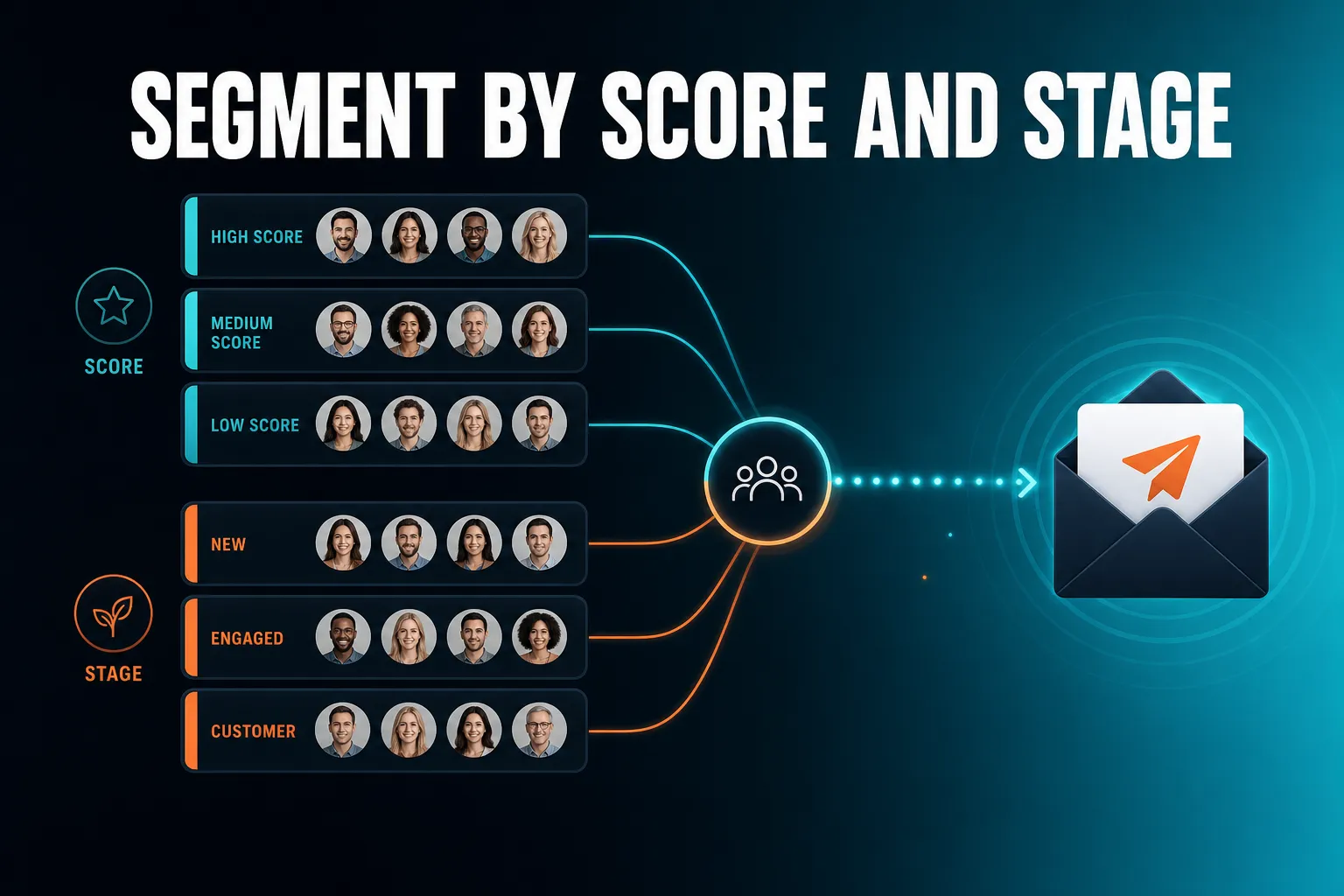
Many CRMs offer lead scoring and lifecycle stages, so the useful question is how well the two work together, not whether they exist. AICRM does both: segments can combine lead score, lifecycle stage, status, industry, source and inactivity, and email campaigns and automations are aimed at those segments.
The more useful test is whether you can combine both in a single live segment and send to it without exporting a spreadsheet. This guide covers what to look for, how to set it up, and where AICRM fits and where something else does.
What CRM can segment contacts by lead score?
Many CRMs can, from large platforms to small-team tools, though how scoring works and which plan includes it varies. What matters is how the score is built and where you can use it. Look for scoring rules you can edit yourself, a score that updates when something happens, and the ability to use that score as a filter in a segment that stays current on its own. AICRM scores contacts against rules you set in Settings, then lets you build segments on that score.
What to look for in a CRM that segments by lead score
Not every CRM that shows a score lets you segment on it. Check these points before you commit:
- Editable rules. Can you change what earns points without a developer? A score you cannot adjust will drift away from how you actually sell.
- Visible reasons. A number with no explanation is hard to trust. You want to see why a contact scored what they did.
- Timely updates. A score that recalculates overnight can be a day out of date. One that updates when a contact opens an email or visits your site is more useful.
- Score as a segment filter. The score should be usable in segments and campaigns, not just displayed on the contact record.
- Manual overrides. Your own judgement should be able to sit on top of the automatic score without being wiped out at the next recalculation.
- Cost and plan limits. Check which plan includes scoring and segmentation in any tool you are considering, rather than assuming.
How AICRM handles lead score segmentation
In AICRM you define scoring rules in Settings, with no code. The rules can use job title, industry, company size, location, lead source, recency, email opens and site visits. The score recalculates the moment one of those events happens, not on a schedule.
If you adjust a score by hand, your adjustment is added on top with a reason attached, and the automatic score stays visible underneath. So a contact might show an automatic score of 62 with a manual adjustment of plus 16, giving 78. Your judgement call is not silently overwritten later.
You can then build a segment on lead score, and the segment is live: viewing its contacts always shows who is in it right now. You can also ask the agent to list your highest-scoring contacts if you just want a quick look rather than a saved segment.
What CRM lets me target campaigns by lifecycle stage?
Many CRMs that include email campaigns let you filter by lifecycle stage, and the better ones let you combine it with other criteria. AICRM tracks a lifecycle stage on every contact, lets you build segments on it, and aims email campaigns at those segments. You can also trigger an automation when a contact enters a segment, so a nurture or re-engagement email goes out without a manual send.
Why lifecycle stage matters for campaigns
Lifecycle stage describes where someone is with you: for example a new lead, someone you are actively talking to, or an existing customer. The exact stage names vary between CRMs, but the idea is the same.
The reason to target by stage is simple. A customer does not want an email explaining what your business does. A brand new lead does not want a renewal reminder. When everyone gets the same newsletter, some of them get a message that makes no sense for their situation, and that is how people end up unsubscribing.
A concrete example. Say a small consultancy has 600 contacts. Sending one monthly email to all of them means customers read an introduction they do not need, while leads never get a clear next step. Splitting by lifecycle stage lets the consultancy send leads a short case study and a booking link, and send customers a useful update and a check-in. Same effort, two much better messages.
What to check before you rely on it
- Can campaigns be sent to a saved segment, not only to a list you upload each time?
- Does the segment update itself as contacts change stage, or is it a frozen snapshot?
- Can you combine stage with other filters, such as score or industry?
- Can you test message variants and see results per variant?
- Is there open and click tracking, so you can learn which segment responds?
How AICRM handles campaigns by lifecycle stage
AICRM campaigns are always aimed at a real, inspectable segment. You can see exactly who is in it before you send. Campaigns support A/B message variants, with results tracked per variant, and open and click tracking on every send.
You can also ask the agent to draft a campaign for a segment, and to rewrite a campaign's message. As with other changes the agent makes, it restates what it is about to do and asks you to confirm before it runs.
Automation (v1) goes one step further. It triggers a campaign the moment a contact enters a segment. For example: when a contact enters a segment of customers who have been inactive for 90 days, send a re-engagement email.
What is the difference between lead score and lifecycle stage?
Lead score measures how promising a contact looks, based on rules you define. Lifecycle stage records where they are in your relationship, such as lead or customer. Score answers 'who deserves my attention?' while stage answers 'what kind of conversation is this?'. Segmenting on only one of them gives you a blunt tool, and combining them gives you something you can act on.
Why one without the other falls short
Segment on score alone and you will mix up two very different groups: a high-scoring prospect you have never spoken to, and a high-scoring customer who has been with you for years. They need different messages, even though both score highly.
Segment on stage alone and every lead gets treated the same, whether they have visited your pricing page five times or never opened an email.
The combination is where the value is:
- High score and early stage: worth a personal message soon.
- High score and customer: worth looking after, asking for feedback or a referral.
- Low score and early stage: suitable for light, automated nurture rather than your time.
- Customer and gone quiet: a re-engagement candidate.
A note on status and other filters
AICRM segments can also use status, industry, source and inactivity. These combine cleanly with score and stage, so you are not forced to pick one type of filter. A segment such as 'customers in manufacturing who have not been contacted in 90 days' is a normal thing to build.
How do you set up lead scoring rules that are worth segmenting on?
Keep the rules few and tied to things you genuinely believe predict a good customer. Start with who they are (job title, industry, company size, location), where they came from (source), and how they behave (email opens, site visits, how recently they engaged). Review the results after a few weeks and adjust. A simple score you trust beats a complicated one you ignore.
A practical way to start
- Write down your best customers. What job titles, industries and company sizes do they share? Those become your fit rules.
- Add a few behaviour rules. Opening emails and visiting your site are reasonable signs of interest. Recency matters too: someone who engaged last week is more relevant than someone who engaged last year.
- Weight source sensibly. If referrals turn into customers more often than cold imports, reward that source.
- Check the top of the list. Ask for your highest-scoring contacts and see whether they match your instinct. If they do not, change the rules, not your instinct.
- Use manual adjustments sparingly. They are useful for knowledge the rules cannot see, such as a warm introduction from a mutual contact. In AICRM each one carries a reason, so you can see later why it was made.
Common scoring mistakes
- Too many rules, so nobody can explain a score.
- Scoring on activity alone, which can favour the people who click the most, not the best fit.
- Setting it and forgetting it. Your ideal customer changes, and your rules should follow.
In AICRM, company size and industry are real fields that feed the score, not guesses made from free text. That keeps the scores consistent as your contact list grows.
How do you build a segment on lead score and lifecycle stage in AICRM?
In AICRM you can build a segment on lead score, lifecycle stage, status, industry, source or inactivity, and combine them. You can ask the agent in plain language, for example 'build a segment of leads with a high score', and it restates what it will create and asks you to confirm before it runs. The segment is live, so membership updates as contacts change.
Example conversation
You might say: 'Build a segment of customers with no contact in 90 days.' The agent confirms the filters, creates the segment, and takes you to it. You can then look at who is in it, edit the filters, or aim a campaign at it.
The agent can also edit a segment's filters or delete it, with the same confirmation before anything changes.
Two things to know
- Segments are live, not snapshots. If a contact's score rises or their stage changes, they move in or out. That is useful, but it means a campaign aimed at a segment reflects the segment at the time you send.
- The voice agent uses voice minutes. Every plan includes a monthly bundle (120 on Starter, 400 on Growth, 600 on Power), and extra minutes are billed at $0.15 per minute with a $2 per day safety cap. Segments and campaigns themselves have no usage limit or per-seat charge.
Which segments are worth building first?
Start with three or four segments that each lead to a different action. Warm leads, valued customers and quiet customers cover most small businesses. Each should answer the question 'what will I do differently for these people?'. If the answer is 'nothing', the segment is not worth maintaining.
| Segment | Score | Lifecycle stage | What you do with it |
|---|---|---|---|
| Warm leads | High | Lead | Personal follow-up, or a campaign with a clear next step |
| Valued customers | High | Customer | Ask for feedback or a referral, share useful updates |
| Quiet customers | Any | Customer, inactive 90+ days | Re-engagement email or a personal check-in |
| Cool leads | Low | Lead | Light nurture, no personal time spent |
The stage names above are examples of the idea. Match them to the lifecycle stages your CRM offers.
A concrete example. Imagine a freelance consultant with 300 contacts. She builds 'warm leads' and spends Friday mornings on personal emails to that group. She builds 'quiet customers' and sends a short check-in. The cool leads get an occasional newsletter and nothing more. Her limited time goes where it is most likely to matter.
Where score and attention differ
A segment on lead score is not the same as a to-do list. If you ask AICRM 'what needs my attention?', the agent returns one ranked list drawn from your Daily Brief: overdue follow-ups and hot signals first, then follow-ups due today, unanswered emails, contacts back on your website, warm signals and tasks, each with its reason. That list is not ranked by lead score. Use segments to plan campaigns and outreach in bulk, and use the Daily Brief for what needs action today.
How do you send a campaign or trigger an automation from a segment?
Aim the campaign at a saved segment, check who is in it, and send. In AICRM you can draft the campaign yourself or ask the agent to draft it, then test message variants with A/B testing. For ongoing work, set an automation so that a campaign is sent as soon as a contact enters a segment, with no manual send needed.
A simple workflow
- Build the segment, such as customers inactive for 90 days.
- Check the members. Remove anything surprising by adjusting the filters.
- Draft the campaign. Keep it short, specific to that group, with one clear action.
- Test two variants if the segment is large enough to learn from.
- Review opens and clicks per variant, and keep what worked.
- If it works, turn it into an automation so new members get the same email when they enter.
What this does not cover
Campaigns and automations are the right tool for groups. For one-to-one outreach, AICRM can draft follow-up emails on each contact for you to review, edit and send. The agent only sends when you explicitly ask, after confirming. Drafts do not sync to your Gmail or Outlook drafts folder, and there is no scheduled send for them.
What are the trade-offs and common mistakes?
The main risks are stale data, too many segments and over-trusting the score. A score is a guide to where to look, not a verdict on a person. Segments built on messy lifecycle stages will give messy results, so keep stages accurate. Fewer segments with clear actions beat many that nobody uses.
Watch for these
- Inaccurate stages. If a customer is still marked as a lead, they will get the wrong campaign. Review stages regularly, especially after an import.
- Segments that are too small. A segment of five people is a to-do list, not a campaign audience. A/B testing needs enough people to show a difference.
- Over-emailing high scorers. A high score means 'worth attention', not 'send more email'.
- Ignoring the reasons. If a score surprises you, look at why. That is how you find rules that need fixing.
- Importing without cleaning. AICRM's CSV import maps fields automatically and detects duplicates by email, but check that source and company details came through before you rely on them for scoring.
Signals add context, not certainty
AICRM also watches for company news and job title changes for your contacts, and tiers each signal Hot, Warm or Monitor. This runs as a rate-limited pass of roughly 100 contacts a week. Signals are a useful prompt to reach out, and signals can also be turned into a segment. But they are another input to your judgement, not a replacement for it.
When is a different CRM the better choice?
AICRM is built for small teams, founders, consultants and small-business owners who want to stay on top of customers with less admin. It is not the best choice for everyone. If your sales process depends on a deal pipeline with stages, forecasting and large teams of reps, a CRM built around deals will suit you better.
Where AICRM does not fit
- Deal pipelines. AICRM has no sales deal pipeline or deal stages. It is built around contacts, lifecycle stages, lead scores, segments, tasks and campaigns. For many small teams, lifecycle stages and follow-up tasks cover what they would otherwise use deals for, but if you need formal deal tracking, look at HubSpot, Pipedrive, Salesforce or similar.
- Phone and SMS. There is no dialler, SMS or calling feature.
- Reading your inbox. AICRM does not read your inbox or listen to calls. It works from conversations logged in AICRM, and from emails sent from AICRM or BCC'd or forwarded to it.
- Heavily customised enterprise scoring. If you need scoring across many object types with complex governance, a larger platform may be a better match.
Where AICRM does fit
If you mainly want to know who to contact, keep follow-ups from slipping, and send the right email to the right group, AICRM covers it with scoring you can see into, live segments and campaigns aimed at them. The Daily Brief surfaces follow-ups due, emails awaiting a reply, new signals and customers who have gone quiet, so the segments you build are backed by a daily view of what needs attention.
What should you do next?
Build one segment and use it this week. Pick warm leads or quiet customers, check who is in it, and send one considered message. If you want to try this in AICRM, the 7-day free trial includes full features. A card is required up front, but you are not charged until the trial ends. Plans start at $29 a month. You can see everything it does on the Features page, compare plans on Pricing, or watch the demo.
Frequently asked questions
What CRM can segment contacts by lead score?
Many CRMs can, though how scoring works and which plan includes it varies, so check the current details of any tool you consider. In AICRM you set scoring rules in Settings, using things like job title, industry, company size, location, source, recency, email opens and site visits. You can then build live segments on that score and combine it with other filters.
What CRM lets me target campaigns by lifecycle stage?
Many CRMs with email campaigns let you filter by lifecycle stage, with varying flexibility. In AICRM every contact has a lifecycle stage, you can build a segment on it, and campaigns are aimed at that segment. You can also set an automation to send a campaign when a contact enters a segment.
Can I combine lead score and lifecycle stage in one segment?
In AICRM, yes. Segments can be built on lead score, lifecycle stage, status, industry, source or inactivity, and the filters combine. For example, you could build a segment of high-scoring leads, or customers with no contact in 90 days.
Does AICRM have a sales deal pipeline?
No. AICRM has no deal pipeline or deal stages. It is built around contacts, lifecycle stages, lead scores, segments, tasks and campaigns, which covers what many small teams use deals for. If you need formal deal tracking, a CRM built around deals will suit you better.
Does the lead score in AICRM change automatically?
Yes. The score recalculates the moment a relevant event happens, such as an email open or a site visit, not on a schedule. If you adjust a score by hand, the adjustment sits on top with a reason attached, and the automatic score stays visible underneath.
Can AICRM send a campaign automatically when someone enters a segment?
Yes. Automation (v1) triggers a campaign the moment a contact enters a segment, for example sending a re-engagement email when someone joins a segment of contacts inactive for 90 days. Campaigns also support A/B variants and open and click tracking.