A Simpler HubSpot Alternative for Marketing Teams
Looking for a simpler HubSpot alternative for marketing teams? See what to look for, where AICRM fits, and where HubSpot is still the better choice.
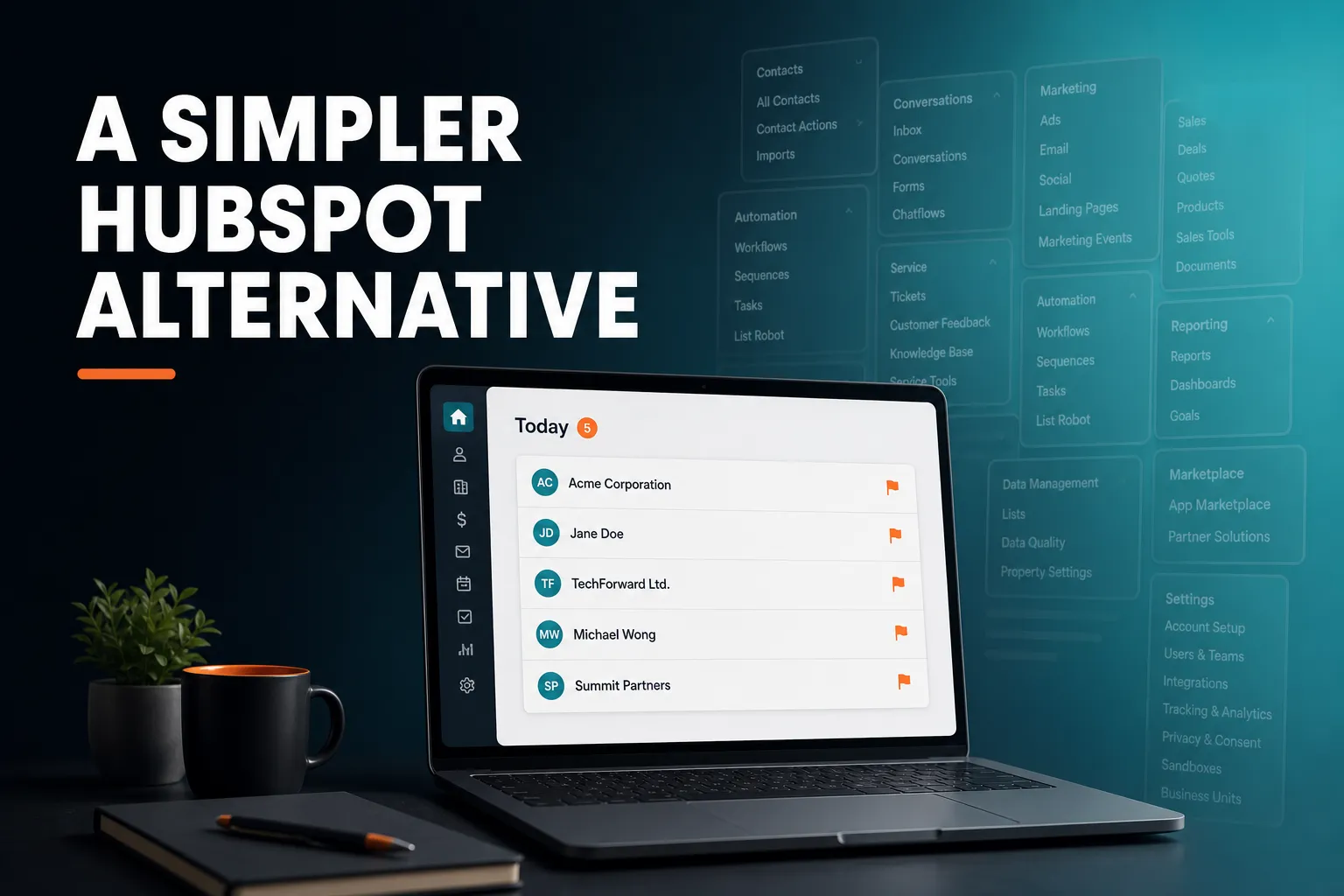
Yes. If your marketing team wants customer records, segments, email campaigns and forms without the setup and admin of a full marketing suite, a lighter CRM such as AICRM is one option. It covers live segments, A/B-tested campaigns, forms, website tracking and a Daily Brief that tells you what needs attention, but it has no sales deal pipeline, so HubSpot remains the better fit for larger teams that need the whole suite.
Is there a simpler alternative to HubSpot for marketing teams?
Yes. Several other CRMs, including folk, Attio, Pipedrive, Less Annoying CRM and AICRM, aim at smaller teams and take different approaches to keeping things simple. Some focus on sales, some on contact management. AICRM is simpler because it is smaller in scope and built around telling you what to do next.
Simpler does not mean better for everyone. A suite like HubSpot is broad because many businesses need that breadth. The useful question is not which CRM is best but which one matches the work your team actually does each week.
For a small marketing team, that work is usually fairly narrow:
- Keep one clean list of contacts and customers.
- Split them into groups (segments) and email the right group.
- Capture leads from forms and see what they looked at.
- Follow up with the people who matter, at the right time.
- Keep an eye on customers who have gone quiet.
If that describes your week, a smaller tool can cover it with less to configure. If you also run complex multi-channel programmes, a large sales team or a service desk from the same platform, a bigger suite earns its complexity.
Why do marketing teams look for something simpler than HubSpot?
Common reasons are that the platform does more than the team uses, the cost can rise as contacts and features are added, and keeping everything tidy becomes a job in itself. None of this is a flaw in HubSpot, which is built to serve many kinds of business. But a team of two to five people may be paying, in money and time, for breadth it never touches.
In plain words, the frustrations tend to be:
- Not knowing who to contact first.
- A follow-up slipping through because it lived in someone's inbox.
- Spending more time updating the CRM than using it.
- Setting up a lot of things in month one and not touching them since.
These are attention and admin problems more than feature problems. A CRM can have every feature you could want and still leave you wondering what to do this morning. That is why the first thing worth checking in any alternative is how it helps you decide what needs attention today.
For pricing, check HubSpot's current pricing page against your own contact count and the tiers you would need. Plans in this category change often, so compare live numbers rather than relying on memory or on an article.
What should a marketing team look for in a simpler CRM?
Look for five things: something that surfaces what needs attention, one unified contact record, segments that stay up to date by themselves, campaigns you can test, and pricing you can predict. Then check what you can live without. A simpler CRM is only simpler if the missing parts are ones you would not have used.
Does it tell you what needs attention?
A CRM that only stores data waits for you to go looking. Better ones surface follow-ups that are due, customers who have gone quiet and people who have just shown interest. Several CRMs have next-step or follow-up features, so compare how each one works day to day: does it reach you, or do you have to open a report?
Is there one contact record?
If forms, imports and manual edits each write to a different place, you end up reconciling lists. Check that everything lands in one record with a timeline of calls, emails, meetings, notes and page views.
Are segments live?
A segment you rebuild every month goes stale. You want segments defined by rules (lifecycle stage, lead score, industry, source, inactivity) that always show who currently matches.
Can you test campaigns?
For a marketing team, A/B testing of message variants and open and click tracking are the basics. Anything beyond that depends on your programme.
Can you predict the bill?
Check whether pricing depends on seats, contacts, emails sent or usage of particular features. Work out your own number for your own team size rather than comparing headline prices.
What can you live without?
Be honest about this one. If you do not run a sales pipeline with deal stages, you do not need one in your CRM. Make a list of the tools you actually use today, and check each candidate against that list rather than against its full feature page. A tool that leaves out things you never use is not missing anything for you.
How does AICRM work for a marketing team?
AICRM is a proactive CRM: it finds what needs attention, gives you the context, and helps you act on it in the same conversation. It covers contacts, live segments, lead scoring, email campaigns with A/B testing, segment-triggered automation, forms, website tracking, a calendar with booking pages, and analytics. The Daily Brief is the front door.
The model is attention, then context, then action.
Attention: the Daily Brief
When you open AICRM, the dashboard computes a live brief. It includes follow-ups due or overdue, emails awaiting a reply, open tasks, new company news and role-change signals, recent contact activity, known contacts who came back to your website, recent campaigns, email drafts waiting to be sent, and a count of customers with no contact logged in 90 days or more. On Mondays it looks back three days so the weekend is covered.
The same brief is emailed to you at 7am on weekdays in your timezone, and it is skipped on days when there is nothing in it. You can switch the email off in Settings. There are no mobile push notifications.
If you ask the agent "what needs my attention?", it returns one ranked list from that data: overdue follow-ups and hot signals first, then follow-ups due today, unanswered emails, contacts back on the website, warm signals and tasks, each with its reason. That ranking is not based on lead score.
Context: one record per contact
Every contact has a single record with a timeline of calls, emails, meetings, notes and page views, plus a task list and any follow-up date with its reason. Lead scores come from rules you set yourself in Settings, with no code: job title, industry, company size, location, source, recency, email opens and site visits. A manual adjustment sits on top with a reason attached, so a judgment call is not overwritten by the next recalculation.
Action: campaigns, drafts and tasks
You can build segments, draft campaigns, create tasks and schedule meetings by talking to the agent in the browser. It restates every create, update or delete and waits for your confirmation before running it. Ask it to draft follow-ups for your top three contacts and it saves a plain-text draft on each contact. Nothing is sent until you review it and send it yourself, or explicitly ask the agent to send, after it confirms.
| Marketing need | How AICRM handles it |
|---|---|
| Know who needs attention | Daily Brief on the dashboard and by email at 7am on weekdays |
| Group your audience | Live segments on lead score, lifecycle stage, status, industry, source or inactivity |
| Email campaigns | A/B variants, open and click tracking, segment targeting |
| Nurture and re-engagement | Automation that sends a campaign when a contact enters a segment |
| Capture leads | Embeddable forms tied to browsing history and first-touch source |
| See website interest | Known contacts recognised when they return after a form submission; anonymous visitors identified at company level |
| Import your list | CSV import with automatic field-mapping and duplicate detection by email |
What does a marketing week look like in AICRM?
A typical week starts with the Daily Brief, moves to a few segment and campaign decisions, and relies on automation for the repetitive sends. Below is an illustrative example for a small team running customer marketing alongside some lead generation. It is a scenario, not a customer story.
Monday: read the brief
The brief shows two overdue follow-ups, one contact who submitted a form last month and has come back to the site, and a count of customers with no contact in 90 days or more. You ask the agent to draft follow-ups for the top contacts. It saves a draft on each record. You read them, edit two and send them from the contact, and discard the one you do not want.
Midweek: act on quiet customers
The agent can find contacts not contacted in 90 days (you can change that number) and turn them into a segment. You could then draft a re-engagement campaign aimed at that segment, with two subject lines as A/B variants and results tracked for each.
To stop doing this by hand, you can set up an automation that sends a re-engagement email when a contact enters the "Inactive 90 days" segment. The Features page describes automation as v1: a campaign triggers when a contact enters a segment. If you need long, branching journeys with many conditions, ask for a demo and check that it covers your case before committing.
Through the week: signals and site visits
A rate-limited enrichment pass checks roughly 100 contacts a week for company news and job title changes. Each signal is tiered Hot, Warm or Monitor, and the important ones come with a drafted outreach message. A contact who has just raised funding or changed role becomes a reason to get in touch, not a surprise you notice months later.
On the website side, a contact who submitted a form and later returns is recognised as a known contact and appears in the brief. Anonymous visitors are identified at company level only (through reverse IP lookup, with consumer ISPs excluded), so you may see that a company has been looking at your pages but not which person.
What it will not do
AICRM only picks up follow-ups from conversations logged in it: notes, calls and meetings you log, and emails sent from AICRM or BCC'd or forwarded to it. It does not listen to calls or read your inbox. It will flag one-to-one emails sent from AICRM that have had no reply after 3 days, for up to 14 days, but not campaign emails or emails sent from your own mail client.
Where is HubSpot the better choice?
HubSpot is the better choice when you need a broad platform covering marketing, sales and customer service in one place, or a sales team working a deal pipeline with stages. It also suits larger organisations with several teams, complex reporting needs, or many integrations they rely on. AICRM is deliberately narrower.
Consider staying with, or choosing, a larger suite if any of these are true:
- You need a sales deal pipeline with stages and forecasting. AICRM has no deals. It uses contacts, lifecycle stages, lead scores, segments, tasks and campaigns. For many small teams, lifecycle stages plus follow-up tasks cover what they used deals for, but if your sales process is built around a pipeline, that is a real gap.
- You rely on a large ecosystem of integrations. AICRM's integrations are Google Calendar, email logging, CSV import and export, embeddable forms and booking pages.
- You need SMS, a phone dialler or calling features. AICRM does not have them.
- You have many teams that need different permissions, custom objects and heavy reporting.
There is no shame in outgrowing a smaller tool or in never needing to leave a bigger one. The fair test is whether you use the breadth you are paying for.
What are the trade-offs of choosing AICRM over HubSpot?
The trade-off is scope for simplicity. You get a CRM that centres on attention and follow-up, with campaigns and forms built in, but not a full marketing and sales suite. You also work with a conversational agent for many tasks, and the plans meter voice-agent minutes, so it helps to know how you will use it.
A few practical points to weigh:
- Voice minutes are part of the pricing. Each plan includes a monthly bundle. Minutes beyond that are billed at $0.15 a minute, with a $2 a day safety cap.
- The agent confirms before it changes anything. That is safer, and it adds a short step to each change.
- Email drafts are one-to-one. There is no scheduled send, and drafts do not sync to your Gmail or Outlook drafts folder. You review and send from the contact in AICRM.
- Signals are capped by design. The enrichment pass covers roughly 100 contacts a week, so it favours data quality over breadth.
How does AICRM pricing compare for a small marketing team?
AICRM has three plans, all with the full CRM. Starter is $29 a month with 120 voice-agent minutes and up to 2,000 contacts. Growth is $79 with 400 minutes and up to 5,000 contacts. Power is $149 with 600 minutes and up to 20,000 contacts. There is no per-seat charge.
The pricing page states that segments, campaigns, automation and the rest of the CRM have no usage limit or per-seat charge. What changes between plans is the voice minutes and the contact ceiling. That makes budgeting simple: count your contacts, pick the plan above that number, and estimate how much you will talk to the agent.
There is a 7-day free trial with full features. A card is required up front, but you are not charged until the trial ends.
For HubSpot, look at its current pricing page for the products and tiers you would actually use, and add up the seats and contacts you have. Do the sum for your own team rather than comparing starting prices, because what you pay depends on the features and contact volume you need.
How hard is it to move from HubSpot to a simpler CRM?
For contacts, it is fairly straightforward: export them from HubSpot as a CSV, then import that file into AICRM. Import uses automatic field-mapping against your CSV headers, reports failed rows individually, and detects duplicates by email so a re-import does not create copies. Plan separately for anything that is not a contact record.
A sensible approach is:
- Export your contacts from HubSpot and keep the file as an archive.
- Clean obvious problems first: duplicate emails, test records, old unsubscribes you should not mail.
- Import into AICRM and check the per-row error report.
- Rebuild the three or four segments you actually use, rather than every segment you have ever made.
- Recreate your forms with AICRM's embeddable forms and your key emails as campaigns.
- Run both systems side by side for a short period before you cancel the old one.
Do not assume that deal records, email templates, workflows or full activity history come across with a CSV of contacts. Decide what you need to keep, and export or archive it from HubSpot before you cancel anything.
What is the next step?
If this sounds like how your team works, the quickest check is to try it on your own data. Start the 7-day free trial, import a CSV of contacts, and see what your first Daily Brief shows. You can read the full list of capabilities on the Features page, compare plans on the Pricing page, or watch the demo first. If you have a specific requirement, such as a deal pipeline or an integration, get in touch before you start so you know whether AICRM fits.
Frequently asked questions
Is there a simpler alternative to HubSpot for a small marketing team?
Yes. Several other CRMs aim at smaller teams, including folk, Attio, Pipedrive, Less Annoying CRM and AICRM, each with a different focus. AICRM suits small teams who want contacts, live segments, A/B-tested campaigns, forms and a Daily Brief that shows what needs attention, without the setup of a full suite.
Does AICRM have a sales pipeline like HubSpot?
No. AICRM has no deal pipeline or deal stages. It is built around contacts, lifecycle stages, lead scores, segments, tasks and campaigns. Many small teams find lifecycle stages and follow-up tasks cover what they used deals for, but teams with a pipeline-based sales process may prefer HubSpot or another sales CRM.
Can I move my contacts from HubSpot to AICRM?
You can export contacts from HubSpot as a CSV and import the file into AICRM. Import maps fields automatically, reports failed rows one by one and detects duplicates by email. Keep a separate archive of anything that is not a contact record, such as deals or templates, because a contact CSV will not carry those.
How much does AICRM cost compared with HubSpot?
AICRM costs $29, $79 or $149 a month depending on the plan, with no per-seat charge. Plans differ by included voice-agent minutes and contact limits. For HubSpot, check its current pricing page for the products, seats and contacts you would need, since the total depends on your setup.
Does AICRM run email campaigns and automation?
Yes. You can send email campaigns with A/B message variants, open and click tracking, aimed at a segment. Automation (v1) sends a campaign when a contact enters a segment, for example a re-engagement email for contacts inactive for 90 days. If you need complex branching journeys, check the demo first.
Does AICRM track website visitors?
Partly. Known contacts are recognised when they return to your site after submitting a form, and they appear in the Daily Brief. Anonymous visitors are identified at company level only, using reverse IP lookup with consumer ISPs excluded. It does not identify individual anonymous people.