Easiest CRM to Use: How to Choose an Easy CRM for Small Business in 2026
The easiest CRM is one you can set up in an afternoon, trust with contact history and your team will actually use. Here's how to choose one in 2026.
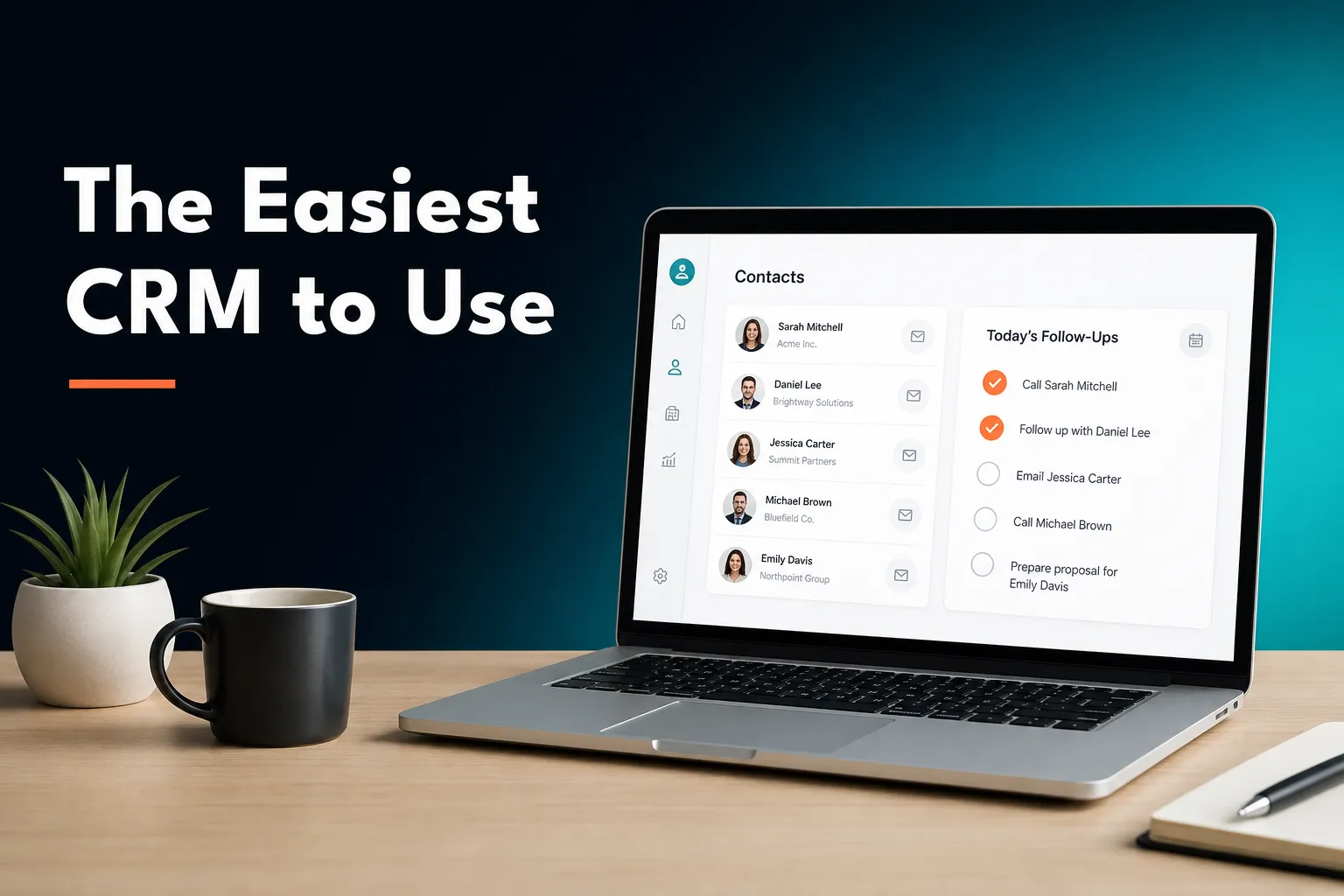
The easiest CRM is the one you can set up in an afternoon, understand without training and still be using a month later. For most small businesses that means a simple contact record with full history, clear follow-ups and very little to configure. AICRM is one option built around that idea, and this guide explains how to judge any easy CRM for yourself.
What is the easiest CRM to use?
The easiest CRM to use is one where you can import your contacts, see each person's history on one screen and know what to do next, all without configuring pipelines, custom fields or reports first. No single product is easiest for everyone. It depends on whether you mainly need a tidy contact list, a sales pipeline or help remembering follow-ups.
There are three broad kinds of easy CRM in 2026:
- Simple contact managers. Tools like Less Annoying CRM and folk aim for a clean list of people, notes and reminders. They are quick to learn and ask little of you.
- Sales pipeline tools. Pipedrive and similar products are built around moving deals through stages. They are easy if your work really is a sales process, and clunky if it isn't.
- Proactive CRMs. These try to tell you what needs attention instead of waiting for you to go looking. AICRM sits here.
The big suites, such as HubSpot, Salesforce and Zoho, are powerful and can be a good choice for larger teams. They tend to be harder to call "easy" because the power comes with setup, plans and options to understand.
A practical example: a freelance consultant with 150 contacts and no sales process doesn't need a pipeline. A contact manager with reminders is plenty. A five-person agency chasing leads from forms and email might want something that surfaces who has gone quiet. Pick by the job, not by the longest feature list.
What actually makes a CRM easy?
A CRM is easy when you spend less time feeding it than you get back from it. That comes down to four things: quick setup, a screen you understand on day one, little manual data entry and a clear sense of what to do each morning. Feature count matters far less than these.
Use this checklist when you compare tools:
1. Can you get your data in without fuss?
Your contacts probably live in a spreadsheet, an old CRM or your email. Look for CSV import with automatic field mapping, so you don't rename columns first. Check what happens when a row fails: a good importer reports the bad rows and carries on rather than rejecting the whole file. Duplicate detection by email matters too, so re-importing doesn't create copies.
2. Is there one contact record, not several?
If notes live in one place, emails in another and tasks in a third, nobody will keep them up to date. The easy version is a single record per person showing calls, emails, meetings, notes and tasks together.
3. How much of the work is typing?
The main reason CRMs go stale is that logging things feels like homework. Anything that cuts typing helps: forwarding or copying emails in, picking up follow-up dates from notes, or updating records by talking instead of filling in forms.
4. Does it tell you what to do, or wait to be asked?
A passive CRM is a filing cabinet. It is only useful if you remember to open it and search. A proactive one puts the overdue follow-ups and quiet customers in front of you. If this is your pain, the post on passive vs proactive CRM goes deeper.
5. Is pricing simple enough not to worry about?
Per-seat pricing, add-on modules and tiered features add overhead of their own. Simple, predictable pricing is part of an easy CRM.
What's the easiest CRM for non-technical founders?
For non-technical founders, the easiest CRM is one with almost no setup: import your contacts, see their history, get reminded to follow up and ask for things in plain language. Avoid anything that expects you to design pipelines, write automations or learn a new vocabulary before it becomes useful. Technical comfort should not be a hidden requirement.
Founders usually have three needs in the early days: remembering who they spoke to, remembering to follow up and knowing who to contact next. They don't need territory management, forecasting or a sales-ops layer.
What to look for:
- Plain-language setup. You should be able to start without watching a training course.
- Rules you can read. If the CRM scores or ranks contacts, you should be able to see why.
- No code. Settings should be forms and toggles, not scripts.
- A way to ask instead of click. Asking "who haven't I contacted in three months?" is easier than building a filter.
A realistic example: a founder has 300 contacts from a spreadsheet, a few conversations on the go and a habit of losing track of who said "call me after the 15th". Their ideal CRM imports the spreadsheet, keeps a timeline per person and reminds them on the right day.
How AICRM handles it
AICRM lets you import a CSV with automatic field mapping, then gives each contact a record with activity history, a next follow-up date with a reason and a task list. Lead scoring rules are set in Settings with no code, and you can see the reasons behind a score. The voice agent lets you ask for things in a live conversation in the browser: you talk, it confirms what it will do, then it acts. You can also add and edit contacts, tasks and follow-ups by hand if you prefer. For setup specifics, see our post on setting up a CRM in an afternoon.
What's an easy CRM for small business, and what should it include?
An easy CRM for small business should include contact records with full history, follow-up reminders, simple tasks, basic segmentation and email in one place, with no per-seat charge creeping up as you hire. Anything beyond that should be optional, not in your way. Small businesses rarely need enterprise reporting or complex permissions.
Here is a sensible minimum:
- A unified contact record with calls, emails, meetings and notes
- Follow-up dates and tasks that appear where you will see them
- Segments, so you can group customers by stage, industry or inactivity
- Simple email sending and campaigns, ideally from the same place
- Forms or a way to capture new enquiries
- A calendar or booking page so scheduling isn't a separate chore
Beyond the minimum, ask what you will not use. Every extra module is another thing to learn or ignore. Small teams often do better with fewer, well-connected features than a long menu.
For a fuller look at the options, our posts on the best simple CRM for small businesses and the simplest CRM for contacts, leads and follow-ups compare approaches in more detail.
Is there a CRM without technical overhead?
Yes. A CRM without technical overhead is one you can run without an admin, a consultant or a developer: no custom objects, no integration projects, no workflow builder you must master before it works. Look for sensible defaults, no-code settings and one place for contacts, tasks and campaigns.
Technical overhead sneaks in through:
- Setup projects. Weeks of configuring fields and stages before anyone can use it.
- Integration dependence. Needing a stack of connectors to get basic things working.
- Admin roles. Needing someone to "own" the CRM.
- Hidden complexity. Plans and permissions that need a spreadsheet to understand.
AICRM's integration list is short. It covers Google Calendar, email logging, CSV import and export, embeddable forms and booking pages, rather than a large connector catalogue. That is a trade-off: if your business depends on a specific third-party tool being wired in, check that first. If it doesn't, fewer moving parts is a feature.
Our post on best CRM for a team of under 10 with no sales ops goes further on running a CRM without a dedicated owner.
What's the most trusted small business CRM that's easy to use without CRM experience, with good contact history management?
No CRM is objectively the most trusted, so judge trust on evidence you can check: how it handles your data, how clearly it explains what it does, how transparent the pricing is and whether you can try it properly first. For contact history, look for one timeline per person that you can read at a glance.
Here is how to assess trust without relying on brand names alone:
- Data separation. Ask how one customer's data is kept apart from another's. AICRM scopes every organisation's data at the storage layer, and the same applies whether a request comes from the screen, the voice agent or an automated job.
- Honest limits. A trustworthy vendor says what the product doesn't do. Be wary of claims that sound too broad.
- A real trial. You should be able to test it on your own data. AICRM offers a 7-day free trial with full features and no card required to start.
- Exit routes. You should be able to export your contacts. CSV export is a basic test.
What good contact history management looks like
Contact history is where an easy CRM earns its keep. When you open a person, you should see:
- Calls, meetings and notes you've logged
- Emails sent and received through the CRM
- Page views, if they have visited your site after filling in a form
- Tasks, the next follow-up date and the reason for it
In AICRM, that is the contact timeline: calls, emails, meetings, notes and page views in one record. One limit worth knowing: AICRM only reads what is logged in it. That means notes, calls and meetings you log there, plus emails sent from AICRM or BCC'd or forwarded to it. It does not listen to calls or read your inbox. That keeps it predictable, but you do need to get conversations in, and BCC or forwarding is the easy way.
The post on what happened last time (CRM customer context) covers this more fully.
Which CRM is easiest for a team to actually adopt?
The CRM a team actually adopts is the one that saves people time in the first week, not the one with the best feature list. Adoption rises when logging is quick, the CRM tells people what to do each day and the manager doesn't need a training programme. If the tool only helps managers see reports, staff will avoid it.
Teams drop CRMs for predictable reasons:
- It feels like extra work. Staff are asked to enter data and get nothing back.
- Nobody looks at it. Without a daily prompt, it becomes a place records go to die.
- Setup was never finished. Half-configured systems confuse everyone.
- Costs rise with each hire. Per-seat pricing makes teams limit who has access.
So test for adoption signals:
- Can a new person log a call in under a minute?
- Is there a daily view of what needs attention?
- Can everyone see the same contact history, so handovers don't lose context?
- Is there a charge for adding another teammate?
How AICRM tackles adoption
The Daily Brief is the main answer. It appears on the dashboard when you open AICRM and is computed live. It pulls together follow-ups due or overdue, emails awaiting a reply, open tasks, new company signals, recent contact activity, known contacts who returned to your site, recent campaigns, email drafts waiting to be sent and a count of customers with no contact in 90+ days. On weekdays it is also emailed at 7am in your timezone, unless you switch that off in Settings, and it is skipped on days with nothing in it. Monday covers the weekend.
AICRM has no per-seat charge. Plans differ by voice-agent minutes and contact limits, not by how many people use it.
There are limits. The Daily Brief is not a mobile push notification, and there is no phone dialler or SMS. For the broader picture, see our posts on how a CRM daily brief shows what needs your attention and why leads fall through the cracks.
How does AICRM compare with other easy CRMs?
AICRM is a good fit if your main problems are forgetting follow-ups, not knowing who to contact next and spending too long on CRM admin. Simple contact managers can be easier if you only want a tidy list. Pipeline tools fit better if your work is a structured sales process with deal stages and a sales team.
This table is a general guide, not a feature-by-feature comparison:
| If you mainly want... | A good fit | Why |
|---|---|---|
| A tidy list of people and notes | A simple contact manager such as Less Annoying CRM or folk | Minimal setup and a small surface to learn |
| A visual sales process with stages | A pipeline CRM such as Pipedrive | Built around moving opportunities through steps |
| A full platform with deep customisation | HubSpot, Salesforce or Zoho | Powerful, best when you have time or someone to configure it |
| To be told what needs attention, then act on it | AICRM | Daily Brief, follow-ups and contact context, with action in the same conversation |
AICRM did not invent follow-up or next-action features. Several CRMs, including HubSpot, Pipedrive, folk, monday CRM, Close, Breakcold, Attio and Less Annoying CRM, have versions of them. The difference AICRM aims for is surfacing what needs attention, then letting you act on it in the same conversation, for example by asking the agent to draft follow-ups for your top three contacts.
If you need a full sales pipeline with forecasting for a larger sales team, or a phone dialler, a dedicated sales CRM will serve you better. AICRM is centred on contacts, lifecycle stages, lead scores, segments, tasks and campaigns. Our post on a CRM without a sales pipeline explains how lifecycle stages and follow-up tasks cover what many small teams use deal stages for.
What does an easy day with a CRM look like?
An easy CRM day starts with a short list of what matters, lets you act on each item in a minute or two and records what happened without retyping. If you spend the morning searching and sorting, the tool isn't easy, however clean it looks.
Here is a realistic AICRM day for a small agency owner:
- Morning. They open the dashboard and see the Daily Brief: two overdue follow-ups, one email still awaiting a reply after three days and a contact back on the website after filling in a form.
- Ask what to do. They ask the agent "what needs my attention?" and get one ranked list with a reason beside each item, starting with overdue follow-ups and hot signals.
- Act. They say "draft follow-ups for my top three contacts". The agent saves a plain-text draft on each contact. Nothing is sent. They review, edit and send from the contact.
- Log. After a call they log it and mention "call me after the 15th". AICRM picks up the follow-up date from the logged call.
- Done. Logging a conversation with no new follow-up marks a due one as done.
A few honest details. The ranked list does not use lead score; lead scoring is separate and the agent can list your top contacts by score when asked. Email drafts are one-to-one only, with no scheduled send, and they don't appear in your Gmail or Outlook drafts folder. And no-reply detection only covers one-to-one emails sent from AICRM, not campaign emails or emails sent from your own inbox.
The post on how to stop forgetting customer follow-ups walks through this habit in more depth.
How can you test whether a CRM is easy before you commit?
The best test is a one-afternoon trial with your own data. Import real contacts, log a real conversation, set a real follow-up and see whether you would open it tomorrow without being nagged. If it takes more than an afternoon to feel useful, the setup is probably heavier than you need.
Try this plan:
- Import 50 to 100 contacts from a spreadsheet and check the field mapping.
- Open three contact records and see whether the history makes sense at a glance.
- Log a call and set a follow-up. Time how long it takes.
- Create a segment, for instance customers with no contact in 90+ days.
- Ask a plain question, like who you should contact next, and see if the answer is useful.
- Invite a colleague and see if they can work out what to do without a walkthrough.
- Check the price at your team size. Look for per-seat or add-on costs.
AICRM's plans are Starter at $29 a month (120 voice-agent minutes, up to 2,000 contacts), Growth at $79 a month (400 minutes, up to 5,000 contacts) and Power at $149 a month (600 minutes, up to 20,000 contacts). Every plan includes the full CRM. Voice minutes beyond your bundle are billed at $0.15 a minute, with a $2 a day safety cap. If you'd rather not use voice, you can still work from the screen, but the bundles are how plans are sized, so check the pricing page against how you work.
Is AICRM the right easy CRM for you?
AICRM is a good fit if you are a founder, consultant, small-business owner or small team who wants a CRM to surface follow-ups, quiet customers and signals, and who wants less admin. It is a weaker fit if you need a full sales pipeline for a larger sales team, a phone dialler or a long list of integrations.
Choose AICRM if:
- You forget follow-ups and want them put in front of you each morning
- You want contact history in one place without lots of manual logging
- You'd like to ask for things in plain language, by voice
- You want pricing with no per-seat charges
Choose something else if:
- You only want a simple address book (a basic contact manager may be enough)
- Your team runs a structured sales pipeline (look at a pipeline CRM)
- You need deep customisation and have someone to configure it (a larger platform may suit)
The honest answer to "what is the easiest CRM?" is the one that matches how you work and gets used. If that sounds like AICRM, see the features page, watch the demo, or start the 7-day free trial and test it on your own contacts. Questions first? Contact us.
Frequently asked questions
What is the easiest CRM to use?
There isn't one answer, because ease depends on what you need. Simple contact managers are easy for a tidy list, pipeline tools are easy for structured sales and proactive CRMs like AICRM are easy if you mainly want help remembering follow-ups with less admin. Test any option on your own data for an afternoon.
What's the easiest CRM for non-technical founders?
Choose one with no-code settings, CSV import that maps fields automatically, a single contact timeline and clear follow-up reminders. You shouldn't need to design pipelines or build workflows first. AICRM follows this approach and also lets you ask for things by voice in plain language, though it is one option among several.
Is there a CRM without technical overhead?
Yes. Look for a CRM that works from sensible defaults, needs no developer or admin and keeps contacts, tasks and campaigns in one place. AICRM has a short integration list (Google Calendar, email logging, CSV import and export, forms and booking pages), which keeps things simple but may not suit you if you rely on other connected tools.
Which CRM is easiest for a team to actually adopt?
The one that saves people time quickly. Teams adopt a CRM when logging takes under a minute, there is a daily view of what needs attention and adding teammates doesn't cost extra. AICRM has no per-seat charge and puts a live Daily Brief on the dashboard, with an optional 7am weekday email.
How do I manage contact history in an easy CRM?
Use a CRM that keeps calls, emails, meetings, notes and tasks on one record per person. In AICRM, the contact timeline holds those plus page views, and it reads follow-up dates from logged conversations. It only sees what is logged there, including emails sent from AICRM or BCC'd or forwarded to it, not your whole inbox.
Do I need a sales pipeline in an easy CRM?
Not always. Many small businesses do well with lifecycle stages, follow-up tasks and segments instead of a full sales pipeline. If you run a structured sales process with a team, a pipeline CRM such as Pipedrive may fit better. AICRM is centred on contacts, lifecycle stages, lead scores, segments, tasks and campaigns.