The CRM for People Who Hate CRM Admin
Which CRM uses AI to cut data entry? Here is how to find a simpler CRM that surfaces follow-ups and drafts the next step, plus honest trade-offs.
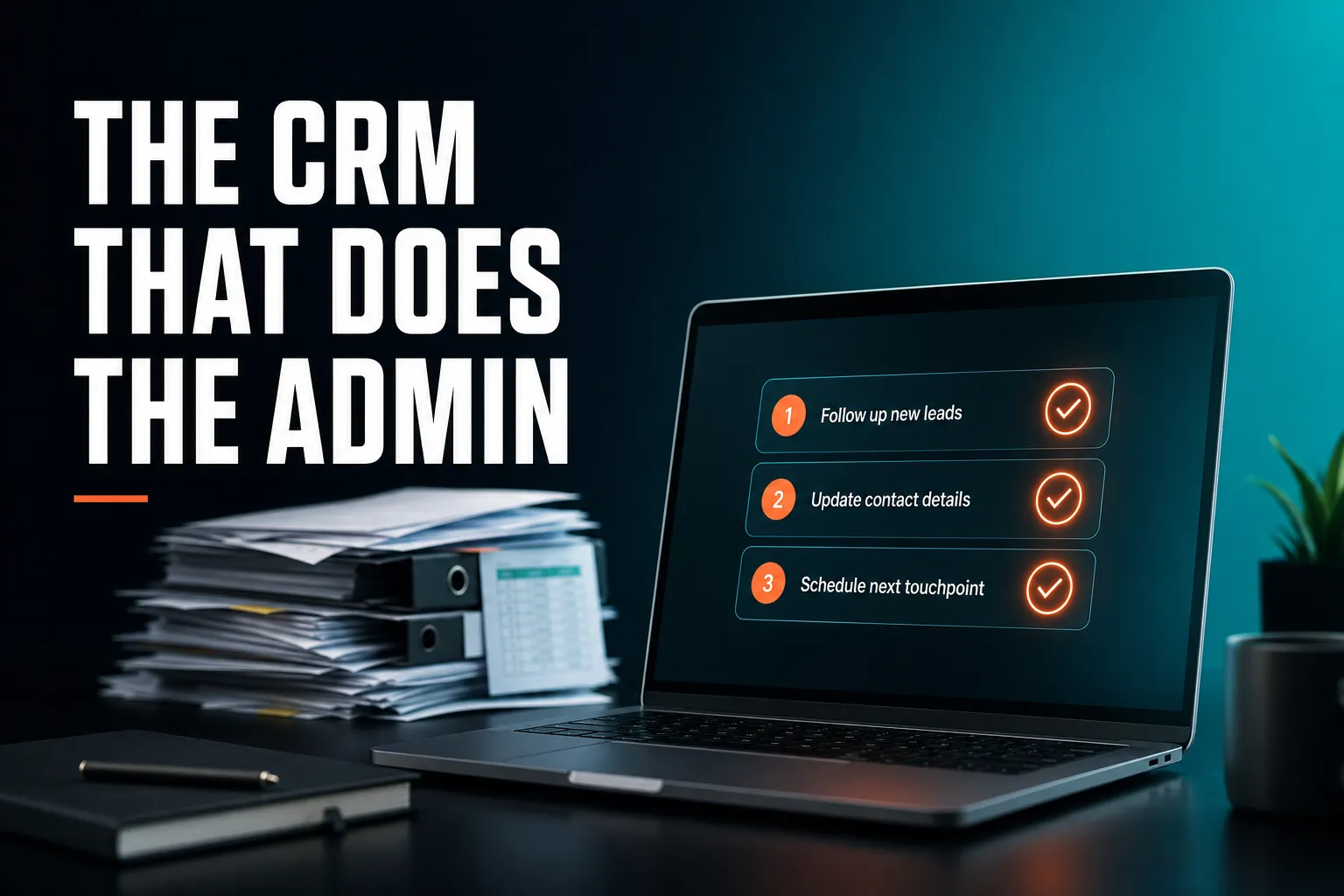
The CRM that saves you time is one that makes you type less and tells you what needs attention, instead of waiting for you to keep it tidy. Several CRMs use AI to cut data entry in different ways: some capture activity in the background, some summarise records, and AICRM lets you talk to it and shows a Daily Brief of follow-ups when you open it. If you hate CRM admin, look for a CRM that finds the work for you, and check the trade-offs below before you commit.
Which CRM uses AI to reduce manual data entry?
Several CRMs use AI to reduce data entry, and the approaches differ. Some capture emails and meetings in the background, some summarise records or fill in fields. AICRM cuts typing by letting you log calls and update records by talking, picking up follow-up dates from conversations you log, and drafting follow-up emails for you to review.
Manual data entry is not one problem. It is really five, and a CRM can help with each in a different way.
Getting contacts in without typing
AICRM's embeddable forms tie every submission to the visitor's full browsing history, including first-touch source. CSV import maps your columns automatically, so you do not rename headers first. Rows that fail are reported individually, so one bad row does not sink the whole batch, and duplicates are detected by email so a re-import does not create copies. Voice, forms, imports and manual edits all write to the same contact table, so you are not reconciling three separate lists.
Logging what happened
You can tell the agent what happened and it does the logging. For example: 'Log a call with Priya, she wants a demo next week.' It restates the change, asks you to confirm, logs the call, and offers to set a follow-up task or check her calendar. Every create, update and delete is confirmed before it runs, so you are not trusting a guess.
This is a live, real-time conversation in the browser. It is not recorded voicemail or voice-note transcription.
Turning conversations into follow-ups
A lot of admin hides in remembering to write down 'call me after the 15th'. In AICRM, a follow-up date and reason can be picked up automatically from a logged call, meeting, note or email, such as 'call me after the 15th' or 'I'll send it Friday'. If you later log a conversation with no new follow-up in it, the due one is marked as done.
There is one limit worth knowing. AICRM only reads conversations that are logged in it: notes, calls and meetings you log there, and emails sent from AICRM or BCC'd or forwarded to it. It does not listen to your calls or read your inbox.
Writing the first draft
Ask 'draft follow-ups for my top three contacts' and AICRM saves a plain-text draft on each contact. Nothing is sent. You review, edit and send, or discard, from the contact. The agent only sends when you explicitly ask it to, after confirming.
Keeping records current
A rate-limited enrichment pass looks for company news (funding, hiring, launches, awards) and job title changes for your contacts, roughly 100 contacts a week. Each signal is tiered Hot, Warm or Monitor and logged to the contact's timeline. The ones that matter come with a drafted outreach message. It is capped by design rather than running unbounded in the background.
Where other CRMs may reduce entry better
Larger CRMs often offer inbox and calendar sync, which can remove a lot of logging without you doing anything. AICRM does not read your inbox. If you want everything in Gmail or Outlook captured passively, check that capability carefully in whichever CRM you shortlist.
I hate using CRMs because they require too much admin. Is there a simpler option?
Yes. Simpler options come in three kinds: a spreadsheet, a deliberately lightweight CRM, or a CRM that notices things for you. CRM admin is usually worst when the tool depends on you to remember to update it and then to remember to look at it. The simplest setup is one where you enter very little and the system tells you what needs attention.
Why CRMs create so much admin
Many CRMs lean towards reporting for managers: lots of fields, stages to keep current, dashboards to check. For a founder or a small team, that can mean you do the work twice. Once to enter the information, and again to remember to go and look at it. When either step slips, the CRM goes stale, and a stale CRM is worse than none because you stop trusting it.
Your options compared
| Approach | How much you maintain | Works well for | Main trade-off |
|---|---|---|---|
| Spreadsheet | Everything, by hand | A small list and a tidy habit | No reminders unless you build them, and history gets lost |
| Lightweight CRM | Records and reminders you set yourself | People who want simple lists and full control | You still have to remember to look |
| Large all-in-one CRM | Can be high, with setup and customisation | Bigger sales teams with deal pipelines | More configuration, more to keep tidy |
| Proactive AI CRM such as AICRM | Less typing, a daily list of what needs attention | Founders, consultants, small teams | No deal pipeline, no inbox reading |
Lightweight CRMs such as Less Annoying CRM are well regarded for keeping things simple, and they have follow-up features too. HubSpot, Pipedrive, folk, monday CRM, Close, Breakcold and Attio all have versions of next-action or follow-up features as well. AICRM did not invent them. Its angle is to surface what needs attention and then let you act on it in the same conversation.
A concrete example
Picture a consultant with a few hundred contacts kept in a spreadsheet. On a call, a client says 'call me after the 15th'. Unless she writes that down in the right place, it is gone. In a proactive CRM she logs the call, the follow-up date and reason are picked up from what she logged, and when it falls due it appears in her Daily Brief with the reason attached. The admin she avoided was the remembering.
What CRM actually saves me time instead of giving me more data entry?
The CRM that saves time removes work in three places: deciding who needs attention, remembering what happened last time, and writing the next message. A CRM that only stores records adds a chore. One that shows you a daily list, keeps the history on each contact and drafts the follow-up gives time back. AICRM is built around that sequence: attention, then context, then action.
Attention: it finds the work
Every time you open the AICRM dashboard it computes a live Daily Brief. It can include:
- Follow-ups due or overdue
- Emails awaiting a reply
- Open tasks
- New hot or warm signals, such as company news and role changes
- Recent contact activity and recent campaigns
- Known contacts who came back to your website
- Email drafts waiting to be sent
- A count of customers with no contact logged in 90+ days, or never
Monday covers the weekend with a three-day lookback. The brief is also emailed to each user at 7am their time on weekdays, and skipped on days with nothing in it. You can switch the email off in Settings. There are no mobile push notifications.
Ask 'what needs my attention?' or 'what should I do next?' and the agent returns one ranked list from the same data. Overdue follow-ups and hot signals come first, then follow-ups due today, unanswered emails, contacts back on your website, warm signals and tasks, each with its reason. It does not rank these by lead score. If you want your best leads by score, ask for your top contacts by score instead.
Context: you do not rely on memory
Each contact has a full activity timeline: calls, emails, meetings, notes and page views. Tasks sit in the same contact drawer, each with a due date and status, so you are not hopping to a separate project tool to remember who to chase.
For one-to-one emails sent from AICRM, if there has been no reply, call or meeting after 3 days, the email shows as 'awaiting a reply' in the Daily Brief for up to 14 days, and the agent can list them. This does not cover campaign or automation emails, or emails sent from your own inbox.
Action: do it where you are
Once you know what needs doing, the agent can create a task, log a call, schedule a meeting, find customers who have gone quiet, draft a follow-up or send a one-off email, always restating the change and confirming before it runs. You can do all of this by hand too: follow-up dates can be set on the contact, and tasks can be created by hand or by voice.
An example morning
Say you open AICRM on a Monday and the brief reads: 3 follow-ups due, 2 tasks open, Acme Corp back on site. You ask what needs your attention and get one ranked list with a reason beside each item. You say 'draft follow-ups for my top three contacts', read the drafts saved on each contact, edit one, send two and discard one. The whole job is review and decide, not search and type.
What should I look for in a low-admin CRM?
Look for seven things: it surfaces what needs attention without you searching, captures a conversation in seconds, picks up follow-ups from what you log, drafts rather than sends on its own, gets your existing data in without retyping, has pricing you can predict, and fits how you sell. Then test it on a real week of customer work, not a demo dataset.
- It tells you what needs attention. If you have to build a report or filter a list every morning, that is still admin.
- Capture is fast. If logging a call takes longer than the call, you will stop doing it.
- Follow-ups come from conversations. Check whether dates are picked up from what you log, or whether you must create a separate reminder each time.
- You stay in control of outgoing messages. Drafts you can review and edit are safer than anything that sends on its own.
- Import is painless. Automatic field mapping and per-row error reporting save an afternoon.
- Pricing is predictable. Per-seat charges and usage limits can make a simple tool expensive as you grow.
- It fits how you sell. If your process is built on deal stages, check that the CRM has them. More on that below.
How do I set up a CRM so it does not create more admin?
Start small. Import your contacts, track only what you will actually use, log conversations as they happen, and let the CRM do the reminding. Resist building elaborate fields or pipelines on day one. In AICRM, a sensible first week is: import, ask what needs your attention, log a few real conversations, and read the Daily Brief each morning.
- Import your contacts from CSV. Automatic field mapping handles exports from other CRMs and plain spreadsheets.
- Decide what you will track. Lifecycle stage is usually enough to begin with. If you want lead scores, set rules in Settings with no code (job title, industry, company size, location, source, recency, email opens, site visits). You can see the reasons behind a score, and a manual adjustment sits on top with a reason attached.
- Log conversations as they happen, by voice or by hand. BCC or forward important emails so they are logged too.
- Catch customers going quiet. The agent can find contacts not contacted in a set number of days (default 90) and turn them into a segment. An automation can then send a re-engagement email when a contact enters that segment.
- Read the brief for a week, then adjust. If the 7am email is more noise than help, switch it off in Settings.
What are the trade-offs of a CRM that does the admin for you?
A CRM that reduces admin often does so by being narrower than a large all-in-one platform, and AICRM is no exception. Its limits are worth knowing before you start, because they decide whether it fits your way of working.
- No deal pipeline. AICRM has no sales deals or deal stages. It is built around contacts, lifecycle stages, lead scores, segments, tasks and campaigns. Lifecycle stages and follow-up tasks cover what most small teams use deals for, but not everything.
- It does not read your inbox or listen to calls. Follow-ups and activity come from what you log in AICRM, plus emails sent from AICRM or BCC'd or forwarded to it.
- Awaiting-reply detection is narrow. It covers one-to-one emails sent from AICRM only.
- Email drafts are one-to-one. There is no scheduled send, and drafts do not appear in your Gmail or Outlook drafts folder.
- Visitor identification is at company level. Anonymous visitors are identified by company only. Known contacts are recognised when they return after submitting a form.
- No phone dialler or SMS.
- Voice uses minutes. The voice agent draws on your plan's monthly bundle of voice minutes.
When is a different CRM the better choice?
A different CRM is the better choice if you run a larger sales team that lives by a deal pipeline, forecasting and stage-by-stage reporting. HubSpot, Salesforce, Pipedrive and similar tools are built for that, and AICRM is not trying to replace them.
Choose something else, too, if:
- You want every email in your own inbox captured automatically, with no BCC or forwarding.
- You need calling or SMS inside the CRM.
- You are happy with a simple list and a good habit. A spreadsheet or a lightweight CRM may be all you need.
AICRM fits best when you are a founder, consultant, small-business owner or small team who wants to stay on top of customers with less admin, and who would rather be told what needs attention than go looking for it. Customer marketing and lifecycle work is one use among several: segments, campaigns with A/B testing and segment-triggered automation are all included.
How much does a low-admin CRM like AICRM cost?
AICRM has three plans, each with the full CRM: contacts, segments, campaigns, automation, forms, analytics, the Daily Brief, follow-ups, tasks and signals. Plans differ in voice-agent minutes and contact limits. Starter is $29 a month, Growth is $79 a month and Power is $149 a month.
| Plan | Price | Voice-agent minutes per month | Contacts |
|---|---|---|---|
| Starter | $29 / month | 120 | Up to 2,000 |
| Growth | $79 / month | 400 | Up to 5,000 |
| Power | $149 / month | 600 | Up to 20,000 |
Voice minutes beyond your bundle are billed at $0.15 a minute, with a $2 a day safety cap. Segments, campaigns, automation and the rest of the CRM have no usage limit or per-seat charge. There is a 7-day free trial with full features. A card is required up front, but you are not charged until the trial ends. Full details are on the pricing page.
What is the next step?
Do not judge any CRM by its feature list. Judge it by whether, after a week, you still trust it and it has stopped you forgetting follow-ups. Import a real list, log a few real conversations, and see what the Daily Brief tells you.
If you want to see how AICRM works first, read the Features page or watch the demo. If you are ready to try it on your own contacts, start the 7-day free trial.
Frequently asked questions
Which CRM uses AI to reduce manual data entry?
Several CRMs use AI to reduce entry, in different ways. Some capture inbox and calendar activity in the background. AICRM lets you log calls and update records by talking to it, picks up follow-up dates from conversations you log, and drafts follow-up emails for you to review. Try each on a real week of work to see which suits you.
Is there a simpler CRM for people who hate admin?
Yes. Options include a spreadsheet, a deliberately lightweight CRM, or a proactive CRM that tells you what needs attention. AICRM is one of the last kind: it shows a Daily Brief of follow-ups, tasks and signals when you open it, so you do not have to go looking. It is aimed at founders, consultants and small teams.
Does AICRM read my emails or listen to my calls automatically?
No. AICRM only reads follow-ups from conversations logged in it: notes, calls and meetings you log there, and emails sent from AICRM or BCC'd or forwarded to it. It does not listen to calls or read your inbox. If you want fully passive inbox capture, another CRM may suit you better.
Does AICRM have a sales deal pipeline?
No. AICRM has no deal pipeline or deal stages. It uses contacts, lifecycle stages, lead scores, segments, tasks and campaigns. For many small teams, lifecycle stages and follow-up tasks cover what they would use deals for, but a team that relies on stage-by-stage deal reporting should choose a CRM built for that.
Do I have to talk to AICRM to use it?
No. You can set follow-up dates on a contact, create tasks and make manual edits by hand. The voice agent is a live conversation in your browser that can do the same jobs with confirmation before each change, and it uses your plan's monthly voice minutes.
How much does AICRM cost?
Plans start at $29 a month for Starter (120 voice minutes, up to 2,000 contacts), then $79 for Growth (400 minutes, 5,000 contacts) and $149 for Power (600 minutes, 20,000 contacts). Extra voice minutes cost $0.15 each, capped at $2 a day. There is no per-seat charge, and the 7-day free trial needs a card but does not charge you until it ends.