CRM for Customer Marketing and Lifecycle Management: What to Look For in 2026
Looking for the best CRM for marketers? Learn what to look for in a CRM for customer marketing and lifecycle management, and where AICRM fits.
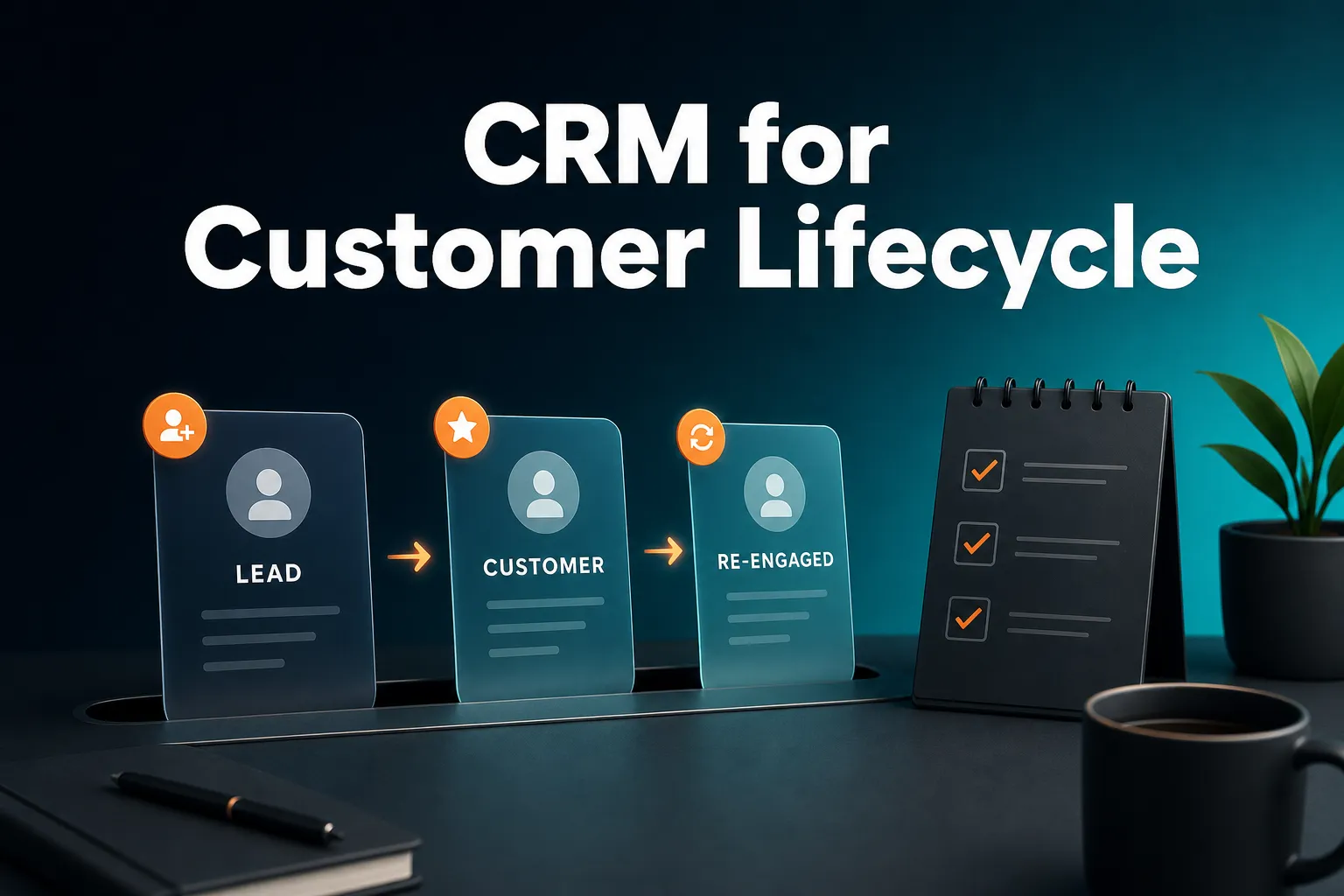
The best CRM for marketers is the one built around how you actually manage customers. If your business runs customer relationships through contacts, audiences, lifecycle stages, follow-ups and campaigns rather than a sales opportunity pipeline, you want a CRM where the contact is the centre of the system, not the deal. CRMs designed that way do exist, and AICRM is one option for small teams, founders, consultants and small-business owners.
This guide explains what customer marketing and lifecycle management involve, what to look for in a CRM, how the main types of tool compare, and where AICRM fits and where it does not.
What is the best CRM for marketers?
There is no single best CRM for marketers, because the right choice depends on what you manage. If you need a full marketing automation suite and have people to run it, a larger platform such as HubSpot or ActiveCampaign may fit. If you run a small business and mainly need to organise contacts, segment them, send campaigns and never miss a follow-up, a lighter, contact-centred CRM such as AICRM is worth a look.
Five questions narrow the field quickly:
- What is the main thing you manage? If it is a deal moving through stages, you want a sales CRM. If it is a relationship that changes over months or years, you want a contact-centred one.
- How many people will use it? A one-person consultancy and a 40-person marketing department need very different tools.
- How much of your work is one-to-one and how much is one-to-many? Newsletters and nurture emails are one-to-many. Check-ins, renewals and personal replies are one-to-one. Most businesses need both.
- How much admin can you afford? A powerful tool you never update is worse than a simple one you do.
- What happens to the price as your list grows? Some tools charge by contact count, some by seat, some by feature tier. Work out the cost at the size you expect to be in a year.
A quick example. Imagine a consultant with 800 past clients and prospects. She sends a monthly update, wants to re-engage people who have gone quiet, and needs to remember who asked her to call after a certain date. She has no sales team and no deals to track. A full enterprise suite would be overkill. A spreadsheet would lose the follow-ups. A contact-centred CRM with segments, campaigns and follow-up reminders is the better match.
Is there a CRM designed for marketing teams rather than sales teams?
Yes, though it usually comes in one of three forms: a marketing automation platform with a CRM built in, an email marketing tool that has added CRM features, or a contact-centred CRM that treats lifecycle stages and segments as its core rather than deals. Most traditional CRMs began as sales tools and added marketing features later.
The difference is mostly about the central object in the system. In a sales CRM, the deal (or opportunity) is the thing you move through stages, and contacts hang off it. In a marketing-led CRM, the contact is the thing you track, and you group contacts into segments, move them through lifecycle stages and reach them with campaigns.
The main types, fairly compared
Marketing automation suites with a CRM. Platforms such as HubSpot and ActiveCampaign are well known for combining contact records with email, forms and automation. They are strong when you have the time and people to build and maintain workflows. The trade-off is that they can be a lot of tool for a small team, and pricing models vary, so check what you would pay at your expected size.
Email marketing tools with CRM features. Tools such as Mailchimp started as email senders and have added contact management. They are a good fit when email campaigns are most of what you do. They tend to be lighter on follow-ups, tasks and relationship history.
Contact-centred CRMs. These put the contact record, activity timeline, segments and follow-ups at the centre, with campaigns attached. Several relationship-focused CRMs work this way, and AICRM is built around it: contacts, lifecycle stages, lead scores, segments, tasks and campaigns, with no deal pipeline.
Sales CRMs. Salesforce, Pipedrive and similar tools are excellent when a sales team works a deal pipeline. If that is you, they are usually the better choice. You can read more on that under the limits section below.
What CRM is good for businesses where marketing manages customer relationships rather than a sales team?
A good fit is a CRM that tracks people and their history rather than deals: one contact record, lifecycle stages, segments, campaigns with tracking, and a reliable way to remember follow-ups. Businesses where marketing, an owner or an account manager runs relationships, such as consultancies, membership organisations, training providers and subscription businesses, tend to need exactly this.
In these businesses, nobody is "closing deals" in the traditional sense. Instead, the work looks like this:
- Welcoming new customers and checking in after a set period.
- Sending the right update to the right group.
- Spotting customers who have gone quiet and re-engaging them.
- Following up after an event, enquiry or conversation.
- Noticing when something changes at a customer's company.
An illustrative example. Picture a six-person training company. Marketing owns the customer list. When someone attends a course, they become a customer. Six months later, the team wants to send them news of an advanced course. Some customers have not opened an email in months and need a personal nudge. Others mentioned they would be ready to book after the end of the quarter. None of this is a sales pipeline. It is lifecycle management: knowing who is where, who needs a message, and who needs a personal follow-up.
If you are replacing a spreadsheet, a shared inbox and a notes app with one tool, the question to ask is not "does it have a pipeline?" but "does it tell me who needs attention and help me act on it?"
What is customer marketing and lifecycle management?
Customer marketing is the work of keeping customers and prospects engaged: onboarding messages, check-ins, re-engagement, renewals, referrals and announcements. Lifecycle management means tracking each contact's stage, such as lead or customer, and acting differently at each stage. A CRM holds the contact data, the stage and the history, so the right message reaches the right person at the right time.
The idea is simple even if the vocabulary sounds technical. A new enquiry is not treated the same as a customer of three years, and a customer who has gone silent is not treated the same as one who emailed yesterday. Lifecycle management gives you a shared language for those differences.
Why it matters for small teams
Small teams rarely lose customers through one big mistake. They lose them through small gaps: a follow-up that was promised and forgotten, a customer who drifted quiet and nobody noticed, a message that went to everyone when it should have gone to a subset. A CRM organised around lifecycle makes those gaps visible.
What should you look for in a CRM for customer marketing and lifecycle work?
Look for one unified contact record, lifecycle stages, lead scoring you can explain, live segments, campaigns with open and click tracking, forms that feed the same record, and a way to surface follow-ups so nothing is forgotten. Easy data import and low admin matter just as much as features, because a CRM that is hard to keep updated stops being trusted.
Here is a practical checklist.
1. One contact record, not several
Form submissions, imports, manual edits and conversations should all write to the same place. If your marketing list lives in one tool and your customer notes in another, you will always be reconciling them. Check that the full history (calls, emails, meetings, notes, page views) sits on one timeline.
2. Lifecycle stages you can change
You should be able to mark a contact as a lead, customer or something else, and filter by that stage. Keep the list short. Three to five stages are easier to maintain than twelve.
3. Segments that stay live
A segment is a saved group of contacts defined by rules, such as "customers in manufacturing who have not been contacted in 90 days". Static lists go out of date. Live segments always show who currently matches. Check you can combine filters (stage, source, industry, score, inactivity) rather than choosing one at a time.
4. Scoring you can see inside
Lead scoring helps you decide who to contact first. The useful kind lets you set the rules (job title, industry, company size, location, source, recency, email opens, site visits) and shows why a score is what it is. Beware black-box scores you cannot explain to a colleague.
5. Campaigns that aim at real segments
Email campaigns should target a segment you can inspect. A/B testing and open and click tracking are worth having so you learn what works. Automation that sends a campaign when a contact enters a segment saves you from remembering to send.
6. A reliable follow-up system
This is where many marketing-led businesses struggle. You need next-follow-up dates on contacts, tasks with due dates, and something that tells you each morning what is due. Otherwise the CRM becomes a database you look things up in, instead of a tool that tells you what to do.
7. Painless import and low admin
Can you bring contacts in from a CSV without renaming every column? Does it catch duplicates by email? Does it report failed rows individually? These unglamorous details decide whether you actually migrate.
8. Pricing that fits a small team
Check whether you pay per seat, per contact, or per feature tier, and calculate the cost at your expected size. Be wary of any tool where the features you need sit behind a much higher plan.
How do you manage the customer lifecycle in a CRM, step by step?
Get your contacts into one place, define a few lifecycle stages, score contacts to decide priorities, build segments, run campaigns and automation against those segments, handle one-to-one follow-ups with dated tasks, and regularly check who has gone quiet. Each step is small. The value comes from doing them in the same system.
Step 1: Centralise your contacts
Import your existing list from a CSV, connect web forms to the CRM, and add the rest by hand. Do not aim for perfect data on day one. A usable list today beats a flawless one next quarter.
Step 2: Define a handful of lifecycle stages
Write down the stages that matter to your business. For many small organisations that means something like lead, customer and inactive. Assign each contact to one.
Step 3: Set scoring rules
Decide which attributes signal a good fit or high interest: job title, industry, company size, recent email opens, repeat site visits. Scores help you choose who to contact first when your list is bigger than your time.
Step 4: Build segments
Create groups that match real campaigns and tasks: new customers from the last 30 days, high-scoring leads from a particular source, customers with no contact in 90 days.
Step 5: Campaign and automate
Send campaigns to segments, test two versions of a message, and set up automation so a campaign goes out when someone enters a segment, for example a re-engagement email when a customer becomes inactive.
Step 6: Handle the personal moments
Campaigns cover the many. The personal replies, check-ins and "call me after the 15th" requests need dated follow-ups on the contact. This is the step most often skipped, and the one customers notice most.
Step 7: Review who has gone quiet
Make it a habit. A weekly look at customers with no contact in 90 days catches drift before it becomes churn.
A hypothetical example. Suppose a consultancy imports 500 contacts, tags 120 as customers, and builds a segment of customers with no contact in 90 days. Say it finds 34. Rather than emailing all 34 the same message, it sends a re-engagement campaign to the whole segment and then sets personal follow-up tasks for the five highest-scoring ones. The numbers are made up, but the pattern is lifecycle management in practice.
How do you stop follow-ups and customer relationships falling through the cracks?
Give every contact a next follow-up date with a reason, and use a system that shows you what is due or overdue without you having to go looking. A daily summary of follow-ups, unanswered emails, open tasks and quiet customers turns the CRM from something you check into something that tells you what needs attention.
When marketing or an owner manages relationships, there is often no sales manager chasing the pipeline. That makes reminders more important, not less. The failure mode is familiar: you promise to get back to someone, the note sits in an inbox, and three weeks later it is awkward.
Many CRMs have next-action or follow-up features. HubSpot, Pipedrive, folk, monday CRM, Close, Breakcold, Attio and Less Annoying CRM all have versions of them, and they work in different ways, so it is worth trying how each one handles it. When comparing them, ask three questions:
- Does it pull due items together in one place, or do I have to check several screens?
- Does it tell me why something is due?
- Can I act on it from there, or do I have to go and find the right record?
How does AICRM handle customer marketing and lifecycle management?
AICRM is built around three steps: Attention, Context, Action. A Daily Brief surfaces what needs attention (follow-ups, unanswered emails, signals, quiet customers), the contact record gives you the context, and you take the next action in the same place, by hand or by talking to the agent. Underneath are contacts, lifecycle stages, lead scores, segments, tasks and campaigns.
Attention: it surfaces what needs you
When you open the dashboard, AICRM computes a live Daily Brief. It includes follow-ups due or overdue, emails awaiting a reply, open tasks, new company news and role changes, recent contact activity, known contacts who came back to your website, recent campaigns, email drafts waiting to be sent, and a count of customers with no contact logged in 90+ days. Monday includes a three-day lookback so the weekend does not get lost.
The brief is also emailed at 7am in your timezone on weekdays (you can switch that off in Settings) and skipped when there is nothing to act on.
A few specifics worth knowing:
- Follow-ups. Each contact can have a next follow-up date with a reason. You can set it by hand, ask the agent, or have it picked up from a logged call, meeting, note or email, such as "call me after the 15th". Logging a conversation with no new follow-up marks a due one as done.
- Awaiting a reply. One-to-one emails sent from AICRM that get no reply, call or meeting after 3 days show as awaiting a reply, for up to 14 days. This does not cover campaign emails or emails sent from your own inbox.
- Signals. AICRM checks for company news and job title changes for your contacts, at a capped rate of roughly 100 contacts a week. Each signal is tiered Hot, Warm or Monitor, and the important ones come with a drafted outreach message.
- Prioritisation. If you ask "what needs my attention?", the agent returns one ranked list from the Daily Brief data: overdue follow-ups and hot signals first, then follow-ups due today, unanswered emails, contacts back on your website, warm signals and tasks, each with its reason. That list is not ranked by lead score. Lead scores are separate, and you can ask the agent for your top contacts by score.
Context: one record with the history
Every contact has a full activity timeline: calls, emails, meetings, notes and page views. Embeddable web forms tie each submission to the visitor's browsing history, including first-touch source. Segments can be built on lead score, lifecycle stage, status, industry, source or inactivity, and they stay live.
On the website side, a known contact is recognised when they return after submitting a form. Anonymous visitors are identified at company level only, through the Prospects feature, which reverse-identifies the company behind the traffic. It does not identify individual anonymous people.
Action: do something about it
From there you can create tasks with due dates, log calls and meetings, build or edit segments, build email campaigns, set up automation that sends a campaign when a contact enters a segment, and schedule meetings. You can do all of this by hand in the interface, or by talking to the voice agent, which works as a real-time conversation in the browser. It restates and asks you to confirm every create, update or delete before it runs.
Email drafting is a good example. Ask "draft follow-ups for my top three contacts" and the agent saves a plain-text draft on each contact without sending anything. You review, edit and send, or discard, from the contact. The agent only sends when you explicitly ask it to, after confirming. Drafts are one-to-one only, with no scheduled send, and they do not sync to your Gmail or Outlook drafts folder.
What it reads and what it does not
AICRM only picks up follow-ups from conversations logged in it: notes, calls and meetings logged there, and emails sent from AICRM or BCC'd or forwarded to it. It does not listen to calls or read your inbox.
Which CRM fits which situation?
Choose based on the main thing you manage. Sales CRMs fit teams working a deal pipeline. Marketing automation suites fit teams with the people and time to build complex workflows. Email tools fit businesses that mostly send newsletters. A contact-centred CRM such as AICRM fits small teams managing relationships through segments, campaigns and follow-ups.
| Your situation | What usually fits best | Why |
|---|---|---|
| A sales team working deals through defined stages | A sales CRM such as Salesforce, Pipedrive or HubSpot's sales tools | Deal pipelines, forecasting and stage management are their core strength |
| A marketing team with dedicated staff building multi-channel workflows | A marketing automation suite such as HubSpot or ActiveCampaign | Depth of automation and reporting justifies the setup effort |
| Mostly newsletters to a list, little one-to-one follow-up | An email marketing tool such as Mailchimp | Simple, focused on sending and list growth |
| Small team or solo operator managing relationships through contacts, segments, campaigns and follow-ups | A contact-centred CRM such as AICRM | Lifecycle stages, live segments, a daily list of what needs attention, and low admin |
| A relationship-focused team that wants a simple contact-based tool | Contact-focused tools such as folk, Attio or Less Annoying CRM | Worth shortlisting; each takes a different approach to contact management |
This is a general guide, not a verdict. Features change, and the best way to decide is to try your shortlist with a real slice of your own data.
When is AICRM not the right choice?
AICRM is not the right choice if your team works a sales deal pipeline. It has no deal stages. It is also not a fit if you need a phone dialler or SMS, or if you need deep, multi-channel marketing automation run by a dedicated team. In those cases, another tool will serve you better.
Being specific about the limits helps you decide quickly:
- No sales deal pipeline. AICRM is built around contacts, lifecycle stages, lead scores, segments, tasks and campaigns. If you ask about "deals", the honest answer is that lifecycle stages and dated follow-up tasks cover what most small teams use deals for, but if your sales process depends on a pipeline view with deal values and stages, a sales CRM is the better choice. Large sales teams especially should look there first.
- No calling or SMS. There is no phone dialler, SMS or calling feature.
- Visitor identification is company-level. You will not see names of anonymous visitors.
- Email limits. Awaiting-a-reply detection covers one-to-one emails sent from AICRM only. Drafts are one-to-one with no scheduled send.
- Integrations are limited to what is listed. Google Calendar, email logging, CSV import and export, embeddable forms and booking pages.
- Voice is not voicemail transcription. The voice agent is a live conversation in the browser. It does not transcribe recorded voice notes or voicemails.
If you are unsure, a useful test is this: do you spend more time asking "who needs a message or a nudge?" or "where is this deal in the pipeline?" If it is mostly the first, AICRM's model is likely to fit. If it is mostly the second, look at a sales CRM.
How much does a CRM like AICRM cost?
AICRM has three plans, Starter at $29 a month, Growth at $79 and Power at $149. Every plan includes the full CRM. They differ in the voice-agent minutes and contacts included each month, and there is no per-seat charge. A 7-day free trial is available, with a card required up front and no charge until the trial ends.
| Plan | Price | Voice-agent minutes per month | Contacts included |
|---|---|---|---|
| Starter | $29 a month | 120 | Up to 2,000 |
| Growth | $79 a month | 400 | Up to 5,000 |
| Power | $149 a month | 600 | Up to 20,000 |
Every plan includes the Daily Brief, follow-ups, tasks and signals, segments and campaigns, the voice agent with full read and write tool access, forms, web tracking and Prospects company identification, plus automation, calendar and booking, and analytics. Voice minutes beyond your bundle are billed at $0.15 a minute, with a $2 a day safety cap. Segments, campaigns, automation and everything else in the CRM have no usage limit or per-seat charge.
The minutes only matter if you use the voice agent. You can work in the interface by hand as well. For the current details, see the pricing page.
How do you get started with a CRM for customer marketing?
Start small: import a real slice of your contacts, define a few lifecycle stages, build one segment that matters and set follow-up dates on the people you owe a reply. Try your shortlist on your own data rather than sample data, because that is where you will find out whether a tool really reduces your admin.
A sensible first week looks like this:
- Import your contacts from a CSV and check the field mapping.
- Set your lifecycle stages and assign them.
- Add a few scoring rules, such as job title and industry.
- Build a segment of customers with no contact in 90+ days.
- Set follow-up dates on the contacts you owe a reply.
- Check the Daily Brief the next morning and see whether it tells you something useful.
If that last step feels like the tool is doing work for you rather than creating more, that is a good sign.
Next step
If this sounds like how your business manages customers, you can try AICRM on your own data with a 7-day free trial (a card is required up front, with no charge until the trial ends). To see what it does first, read the Features page, watch the demo, or get in touch with questions about which plan suits you.
Frequently asked questions
What is the best CRM for a small marketing team in 2026?
It depends on whether you need a deal pipeline and how much automation you will actually build. Small teams that manage relationships through contacts, segments, campaigns and follow-ups often do well with a contact-centred CRM such as AICRM. Teams with dedicated marketing staff and complex workflows may prefer a larger automation suite such as HubSpot or ActiveCampaign.
Can I use a CRM without a sales pipeline?
Yes. Many businesses manage customers through lifecycle stages, segments, tasks and campaigns rather than deals. AICRM works this way: it has no deal pipeline, and uses lifecycle stages and dated follow-up tasks instead. If your sales process depends on deal values and stages, a sales CRM is a better fit.
What is the difference between a marketing automation platform and a CRM?
A marketing automation platform focuses on sending messages and building workflows, while a CRM focuses on storing contacts and the history of your relationship with them. The two overlap heavily, and many tools now do both. The practical question is which side is central to your work and which you can keep simple.
How do I find customers who have gone quiet?
Use a segment based on inactivity, such as contacts with no logged contact in 90 days. In AICRM, the Daily Brief shows a count of customers with no contact logged in 90+ days (or never), and the agent can find them and turn them into a segment. You can then send a re-engagement campaign or set personal follow-ups.
Does AICRM read my inbox or listen to my calls?
No. AICRM only picks up follow-ups from conversations logged in it: notes, calls and meetings logged there, and emails sent from AICRM or BCC'd or forwarded to it. It does not read your inbox or listen to calls.
Does AICRM have deals or opportunity stages?
No. AICRM is built around contacts, lifecycle stages, lead scores, segments, tasks and campaigns. For most small teams, lifecycle stages and follow-up tasks cover what deals would otherwise be used for, but large sales teams that need a deal pipeline should look at a sales CRM.