CRMs With the Best Customer Segmentation Features (and How to Choose One)
Which CRMs have good customer segmentation? What to look for when segmenting by behaviour, industry and lead source, and where AICRM fits best.
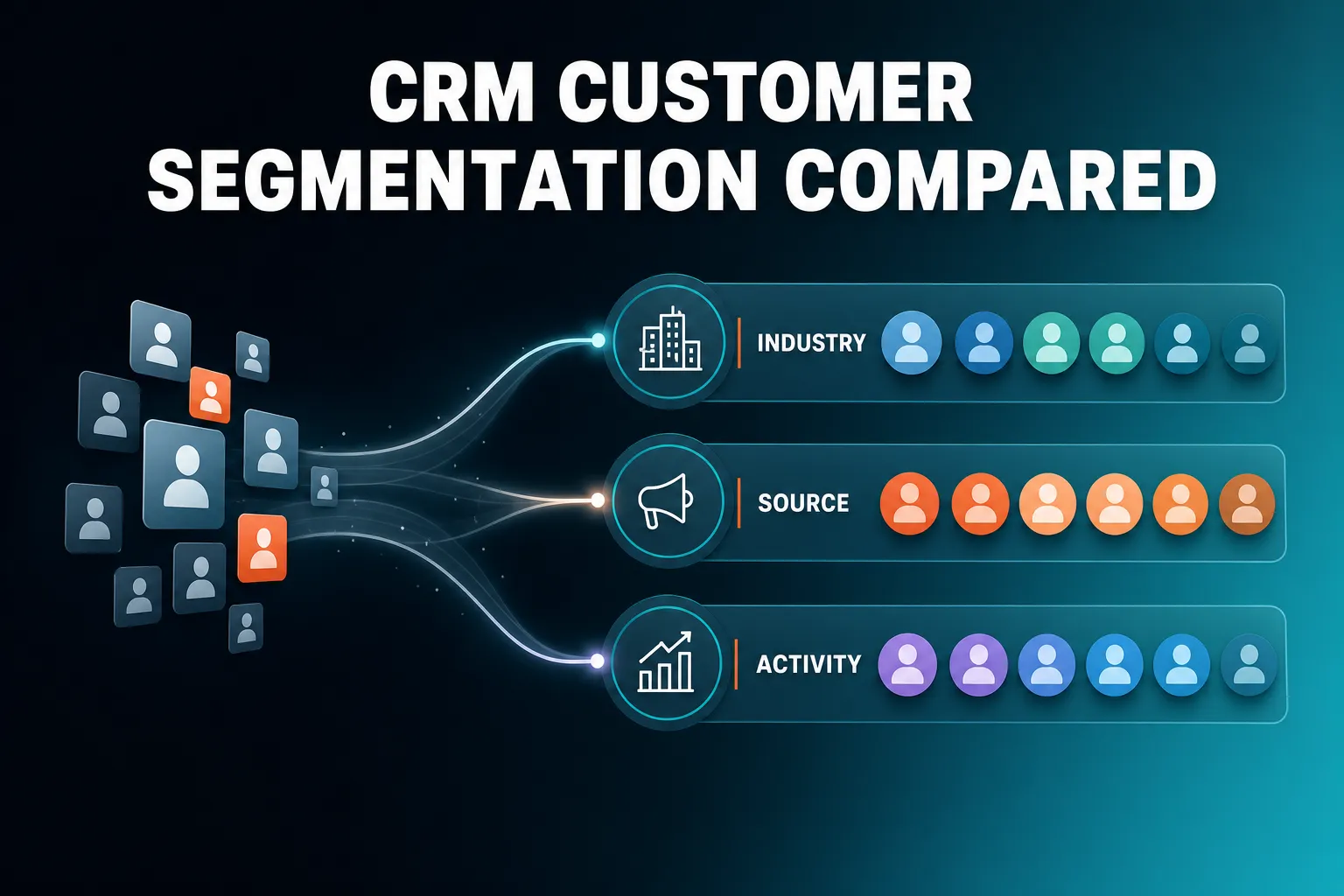
The CRMs with the best customer segmentation features let you combine several filters at once (industry, lead source, lifecycle stage, lead score, recent activity), keep the resulting group up to date automatically, and then act on it with a campaign or a follow-up. Big platforms such as HubSpot and Salesforce offer the deepest options. For small teams, AICRM offers live segments built on lead score, lifecycle stage, status, industry, source and inactivity, which you can create by asking the agent.
The rest of this article answers the four questions people ask most about segmentation, explains what to look for, and is honest about where a different CRM is the better fit.
What CRM has good customer segmentation features?
A CRM with good segmentation lets you combine several filters in one group, keeps that group updating as your data changes, shows you exactly who is in it, and lets you do something with it straight away. The depth you need depends on your size. Enterprise suites go furthest, while smaller CRMs cover the common cases with less set-up.
What to look for
When you compare CRMs, check these six things before you look at anything else:
- Combined filters. Can you say 'customers in manufacturing who came from referrals and have gone quiet' in one segment, or do you have to pick one filter type at a time?
- Live or static groups. A live segment updates itself when a contact's score, stage or activity changes. A static list is a snapshot that goes stale the day after you build it. Both have uses, but live ones save the most admin.
- Fields you actually hold. A segment can only filter on data the CRM has. If industry or lead source is half empty, the segment will be unreliable however clever the tool is.
- Inspectability. You should be able to open a segment and see who is in it and why. Black-box 'smart' audiences are hard to trust.
- Action attached. A segment is only useful if you can email it, trigger an automation from it or create follow-up tasks for it.
- Effort to build. If building a segment takes twenty minutes of menus, you will not build many of them.
How the main types of CRM compare
| Type of CRM | Segmentation strength | Trade-off |
|---|---|---|
| Enterprise suites (for example Salesforce) | Very deep, highly customisable | Needs set-up time and often an admin to look after it |
| Marketing-led CRMs (for example HubSpot) | Strong list and audience tools, including live and static lists | Cost and complexity tend to rise as you add features |
| Sales pipeline CRMs (for example Pipedrive) | Built around deals and pipeline work | Check how far the filters go for wider customer segmentation |
| Lightweight contact CRMs | Simple tags, groups and filters | Less automation and behavioural depth |
| AICRM | Live segments on score, lifecycle stage, status, industry, source and inactivity, built by conversation | Fewer filter types than the largest suites |
This is a general picture, not a feature-by-feature audit. Each of these products changes over time, so check the current detail with the vendor before you decide.
What CRM lets me segment customers by behaviour?
Most CRMs that track email engagement, website activity and contact history can segment by behaviour. The practical question is which behaviours the CRM can see. In AICRM, email opens and site visits feed your lead score, and you can segment on that score, or on how long it has been since you last contacted someone.
Which behaviours are worth segmenting on
For a small business, four behaviours do most of the work:
- Email engagement. Who opens and clicks your emails, and who never does.
- Website visits. Who keeps coming back, and which companies are looking around.
- Form submissions. Who has raised their hand, and from which page or source.
- Recency of contact. Who you have not spoken to in a long time.
More advanced behaviours, such as product usage events or visits to one specific page, usually need a CRM with event tracking and a more technical set-up. If your business is a software product with in-app usage data, a larger CRM or a dedicated customer messaging tool may suit you better.
How AICRM handles behaviour
AICRM approaches behaviour through scoring and activity rather than a long list of event filters:
- Lead scoring from rules you set. In Settings you define rules, with no code, using job title, industry, company size, location, lead source, recency, email opens and site visits. The score recalculates the moment one of those events happens, and you can see the reasons behind it.
- Segments on lead score. Once behaviour has fed the score, you can build a segment of high scorers, or ask the agent to list your top contacts by score.
- Inactivity segments. Contacts with no contact logged in a set number of days (90 by default) can be found by the agent and turned into a segment.
- Visible activity. Every contact has a timeline of calls, emails, meetings, notes and page views.
- Return visits. Known contacts who come back to your site after submitting a form show up in the Daily Brief, so you do not need a segment to spot them.
One limit to be clear about: anonymous website visitors are identified at company level only, through reverse IP lookup. AICRM does not identify individual anonymous people. Segments are built on score, lifecycle stage, status, industry, source and inactivity, so if you need to segment on something like 'visited a specific page', check that it fits before you commit.
A concrete example
A consultant wants to re-engage past clients before the end of the quarter. She asks the agent for customers with no contact in 90 days and saves the result as a segment. Because the segment is live, it keeps updating as she logs new conversations: anyone she speaks to drops out, and anyone who goes quiet drops in. No spreadsheet export is needed.
What CRM can segment customers by industry and lead source?
Almost every CRM can filter by industry and lead source, so the real difference is how reliably those fields get filled in. Look for a CRM that records source automatically from forms, handles messy CSV imports well and lets you combine industry and source with other filters. AICRM supports segments on both, alongside lifecycle stage, status, score and inactivity.
Why data quality matters more than the filter
A segment on industry and lead source is only as good as those two fields. Three habits keep them useful:
- Capture source at the point of entry. Embedded web forms that record where a visitor came from remove the need to type it in later. AICRM's embeddable forms tie each submission to the visitor's browsing history, including first-touch source.
- Import carefully. If you are moving from another CRM or a spreadsheet, you want automatic field mapping and a clear report of rows that failed. AICRM's CSV import maps fields to your headers, reports errors row by row and detects duplicates by email, so re-imports do not create copies.
- Keep a short list of values. 'Manufacturing' and 'manufacturing / engineering' will split one group into two. Agree on your categories early.
What this lets you do
Industry and source segments answer practical questions:
- Which industries bring in the customers who actually stay?
- Do referrals respond differently to your emails than people who found you through search?
- Which group should get a case study written for their sector?
An agency might build one segment of customers in hospitality that came from referrals, and another of those in the same industry that came from the website form. Each gets a different message, because the relationship is different.
How AICRM handles it
In AICRM, segments can be built on lead score, lifecycle stage, status, industry, source or inactivity, and they combine cleanly rather than forcing a choice between one filter type or another. So 'industry is professional services, source is referral, lifecycle stage is customer' is a single segment. If you need to segment on many bespoke custom fields beyond these, get in touch to check it fits before you commit, or consider a larger CRM.
What CRM makes it easy to create targeted customer lists?
The easiest CRMs to build lists in are those where you describe the group you want and the system builds it, rather than a filter builder you have to learn. Ease also depends on the data being tidy and the list staying current. AICRM lets you ask the voice agent to build a segment, restates what it will do, and creates it once you confirm.
A simple process that works in any CRM
- Start with a question, not a filter. 'Who should I contact this week?' or 'Who has gone quiet?' beats 'let me build an audience'.
- Pick two or three filters, not ten. The more filters you stack, the smaller and more brittle the list becomes.
- Check who is in it. Open the group and scan the names. If one looks wrong, a filter is wrong.
- Attach an action. Send a campaign, create tasks or set an automation. A list nobody acts on is just a report.
- Review it. If it is a live segment, it maintains itself. If it is static, put a reminder in your diary to rebuild it.
How AICRM handles list building
AICRM is built so that the list is a by-product of a conversation. You can say something like 'build a segment of customers in manufacturing who came from referrals', and the agent restates what it is about to create and asks you to confirm before it runs. You can also ask it to edit a segment's filters or delete a segment.
Segments are live, so viewing contacts in one always shows who is actually in it right now. You can also export contacts to CSV if you need a list outside the CRM.
The agent is a live, real-time voice conversation in the browser. It is not a recorded voice-note tool, and it only acts on what you ask it, confirming before it changes anything.
What should a segment actually do for you?
A useful segment should lead to an action: an email, an automation or a follow-up. If a segment only exists to be looked at, it is not saving you any work. The best setups connect each group to something that happens next, so the CRM helps you act rather than just report.
In AICRM, that connection works in a few ways:
- Campaigns aimed at a segment. Email campaigns can use A/B message variants, with results tracked per variant and open and click tracking on every send. Campaigns always target a real, inspectable segment.
- Automation on entry. Automation (v1) triggers a campaign the moment a contact enters a segment. For example, when someone enters 'Inactive 90 days', a re-engagement email goes out without you watching for it.
- Follow-up drafts. Ask the agent to 'draft follow-ups for my top three contacts' and it saves a draft on each contact for you to review, edit and send. Nothing is sent until you say so.
- Signals turned into groups. New company news and job title changes for your contacts are tiered Hot, Warm or Monitor, and can be turned into a segment.
This is where segmentation meets attention. The Daily Brief surfaces follow-ups due, emails awaiting a reply, new signals and customers who have gone quiet when you open AICRM, and is emailed at 7am on weekdays when there is something to act on. Segments are how you handle the bigger groups; the brief is how you stay on top of individuals.
A note on scope: email drafts are one-to-one only, with no scheduled send, and they do not sync to your own Gmail or Outlook drafts folder. Automated sends go through campaigns and automation, not drafts.
Where does AICRM fit, and where is something else better?
AICRM fits small teams, founders, consultants and small-business owners who want to stay on top of customers with less admin, and who are happy with a clear set of segment filters. Larger teams, or anyone needing a deal pipeline or very deep custom segmentation, are likely to be better served elsewhere.
AICRM is a good fit if
- You want segments that update themselves and are quick to create.
- Your segmentation needs are industry, source, lifecycle stage, status, score and inactivity.
- You want a CRM that tells you what needs attention each day, not just one that stores records.
- You would rather ask for a list than build it from menus.
Another CRM may suit you better if
- You need a sales deal pipeline. AICRM has no deal stages. It is built around contacts, lifecycle stages, lead scores, segments, tasks and campaigns. For many small teams, lifecycle stages and follow-up tasks cover what deals would have done, but a large sales team running complex deals should look at a pipeline CRM such as Pipedrive, HubSpot or Salesforce.
- You need very deep custom or event-based segmentation. Enterprise suites and marketing platforms go further, especially with product usage data.
- You need calling or SMS. AICRM has no phone dialler, SMS or calling features.
- You need individual-level anonymous visitor identification. AICRM identifies companies, not individual anonymous people.
What it costs
Every AICRM plan includes the full CRM, with segments, campaigns, automation, forms and analytics. Plans differ by voice-agent minutes and contacts: Starter is $29 a month (120 minutes, up to 2,000 contacts), Growth is $79 a month (400 minutes, up to 5,000 contacts) and Power is $149 a month (600 minutes, up to 20,000 contacts). Voice minutes beyond the bundle are $0.15 a minute, with a $2 a day safety cap. Segments and campaigns have no usage limit or per-seat charge.
What to do next
The quickest test of any CRM's segmentation is to try it on your own contacts. Import a CSV, build one segment for the group you most want to contact this month, and see how long it takes.
AICRM has a 7-day free trial with full features. A card is required up front, but you are not charged until the trial ends. You can read more on the Features page, compare plans on the Pricing page, or watch the demo first.
Frequently asked questions
What CRM has good customer segmentation features?
The CRMs with the deepest segmentation tend to be larger platforms such as HubSpot and Salesforce, which offer extensive filters and list types. For small teams, AICRM offers live segments on lead score, lifecycle stage, status, industry, source and inactivity, built by asking the agent. The right choice depends on how complex your segments need to be.
What CRM lets me segment customers by behaviour?
Many CRMs can segment on email engagement, website activity and time since last contact, though depth varies. In AICRM, email opens and site visits feed your lead score, and you can segment on score or on inactivity (90 days by default). Its segment filters are score, lifecycle stage, status, industry, source and inactivity, so check that against your needs if you want something like page-level filters.
What CRM can segment customers by industry and lead source?
Most CRMs can, since industry and source are standard fields. What matters is capturing them reliably through forms and imports. AICRM lets you build segments on industry and source, and combine them with lifecycle stage, status, score and inactivity in a single segment.
What CRM makes it easy to create targeted customer lists?
Look for one where you can describe the group you want rather than build it filter by filter. In AICRM you can ask the voice agent to build a segment, and it restates what it will create and asks you to confirm before it runs. Segments are live, so the list stays current as your data changes.
Does AICRM have a sales deal pipeline for segmenting by deal stage?
No. AICRM has no deal pipeline or deal stages. It uses contacts, lifecycle stages, lead scores, segments, tasks and campaigns, which cover what many small teams use deals for. If you run complex multi-stage sales, a pipeline CRM will suit you better.