CRM and Email Marketing in One Place: What to Look For
Which CRM combines customer management with email marketing? What to look for, how segments and campaigns work together, and where AICRM fits.
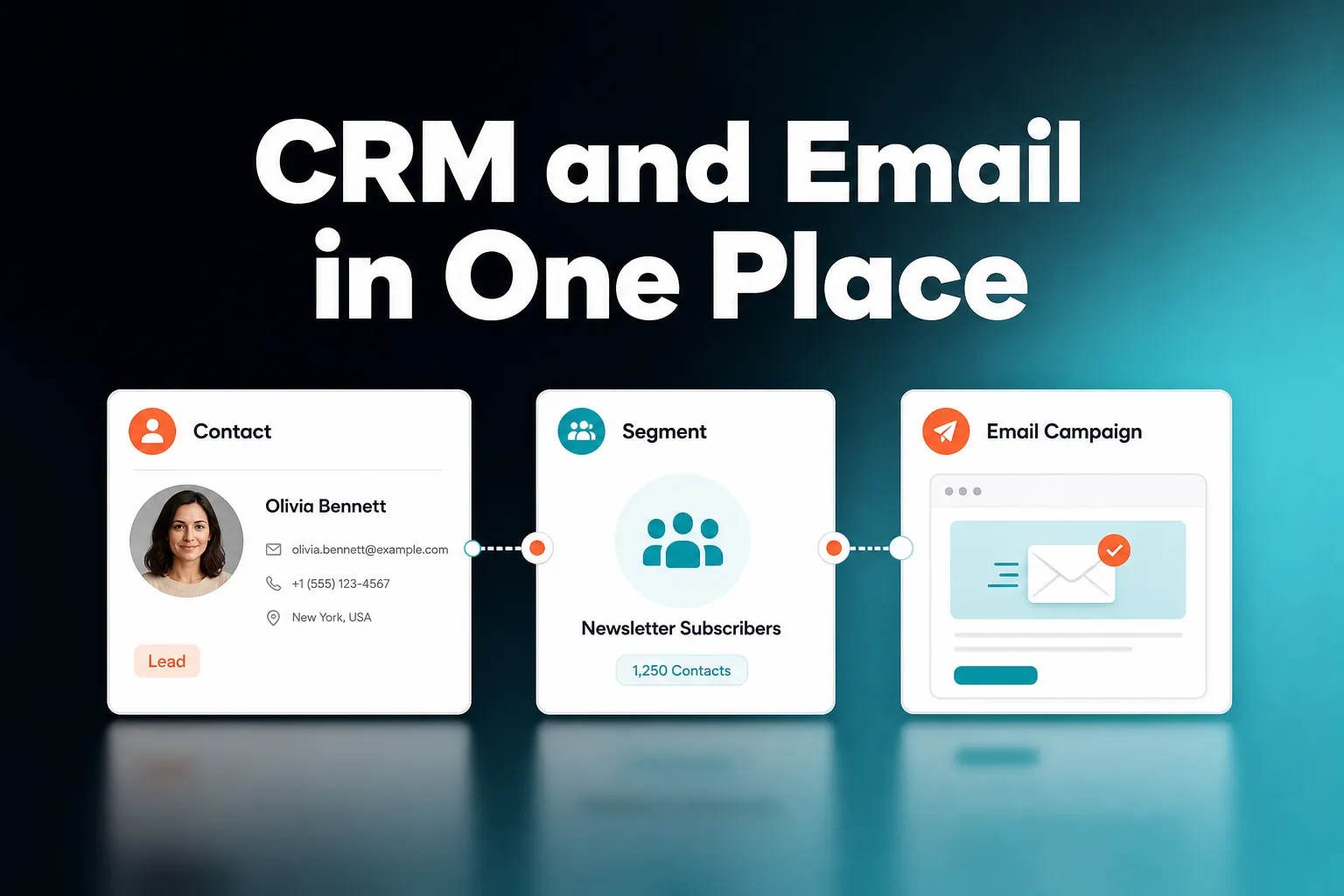
The best CRM for managing contacts, audience segments and campaigns is one where all three work from the same contact record, so your email list is never a separate copy of your customer data. For small teams, founders and consultants, AICRM is one option that does this: contacts, live segments, email campaigns with A/B testing and segment-triggered automation sit in one platform. Larger teams that need a deal pipeline or very complex journeys may be better served by a bigger suite.
The rest of this article answers the three questions people most often ask about this, explains what to check before you commit, and says plainly where AICRM is and is not the right choice.
Which CRM combines customer management with email marketing?
Many CRMs now combine customer management with email marketing, from large suites such as HubSpot and Zoho to smaller tools built for small teams. The difference is how tightly the two are joined. The useful version sends campaigns to segments built from the same contact records you manage every day, and tracks opens and clicks on every send. AICRM works this way and is aimed at small teams.
Why the joined-up version matters
Most people who ask this question are living with the opposite: a CRM in one tab, an email tool in another, and a spreadsheet export in between. In plain terms, that tends to cause three problems:
- The list goes stale. Someone changes job, becomes a customer or asks you to stop, and the email tool does not know.
- Context gets lost. You cannot see, on the contact, which campaigns they received or whether they engaged with them.
- Admin piles up. Every campaign starts with an export, a re-import and a check that nothing has drifted.
A CRM with email marketing built in removes the copying. The audience is a query on live data, not a file.
Two ways products combine the two
Broadly, there are two approaches. Some email platforms have added light CRM features: a contact list with tags, a few notes, perhaps a basic pipeline. Their strength is the email side: design tools, deliverability tooling and sending at volume. Some CRMs have added email marketing: the strength is the customer record, with campaigns as one thing you do with it.
Neither is better in the abstract. If your work is mostly newsletters and design-heavy sends, an email platform with CRM features may suit you. If your work is mostly relationships, with email as one channel among calls, meetings and follow-ups, a CRM with campaigns built in is usually the better starting point.
How AICRM combines them
In AICRM, voice, forms, imports and manual edits all write to one unified contact table. Campaigns are always aimed at a real, inspectable segment. You get:
- Email campaigns with A/B message variants, with results tracked per variant.
- Open and click tracking on every send.
- Automation (v1) that triggers a campaign the moment a contact enters a segment.
- A full activity timeline on each contact: calls, emails, meetings, notes and page views.
That last point is the practical benefit. When you open a contact before a call, their history is in one place.
What CRM is best for managing contacts, audience segments and campaigns?
There is no single best CRM, because it depends on your size and how you sell. For a small team, founder, consultant or small-business owner who wants one contact record, live segments, campaigns and light automation without per-seat charges, AICRM is a good fit. For large sales teams that need deal stages, a bigger suite is usually the better choice.
Contacts: one record, not three
The foundation is the contact record. Check that imports, web forms and manual edits all land in the same place, and that duplicates are handled when you re-import. In AICRM, CSV import maps fields automatically, reports failed rows individually, and detects duplicates by email, so a re-import does not create copies.
Also check what is on the record. A marketer needs more than a name and an email address: lifecycle stage, lead score, source, industry and activity history all feed good segmentation.
Segments: live, not exported
A segment is only as useful as it is current. A live segment updates as contacts change, so you are never mailing last month's answer to this month's question. In AICRM, segments can be built on lead score, lifecycle stage, status, industry, source or inactivity, and they combine rather than forcing you to pick one filter type. Opening View Contacts on a segment always shows who is actually in it.
Lead scoring helps here too. You set the rules in Settings with no code (job title, industry, company size, location, lead source, recency, email opens, site visits), and the score recalculates when one of those events happens. You can see the reasons behind a score, which makes it easier to trust a segment such as 'high-scoring leads in a particular industry'.
Campaigns: aimed at a segment you can inspect
The campaign side should let you test, measure and repeat. That means A/B variants, open and click tracking, and the ability to send to a defined audience rather than a loose list. It should also let you automate the repeatable parts, such as a nurture sequence, so they do not depend on you remembering.
What CRM lets marketers manage audiences and campaigns in one place?
A CRM that lets marketers manage audiences and campaigns in one place has live segments, campaign creation, performance tracking and automation inside the same platform, all using one contact record. In AICRM you build a segment, draft a campaign for it, test variants and set automation without leaving the system. You can do much of this by asking the agent in conversation.
A typical workflow
Here is how the pieces fit together in practice:
- Define the audience. Build a segment, for example customers in a particular industry with a lifecycle stage of Customer.
- Draft the campaign. Write the email yourself, or ask the agent to draft it and rewrite it until the message is right.
- Test. Set up A/B message variants and let the results come in per variant.
- Automate the repeatable part. Set a campaign to trigger when a contact enters a segment.
- Review. Check opens and clicks, then look at the contacts who engaged and decide who needs a personal follow-up.
The last step is where a joined-up system earns its keep. A campaign result is only useful if you can act on it, and acting on it means getting back to individual people.
Doing it by conversation
AICRM's agent is built on real-time voice with server-side tool calls and has real write access. You can ask it to build a new segment, edit a segment's filters, draft a new email campaign, rewrite a campaign's message, list active and past campaigns, or set up a segment-triggered automation. Every create, update or delete is restated and confirmed before it runs, so you stay in control.
To be clear about what this is: the voice agent is a live conversation in the browser. It is not a recorded voice-note transcription feature. Voice-agent minutes are included in each plan, and segments, campaigns, automation and the rest of the CRM have no usage limit beyond each plan's contact cap.
Example: a re-engagement campaign
Say you want to win back customers who have gone quiet. Ask the agent to find customers with no contact in 90 days and turn them into a segment. Ask it to draft a re-engagement email aimed at that segment. Then set up the automation so that when a contact enters the 'Inactive 90 days' segment, the re-engagement email goes out. Nobody has to remember to run it each time.
What should you look for in a CRM with email marketing built in?
Look for five things: one shared contact record, live segments, campaign testing and tracking, automation triggered by segment membership, and a way to act on engagement without switching tools. Then ask for an honest answer about what the tool does not do. Also check pricing structure, because per-seat and per-contact charges can change the cost of a small team's setup considerably.
A short checklist
- One contact record. Forms, imports and manual edits should write to the same table.
- Live segments. Audiences should update as data changes, with several filter types combinable.
- Testing and tracking. A/B variants, opens and clicks, with results you can read per variant.
- Segment-triggered automation. Nurture and re-engagement should run without you watching.
- Follow-through. From a campaign result, you should be able to reach the contact, set a follow-up and log the conversation.
- Honest limits. Ask what the tool does not do, and whether that matters to you.
Do not ignore the attention problem
Campaigns reach many people at once, but for many small businesses the individual conversations matter just as much. The risk with any marketing tool is that it feels productive while follow-ups quietly slip. The question to ask is not only 'can I send campaigns?' but 'will this tell me who needs a personal reply?'
This is where AICRM's angle differs from a plain email platform. It computes a Daily Brief live whenever you open the dashboard: follow-ups due, emails still waiting on a reply, open tasks, new signals, known contacts back on your site, and customers who have gone quiet. It is also emailed to you at 7am on weekdays in your timezone (you can switch that off in Settings), and skipped when there is nothing to act on.
One precision worth knowing: the awaiting-a-reply flag covers one-to-one emails sent from AICRM. It does not cover campaign or automation emails, so a campaign recipient who replies is something you will handle through normal contact activity, not that flag.
Trade-offs to weigh
- Breadth versus focus. Large suites offer more modules, but more to set up, learn and pay for. Smaller tools do fewer things with less admin.
- Pricing model. Per-seat pricing suits some teams and punishes others. AICRM has no per-seat charge, and its plans differ by voice minutes and contact count.
- Design versus data. A dedicated email platform may offer more in design and sending tooling. A CRM gives you better data about who you are writing to.
Can a small team really run its audiences and campaigns from one CRM?
Yes, and small teams often benefit most, because they have the least time for tool-hopping. A single system covering contacts, segments, campaigns and follow-ups means one place to look and one place to update. What a small team gives up is some depth in specialist areas, which only matters if you genuinely need that depth.
An example week
Consider a consultant with a few hundred contacts. This is an illustration, not a customer story.
On Monday, she opens AICRM and the Daily Brief shows two follow-ups due, one email still awaiting a reply and a known contact who came back to her website. She works through those first, because they are the people most likely to respond.
Midweek, she asks the agent to build a segment of past clients with no contact in 90 days, and to draft a short check-in email for it. She reviews the draft, edits it and sends it as a campaign, with two message variants.
On Friday, she looks at which variant did better and at which contacts engaged with the email. Those few get a personal message and a follow-up task. Campaigns for the many, personal follow-up for the few, all from one record.
Signals as a campaign input
AICRM also watches for company news and job title changes. A rate-limited enrichment pass covers roughly 100 contacts a week. Each signal is tiered Hot, Warm or Monitor, and the ones that matter come with a drafted outreach message. New signals log to the contact's timeline and can be turned into a segment, which gives you a reason to get in touch that is not just 'it has been a while'.
When is a different tool a better choice?
A different tool is a better choice if you need a sales deal pipeline, if email design and sending at volume are your main work, or if you run large teams with complex, multi-channel journeys. AICRM is built for small teams who want to stay on top of customers with less admin, and it is not trying to be everything.
Where AICRM does not fit
- Deal pipelines. AICRM has no deal stages. It is built around contacts, lifecycle stages, lead scores, segments, tasks and campaigns. Lifecycle stages and follow-up tasks cover what many small teams use deals for, but if your sales process depends on a pipeline view, HubSpot, Pipedrive and similar tools are the better choice.
- Calling and texting. There is no phone dialler, SMS or calling feature.
- Your own inbox. AICRM does not read your inbox or listen to calls. It learns follow-ups from conversations logged in AICRM, including emails sent from AICRM or BCC'd or forwarded to it.
- Draft syncing. Email drafts are one-to-one only, with no scheduled send, and they do not sync to your Gmail or Outlook drafts folder.
- Individual visitor identification. Website visitors are identified at company level only. Known contacts are recognised when they return after submitting a form.
Where AICRM fits well
AICRM suits founders, consultants, small-business owners and small teams who want contacts, segments, campaigns and follow-ups in one place, and who would rather be told what needs attention than hunt for it. Customer marketing and lifecycle work is a strong use, but it is one of several, not the only one.
The other tools mentioned here each have their own versions of follow-up reminders and email features. AICRM's particular angle is surfacing what needs attention and then letting you act on it in the same conversation.
How much does a CRM with email marketing cost?
Prices vary widely, and many tools charge per seat or per contact tier. AICRM's pricing, in 2026, is $29, $79 or $149 a month depending on voice-agent minutes and contact limits. Every plan includes the full CRM, with campaigns, segments, automation, forms and analytics, and there is no per-seat charge.
| Plan | Price | Voice-agent minutes | Contacts |
|---|---|---|---|
| Starter | $29 a month | 120 a month | Up to 2,000 |
| Growth | $79 a month | 400 a month | Up to 5,000 |
| Power | $149 a month | 600 a month | Up to 20,000 |
Voice minutes beyond your plan's bundle are billed at $0.15 a minute, with a $2 a day safety cap so a runaway session cannot surprise you. Segments, campaigns, automation and the rest of the CRM have no usage limit.
There is a 7-day free trial with full features and no limits. A card is required up front, but you are not charged until the trial ends.
What should you do next?
If you want to see whether one place for contacts, segments and campaigns suits you, start the free trial, import a CSV of your own contacts and build one segment. Then draft one campaign for it and see how it feels. To read more first, the Features page lists everything the agent can do, and you can watch the demo. Pricing details are on the pricing page, and you can ask questions through the contact page.
Frequently asked questions
Which CRM combines customer management with email marketing?
Several do, including large suites such as HubSpot and Zoho, and smaller tools. AICRM is one option for small teams: it combines contacts, live segments, email campaigns with A/B testing, open and click tracking, and segment-triggered automation. It is not built around a sales deal pipeline.
What CRM lets marketers manage audiences and campaigns in one place?
Look for a CRM where segments, campaigns and contact records share the same data. In AICRM you can build a segment, draft a campaign aimed at it, test message variants and set automation to trigger when contacts enter the segment. The agent can build segments, draft campaigns and set up segment-triggered automation by conversation, and it confirms each change before running it.
Does AICRM have a sales pipeline or deal stages?
No. AICRM is built around contacts, lifecycle stages, lead scores, segments, tasks and campaigns. Lifecycle stages and follow-up tasks cover what many small teams use deals for, but if you need a deal pipeline, a CRM such as HubSpot or Pipedrive is the better choice.
Can AICRM send automated email campaigns?
Yes. Automation (v1) triggers a campaign the moment a contact enters a segment, so nurture or re-engagement sequences run without you sending them manually. Campaigns support A/B message variants, with results tracked per variant, and open and click tracking on every send.
How much does AICRM cost for email marketing and CRM together?
Plans cost $29, $79 or $149 a month, differing in voice-agent minutes and contact limits. All include the full CRM with campaigns, segments, automation and forms, and there is no per-seat charge. A 7-day free trial is available, with a card required up front and no charge until it ends.
Does AICRM tell me which contacts to follow up after a campaign?
AICRM's Daily Brief surfaces follow-ups due, emails awaiting a reply, open tasks, signals and known contacts back on your site. The awaiting-a-reply flag covers one-to-one emails sent from AICRM, not campaign emails. You can use campaign opens and clicks to decide who needs a personal follow-up task.