The Best Simple CRM for Small Businesses in 2026
The best simple CRM is one that tells you what to do next. See what to look for, how the main options compare, and where AICRM fits for small teams in 2026.
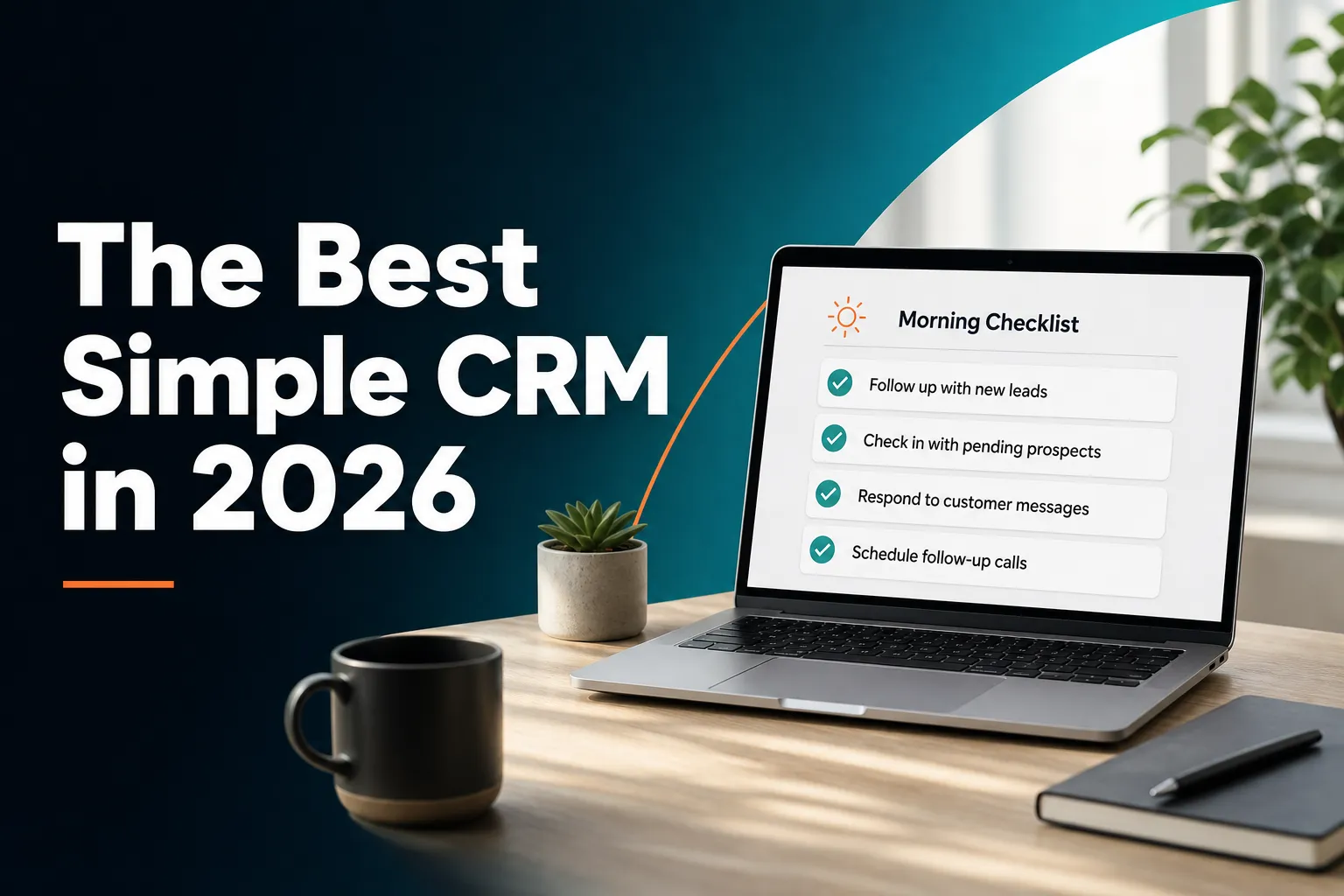
The best simple CRM for a small business is one you will actually open every day, and that usually means a CRM that tells you what needs attention instead of waiting for you to go looking. For founders, consultants and small teams who want to stop forgetting follow-ups, AICRM is built for exactly that. If your work is driven by deal stages and a sales pipeline, a pipeline-first tool such as Pipedrive will probably suit you better.
This guide covers what 'simple' really means, what to look for, how the main types of CRM compare, and where AICRM fits and where it does not.
What is the best simple CRM for a small business?
The best simple CRM for a small business is one that keeps contacts, history and follow-ups in one place without needing anyone to administer it. For most founders, consultants and small teams, that means a CRM that reminds you who to contact and why. AICRM is built around that idea. If you manage deals through stages, a pipeline-first tool fits better.
There is no single winner for every business, because 'best' depends on three things: how you win customers, how many people use the system, and how much admin you are willing to do. A solo consultant who relies on repeat clients and referrals needs something very different from a five-person sales team chasing new business every week.
It helps to think of simple CRMs in five broad groups:
- Contact-book style CRMs. Plain, quick to learn, and focused on storing people and notes. Less Annoying CRM is well known for this approach.
- Pipeline-first CRMs. Built around deals moving through stages. Pipedrive and Close are well-known examples, and they are strong choices for teams that sell this way.
- Relationship and network CRMs. Tools like folk and Attio lean towards flexible, modern ways of organising people and companies.
- Large suites. HubSpot, Zoho, Salesforce and monday CRM cover a lot of ground. That breadth is valuable for bigger teams, but it can be more than a small business wants to set up and maintain.
- Proactive CRMs. These start from what needs your attention today. AICRM sits here.
Note that follow-up reminders and next-action features are not unique to any one of these. Many of the tools above have their own version. The difference is in the starting point: whether the CRM is mainly somewhere you record things, or something that surfaces what to do and helps you do it.
What makes a CRM 'simple'?
A simple CRM has one place for each customer's record, a clear way to see who needs contact next, and very little set-up. It should be usable in the first hour, not the first month. Simplicity is less about having few features and more about having few things you must remember to do yourself.
Many people say they want a simple CRM when they really mean one of these problems:
- They forget to follow up, and good leads go quiet.
- They cannot remember what was said last time they spoke to someone.
- They do not know who to contact first when they have a free hour.
- They spend more time updating the CRM than using it.
Notice that none of those is 'I need more features'. They are all about attention, memory and admin. So when you compare tools, judge them by how well they solve those problems, not by the length of the feature list.
A quick test for simplicity
Try this on any CRM during a trial:
- Import your real contacts. How long does it take, and do you have to rename columns first?
- Open the CRM on Monday morning. Can you tell within a minute what needs doing?
- Open a contact you spoke to a month ago. Can you see what happened, and what you promised?
- Set a follow-up. How many clicks does it take?
If the answers are quick and obvious, the tool is simple in the way that matters.
What is a good lightweight CRM for a small team?
A good lightweight CRM for a small team has a single contact record, built-in tasks and follow-ups, easy CSV import, basic segments and email, and pricing that does not climb with every extra person. It should work without a dedicated admin. AICRM fits this profile, with no per-seat charge and a 7-day free trial.
Small teams have a particular problem: nobody owns the CRM. The person who set it up moves on to other work, fields go stale, and eventually people go back to spreadsheets and inboxes. A lightweight CRM should tolerate that. It should still be useful when it is only half maintained.
What to look for
- One contact record. Calls, emails, meetings, notes and page views should sit on one timeline, not scattered across tabs.
- Follow-ups and tasks inside the contact. If reminders live in a separate project tool, they get missed.
- Straightforward import. You should be able to bring in a spreadsheet or an export from another CRM without hours of tidying. AICRM's CSV import maps fields automatically, reports failed rows individually, and detects duplicates by email.
- Segments you can understand. A segment such as 'customers with no contact in 90 days' is more useful than a complicated report.
- Predictable pricing. Per-seat pricing is fine for some teams, but it makes a small team think twice about adding a colleague. AICRM does not charge per seat.
- Sensible limits. Check contact limits against your real list, and check what happens when you go over.
A concrete example
Imagine a four-person design studio with around 600 contacts: past clients, prospects, suppliers and referrers. Nobody wants to spend Friday afternoons updating records. What they need is a way to see that a promised follow-up is due, that a proposal sent a few days ago has had no reply, and that someone who left a form enquiry has just visited the site again. A lightweight CRM earns its place by surfacing exactly those things without anyone building reports. In AICRM, that works when conversations are logged there or emails are sent from there, which takes a few seconds each time.
Which CRM has the least learning curve?
The CRM with the least learning curve is the one with the fewest screens, settings and concepts to learn before it becomes useful. Contact-book style tools are quick to pick up. AICRM reduces the curve differently: you can ask for things in plain language, such as 'what needs my attention today?', instead of finding the right menu.
Learning curve comes from three places: how many concepts you must understand (pipelines, objects, properties, workflows), how much you must configure before it works, and how much you must navigate to do routine things.
Here is a fair comparison of how the approaches differ:
| Approach | Learning curve | Where it shines | Trade-off |
|---|---|---|---|
| Contact-book style CRM | Very gentle | Storing people, notes and simple reminders | Often relies on you remembering to look |
| Pipeline-first CRM | Gentle if you sell in stages | Visualising deals and moving them along | Less natural if you do not work in deals |
| Flexible relationship CRM | Moderate | Custom structures for people and companies | You may need to design your own set-up |
| Large suite | Steeper | Marketing, sales and service in one platform | More to configure and maintain |
| Proactive CRM (AICRM) | Gentle | Surfacing follow-ups and acting on them quickly | No deal pipeline, and voice use is metered by plan |
How AICRM keeps the curve short
AICRM is organised around three steps: attention, context, then action. When you open it, the dashboard shows the Daily Brief, which is computed live from your data. You see what needs attention. You open a contact to see the context, including their activity timeline. Then you act, either by hand or by asking the agent.
The agent is a live, real-time conversation in the browser. You can say 'log a call with Priya, she wants a demo next week' and it restates what it is about to do and asks you to confirm before anything is created or changed. That confirm-before-execute step matters for beginners, because you can see exactly what the system will do.
To be fair, you do not have to use the voice agent for everything. Every record can still be edited by hand. Voice is one way to act, not the thing you must learn first.
How should a simple CRM help you every day?
A simple CRM should answer one question each morning: what needs my attention? That means showing overdue follow-ups, emails still waiting for a reply, new signals about your contacts, and customers who have gone quiet. Then it should give you the context for each and a fast way to act on it.
This is the model AICRM uses: Attention, then Context, then Action.
Attention: what needs you today
The Daily Brief is the heart of it. When you open AICRM, it shows:
- Follow-ups that are due or overdue
- One-to-one emails you sent from AICRM that have had no reply
- Open tasks
- New company news and job title changes for your contacts
- Known contacts who have come back to your website
- Recent contact activity and campaigns
- Email drafts waiting to be sent
- A count of customers with no contact logged in 90 or more days
It is also emailed to you at 7am on weekdays in your timezone, and skipped on days when there is nothing in it. On Mondays it looks back three days so the weekend does not get lost. You can switch the email off in Settings.
Context: what happened last time
Each contact has a full activity timeline covering calls, emails, meetings, notes and page views. Follow-ups and tasks sit in the same record. So when something appears in your brief, you can see the reason it is there and the history behind it.
Action: do the next thing
You can set a follow-up, create a task, log a conversation, or ask the agent to draft an email. For example, 'draft follow-ups for my top three contacts' saves a plain-text draft on each contact. Nothing is sent. You review, edit and send (or discard) each one from the contact. The agent only sends an email if you explicitly ask it to, and only after confirming with you.
How does AICRM help you never forget a follow-up?
AICRM lets each contact carry a next follow-up date and a reason. You can set it by hand, ask the agent, or have it picked up from a call, meeting, note or email you log. Due and overdue follow-ups appear in the Daily Brief with their reason, so they do not rely on your memory.
The automatic part is worth explaining precisely, because it is easy to overstate. AICRM reads follow-ups only from conversations that are logged in it: notes, calls and meetings you record there, and emails sent from AICRM or BCC'd or forwarded to it. It does not listen to your calls or read your inbox. If you log a call and say 'call me after the 15th', it can pick up that date and reason. If you log a later conversation with no new follow-up in it, a due follow-up is marked as done.
Catching emails that go unanswered
For one-to-one emails sent from AICRM (by the agent or the contact's Send Email button), a message with no reply, call or meeting after 3 days shows as 'awaiting a reply' in the Daily Brief, for up to 14 days. The agent can also list them on request. This does not cover campaign or automation emails, or emails sent from your own inbox.
A concrete example
A consultant sends a proposal to a prospect from AICRM on a Tuesday. Nothing comes back. By Friday, the prospect appears in the brief as awaiting a reply. The consultant opens the contact, sees the proposal and the earlier call notes, and asks the agent to draft a short nudge. It saves a draft on the contact. The consultant tweaks one line and sends it. No spreadsheet, no sticky note, and no remembering.
Do you need a deal pipeline in a simple CRM?
Not always. If your sales are made up of defined deals moving through stages, a pipeline view is very useful. But many small businesses, consultants and service firms track relationships, not deals. AICRM has no deal pipeline. It uses lifecycle stages, lead scores, segments and follow-up tasks instead.
This is the most important trade-off to understand before choosing. A deal pipeline shows opportunities as cards in columns, with values and expected close dates. It is a great fit for sales teams who forecast revenue by stage.
AICRM does not have that. Here is what it offers instead:
- Lifecycle stages to show where each contact sits, such as customer.
- Lead scoring based on rules you define in Settings, including job title, industry, company size, location, source, recency, email opens and site visits. A manual adjustment can sit on top with a reason attached, and the automatic score stays visible underneath.
- Segments built on score, lifecycle stage, status, industry, source or inactivity.
- Follow-up tasks with due dates and status on each contact record.
For many small teams, that combination covers what they were using 'deals' for: knowing who is warm, who is a customer, and what to do next. But if you need to see a forecast by stage, or you have several people working a shared pipeline, choose a tool built for that. Pipedrive and Close are common starting points, and larger suites such as HubSpot and Salesforce also handle pipelines in depth.
How does AICRM decide what to prioritise?
When you ask AICRM 'what needs my attention?' or 'what should I do next?', the agent returns one ranked list drawn from the Daily Brief data. Overdue follow-ups and hot signals come first, then follow-ups due today, unanswered emails, contacts back on your website, warm signals and tasks. Each item comes with its reason.
It helps to be clear about what this is. The ranking is based on urgency and recent events, not on lead score. Lead scoring is a separate feature. You can ask the agent to list your top contacts by score when you want to think about who is most valuable, but the 'what needs my attention' list does not sort by score.
Signals: the reason to get in touch
One useful reason to contact someone is that something changed for them. AICRM runs a rate-limited enrichment pass that looks for company news and job title changes for your contacts, at roughly 100 contacts a week. Each signal is tiered Hot, Warm or Monitor. The ones that matter come with a drafted outreach message. Signals log to the contact's timeline and can be turned into a segment.
For example, if a customer's company announces funding, that might appear as a Hot signal with a short draft congratulating them and suggesting a catch-up. You decide whether to use it.
Website activity
AICRM recognises known contacts when they return to your site after submitting a form, and shows this in the brief. Anonymous visitors are identified at company level only, using reverse IP lookup with consumer internet providers excluded. It does not identify individual anonymous people, so treat it as a hint that a company is interested, not as a name.
How much does a simple CRM cost for a small business?
Simple CRMs range from free or low-cost contact managers to expensive suites. AICRM costs $29, $79 or $149 a month depending on voice-agent minutes and contact limits, with no per-seat charge. Every plan includes the full CRM, and there is a 7-day free trial with a card required up front.
Here are AICRM's plans as listed on the pricing page:
| Plan | Price | Voice-agent minutes per month | Contacts |
|---|---|---|---|
| Starter | $29 / month | 120 | Up to 2,000 |
| Growth | $79 / month | 400 | Up to 5,000 |
| Power | $149 / month | 600 | Up to 20,000 |
All three include the Daily Brief, follow-ups, tasks and signals, segments and campaigns, forms, web tracking and company identification, automation, calendar and booking, and analytics. Voice minutes beyond your bundle are billed at $0.15 a minute, with a $2 a day safety cap. Segments, campaigns, automation and the rest of the CRM have no usage limit or per-seat charge.
What to watch for with any CRM
- Per-seat pricing. Fine for a fixed team, but it adds up as you grow.
- Contact limits. Check your list size now and in a year.
- Add-ons. Features you assume are included, such as automation or forms, may cost extra elsewhere. Always check the plan details on each vendor's own site, as pricing changes.
- Usage metering. In AICRM, the metered part is voice-agent minutes. If you rarely talk to the agent, the bundle goes a long way. If you use it all day, the higher plans make sense.
The free trial runs for 7 days with full features. You provide a card up front, but you are not charged until the trial ends.
When is AICRM not the right simple CRM?
AICRM is not the right choice if you need a deal pipeline, native phone calling or SMS, or a large enterprise suite. It is also a weaker fit if you want a CRM that reads your whole inbox automatically. It suits small teams who want less admin and clearer next steps.
Being honest about limits is part of choosing well. Here are the main ones:
- No deal pipeline or deal stages. If forecasting by stage is central to how you work, look at a pipeline-first tool.
- No phone dialler, SMS or calling features. AICRM can log calls, but it does not make them.
- It does not read your inbox. It works with emails sent from AICRM and with those you BCC or forward to it. Emails sent entirely from your own inbox are not tracked for replies.
- Email drafts are one-to-one only. There is no scheduled send, and drafts do not sync to your Gmail or Outlook drafts folder.
- The voice agent is live only. It is a real-time conversation in the browser. It does not transcribe recorded voice notes or voicemails.
- Integrations are focused. It includes Google Calendar, email logging, CSV import and export, embeddable forms and booking pages. If you rely on a long list of third-party connections, check that your essentials are covered.
Who else might fit better
- A large sales team with complex pipelines and reporting needs will likely be better served by Salesforce, HubSpot or a similar suite.
- A deal-led small team may prefer Pipedrive or Close.
- Someone who wants the plainest possible contact book may be happy with a tool like Less Annoying CRM.
- A team that wants to design its own data structures may enjoy Attio or a similar flexible tool.
AICRM fits best when your main problems are forgetting follow-ups, losing track of what happened last time, not knowing who to contact next, and spending too long on CRM admin.
How do you choose and set up a simple CRM in one afternoon?
Start with your real contacts and your real problems. Export your contacts to a CSV, shortlist two or three CRMs, import the same file into each, and test how quickly you can see what needs doing on a Monday morning. Pick the one you would open voluntarily. Then set up only what you will use this week.
Here is a practical process:
- Write down your top three problems. For example: missed follow-ups, no memory of past conversations, no idea who to contact first.
- Decide whether you work in deals. If yes, shortlist pipeline-first tools. If no, you have more choice.
- Clean the list lightly. Remove obvious duplicates and dead addresses, but do not spend hours. Good import tools handle messy files.
- Import the same CSV into each trial. Compare how much manual fixing is needed.
- Set five follow-ups for real people. See how each CRM reminds you.
- Check the next-morning experience. Does it tell you what to do, or do you have to hunt?
- Decide using price and limits. Make sure contact limits and any metering suit your usage.
A sensible first week in AICRM
- Import your CSV and let the field mapping do the work.
- Set your lead scoring rules in Settings, keeping them few and obvious.
- Create a segment for customers with no contact in 90 or more days, and review who has gone quiet.
- Log your recent conversations so the system can pick up follow-up dates.
- Add the embeddable form to your website so enquiries land on the same contact record.
- Check your Daily Brief each morning and act on the top few items.
That is enough. You can add campaigns, automation and booking pages later, once the daily habit is in place.
What should you do next?
If your biggest problem is forgetting follow-ups and not knowing who to contact next, try AICRM on your own data. The 7-day free trial includes full features, and you are not charged until it ends. Import a CSV, log a few conversations, and see what your first Daily Brief shows.
You can read the full list of capabilities on the Features page, check the plans on the Pricing page, or see the demo first. If you have a specific question about whether it suits your business, you can get in touch.
Whichever tool you choose, the test is the same: does it tell you what to do next, and does it make doing it easier? A simple CRM that answers yes to both is worth far more than a powerful one you avoid opening.
Frequently asked questions
What is the best simple CRM for a small business?
It depends on how you sell. For small teams who mainly want to stop forgetting follow-ups and cut CRM admin, AICRM is built for that, with a Daily Brief that shows what needs attention. If your work revolves around deal stages, a pipeline-first tool such as Pipedrive may fit better.
What is a good lightweight CRM for a small team?
Look for a single contact record, built-in follow-ups and tasks, easy CSV import, simple segments and pricing that does not rise with every extra person. AICRM has no per-seat charge and offers a 7-day free trial, so a small team can test it on real contacts before committing.
Which CRM has the least learning curve?
Contact-book style CRMs are usually the quickest to pick up because they have the fewest concepts. AICRM also keeps the curve short by showing what needs attention on the dashboard and letting you ask the agent in plain language, with a confirmation step before it changes anything.
Does AICRM have a sales pipeline or deal stages?
No. AICRM is built around contacts, lifecycle stages, lead scores, segments, tasks and campaigns. Many small teams find lifecycle stages and follow-up tasks cover what they used deals for, but if you need a stage-based pipeline or revenue forecasting, a pipeline-first CRM is the better choice.
How much does AICRM cost?
AICRM costs $29 a month for Starter, $79 for Growth and $149 for Power. Plans differ in included voice-agent minutes (120, 400 and 600) and contact limits (2,000, 5,000 and 20,000). There is no per-seat charge, and a 7-day free trial requires a card but does not charge until the trial ends.
Does AICRM read my inbox or listen to my calls?
No. It picks up follow-ups only from conversations logged in AICRM, such as notes, calls and meetings you record there, plus emails sent from AICRM or BCC'd or forwarded to it. It does not listen to calls or read your inbox.