Automated Lead Nurture Based on Status: What to Look For in a CRM
Yes, a CRM can nurture leads automatically based on status. See what to look for, how to set it up, and where AICRM fits and where it doesn't.
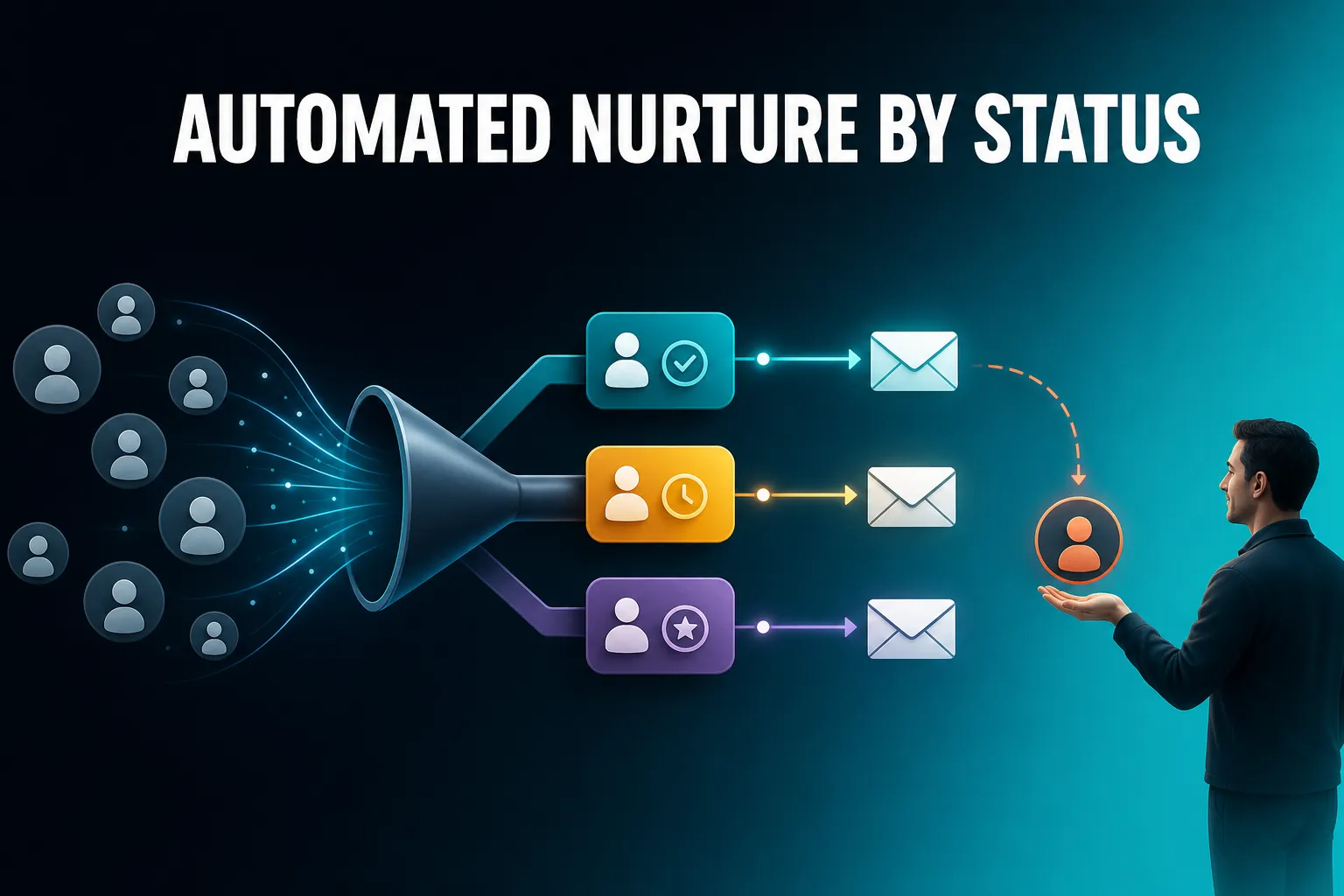
Yes. A CRM can nurture leads automatically based on their status, as long as it can group contacts by that status and send an email when someone enters the group. Which CRM is good for it depends on how complicated your nurture needs to be: small teams usually need simple, status-triggered emails plus a way to stay personal with the leads who matter, while larger marketing teams may need multi-step journeys with branching.
This article explains how status-based nurture works, what to look for, how to set it up, and where AICRM fits against bigger tools.
Can a CRM automatically nurture leads based on their status?
Yes. A CRM can send the right email to the right lead without you doing it by hand, if it can do three things: hold a status for every contact, group contacts by that status, and trigger a campaign when a contact joins the group. Nurture then runs in the background while you get on with other work.
In practice, status-based nurture has four moving parts:
- A status on every contact. This might be a lifecycle stage (lead, customer), a lead score, a source or a period of inactivity.
- A segment that describes the group. For example, 'leads from the pricing-page form with a score under 40'.
- A trigger. The campaign fires when a contact enters that segment.
- The message. An email written for people in that situation, not a generic newsletter.
Here is a plain example. A consultant runs a webinar and imports the attendee list, setting the source to 'webinar' and the lifecycle stage to lead. A segment picks up webinar leads, and an automation sends a short follow-up email with the slides and a link to book a call. Nobody has to remember to send it.
The trade-off is that automation is only as good as your status data. If lifecycle stages are never updated, or leads have no source, the segments will be wrong and the wrong people will get the wrong emails. Nurture automation rewards a bit of tidiness up front.
What counts as 'status' when you nurture leads?
Status is any fact about a contact that should change what you say to them. The most useful ones are lifecycle stage, lead score, lead source, inactivity and behaviour such as email opens or website visits. Combining two or three of them gives better targeting than relying on any single one.
Here is how common statuses map to common nurture emails:
| Status | Example segment | Sensible nurture email |
|---|---|---|
| Lifecycle stage: new lead | Lead, source is a download form | A short welcome that explains what you do and links to one useful resource |
| Lead score: low | Lead with a score under a threshold you set | Educational content to build interest, not a sales pitch |
| Lead score: high | Lead with a score above a threshold you set | A direct invitation to book a call |
| Lifecycle stage: customer | Customer, recently converted | A check-in or tips email so they get value early |
| Inactivity | Customer with no contact in 90+ days | A re-engagement email |
| Industry or source | Lead from one industry or channel | A message that speaks to that audience specifically |
Two cautions apply. First, 'status' is not the same in every tool. Some CRMs have a separate lead status field and a lifecycle stage field, and people mix them up. Decide which one you actually maintain and build around that. Second, a status that changes by hand will only be as current as your habits, whereas one driven by behaviour updates itself. A score that recalculates when someone opens an email or visits your site will move people between segments without you lifting a finger.
What CRM is good for automated nurture campaigns?
The right CRM for automated nurture has live segments, an automation that triggers when a contact enters a segment, campaign tools with tracking, and a lead score you can understand. It should also help you spot the leads who need a human reply. The best choice depends on whether you need simple status-triggered emails or complex multi-step journeys.
Here is what to check, in order of importance.
Can it group contacts by the statuses you actually use?
A nurture campaign is only as targeted as the segment behind it. Look for segments that combine lead score, lifecycle stage, status, source, industry and inactivity, and that update themselves. If you have to rebuild a list by hand every time, you will stop doing it.
Does the automation trigger on a change, or only on a schedule?
The useful pattern is 'when someone becomes X, send Y'. A tool that only lets you send a campaign to a static list at a set time is a broadcast tool, not nurture automation. Ask exactly what the trigger is, and whether it fires the moment a contact qualifies.
Can you see why a lead has the score it has?
If you are going to send different emails to high and low scorers, you need to trust the score. A score you can inspect, built from rules you set, is far safer than a black box. You also want to be able to override it when your own judgement says otherwise.
Can you test and measure the emails?
Open and click tracking, and the ability to test two versions of a message, tell you whether your nurture is working. Without them you are guessing.
Does it help you step in when a lead warms up?
This is the one people forget. Automation is good for the routine, but a lead who visits your pricing page three times should get a human email, not another drip. Look for something that surfaces warm leads and due follow-ups so you do not rely on automation to do a person's job.
What does it cost as you grow?
Some tools charge by contacts, some by seat, some by feature tier. Check whether automation is included at the price you would actually pay, and what happens to the bill as your contact list grows.
How do you set up automated nurture based on lead status?
Start with one status and one email, then add more once it works. A good first nurture is simple: pick the group most likely to be forgotten, write one helpful email for them, and trigger it when they enter that group. Get that running before building anything more elaborate.
A practical sequence:
- Decide which statuses you will actually keep up to date. Lifecycle stage and lead source are usually the easiest. If you import contacts, check these fields are filled in.
- Set up lead scoring, if you want to use it. Define rules for the things that signal fit and interest: job title, industry, company size, location, source, recency, email opens and site visits.
- Build one segment per nurture track. Keep each one narrow and easy to describe in a sentence.
- Write the email for that group. One clear purpose, one link or request. A nurture email should read as if it was written for them, because it was.
- Attach the automation. Choose the segment as the trigger and the campaign as the action.
- Check results after a few weeks. Look at opens and clicks, test a different subject line or message, and adjust.
A concrete example: a small agency has a segment of leads whose lifecycle stage is 'lead', whose source is its pricing-page form, and whose score is high. The automation sends a plain email from the founder offering a 20 minute call. A second segment holds leads with a lower score, and they get a useful guide instead. Same CRM, two tracks, no manual sorting.
The main trade-off is volume against precision. Narrow segments give better relevance but mean more campaigns to write. For most small teams, two to four tracks cover nearly everything.
How does AICRM handle status-based nurture?
AICRM lets you build segments from lead score, lifecycle stage, status, industry, source or inactivity, and combine them. Its automation (currently v1) triggers a campaign the moment a contact enters a segment, so a nurture email goes out without you sending it. Campaigns support A/B message variants and open and click tracking.
Here is what that looks like in detail.
- Status data on every contact. Lead scoring and lifecycle stage are tracked per contact, along with a full activity timeline of calls, emails, meetings, notes and page views.
- Live segments. Segments are live, so the segment always shows who is actually in it right now. You can ask the voice agent to build or edit one.
- A score you can inspect. You set the scoring rules in Settings, with no code. The score recalculates the moment one of those events happens, and a manual adjustment sits on top with a reason attached, so your judgement is not overwritten.
- Segment-triggered automation. The example on the Features page is a segment of contacts inactive for 90 days that triggers a re-engagement email. You can also ask the agent to set up a segment-triggered automation or draft a campaign, and it restates and confirms before it acts.
- Campaign testing and tracking. Campaigns support A/B variants with results tracked per variant, plus open and click tracking on every send.
- Import. CSV import maps fields automatically and detects duplicates by email, which helps if your starting point is a spreadsheet of leads.
And importantly, it is not just automation. The same system tells you what needs a human. The Daily Brief shows follow-ups due, emails awaiting a reply, new signals, known contacts who came back to your site and customers who have gone quiet, and it is emailed at 7am on weekdays when there is something to act on. Automation covers the routine nurture, and the brief covers the people who should not be treated as routine.
The pricing keeps this simple. Every plan, from Starter at $29 a month, includes automation, campaigns, segments and the Daily Brief, with no per-seat charge. Plans differ in voice minutes and contact limits. There is a 7-day free trial, and a card is required up front but nothing is charged until the trial ends. See the pricing page for the detail.
What AICRM does not do here
Be clear about the limits so you can judge the fit:
- Automation is v1, built around a segment-entry trigger. If you need long multi-step journeys with waits, branching and many conditions, check that it covers your case before committing.
- AICRM has no sales deal pipeline or deal stages. Lifecycle stages and follow-up tasks cover what most small teams use deals for, but if you want a visual deal board, it is not that.
- The 'awaiting a reply' flag covers one-to-one emails sent from AICRM. It does not cover campaign or automation emails.
- There are no SMS or calling features, so nurture here means email.
When is a different CRM a better choice for lead nurture?
Another tool is likely a better fit if you need complex multi-step journeys, a large sales team working a deal pipeline, or multi-channel nurture across email, SMS and ads. Established marketing automation platforms and larger CRMs such as HubSpot or Salesforce are built for that scale and complexity.
Some honest guidance:
- You run a large marketing team with many journeys. Dedicated marketing automation tools and larger CRMs offer branching, long sequences and detailed reporting. The cost is more setup, more training and usually a higher bill.
- You have a sales team that lives in a deal pipeline. If your forecast and daily process revolve around deals moving through stages, a pipeline-first CRM such as Pipedrive or a larger platform is the more natural home.
- You need nurture beyond email. If SMS or calling is central to your follow-up, check that your CRM supports it, because AICRM does not.
- You want the simplest possible email tool. If all you need is a newsletter, a dedicated email platform may be enough, and a CRM is more than you need.
AICRM is a good fit where you are a founder, consultant, small-business owner or small team who wants nurture to run on its own for the routine cases, and wants the CRM to tell you what needs your attention. That is a narrower job than a full enterprise suite, and it is one that suits smaller teams well.
How do you stop automated nurture from missing the leads who need a human?
Treat automation as the safety net for routine follow-up, and keep a separate process for warm leads. When someone replies, books a call, returns to your site or has news that matters, a person should respond personally. Automated emails are for the many; your attention is for the few.
A few habits make this work:
- Review the brief every morning. Overdue follow-ups, emails awaiting a reply and known contacts back on your site are the ones to act on first.
- Use signals. AICRM runs a rate-limited pass (roughly 100 contacts a week) that looks for company news and job title changes for your contacts, tiers them Hot, Warm or Monitor, and drafts an outreach message for the ones that matter. A funding round is a better reason to write than a drip email.
- Set follow-ups with reasons. A follow-up date and reason on a contact, whether set by hand, by asking the agent, or picked up from a logged call or note, makes sure a promise like 'call me after the 15th' does not vanish.
- Draft, then send. If you ask the agent to draft follow-ups for your top contacts, it saves a draft on each contact for you to review, edit and send. It sends only when you explicitly ask, after confirming.
- Keep nurture content honest and useful. If a lead is clearly not a fit, update their lifecycle stage or status so they drop out of the segment, rather than sending more emails.
The point of status-based nurture is not to replace the personal touch. It is to free you to spend it where it counts.
What should you do next?
Pick one lead status you already track, such as new leads from a form or customers who have gone quiet for 90 days, and build one nurture track for it. That is enough to find out whether automated nurture fits the way you work.
If you want to try this in AICRM, you can start the 7-day free trial (a card is required, but you are not charged until it ends) and import your contacts by CSV. You can also see how the pieces fit on the Features page, watch the demo or contact us with questions about your setup.
Frequently asked questions
Can a CRM automatically nurture leads based on their status?
Yes. A CRM can group contacts by a status such as lifecycle stage, lead score or inactivity, and send a campaign when someone enters that group. The quality of the nurture depends on how accurate and up to date those statuses are. Review them regularly so the right people get the right emails.
What CRM is good for automated nurture campaigns?
Look for live segments, an automation that triggers when a contact enters a segment, open and click tracking, and a lead score you can inspect. For simple status-triggered nurture, a small-team CRM such as AICRM can fit. For complex multi-step journeys or large deal-based sales teams, larger platforms such as HubSpot or Salesforce may suit better.
Does AICRM have lead nurture automation?
Yes. AICRM's automation (currently v1) triggers a campaign the moment a contact enters a segment, and segments can be built from lead score, lifecycle stage, status, industry, source or inactivity. Campaigns support A/B testing and open and click tracking. If you need long, branching, multi-step journeys, check that it covers your case first.
What is the difference between lifecycle stage and lead status?
Lifecycle stage describes where someone is in their relationship with you, for example lead or customer. Lead status or score usually describes how engaged or qualified they are. Different CRMs use these terms differently, so choose the fields you will actually keep up to date and build your segments on them.
Can I use lead scoring to trigger nurture emails in AICRM?
Yes. You set scoring rules in Settings, based on things like job title, industry, company size, location, source, recency, email opens and site visits. Segments can be built on lead score, and an automation can trigger a campaign when a contact enters that segment.
Does automated nurture replace manual follow-up?
No. Automation is good for routine emails to groups of leads, but warm leads, replies and time-sensitive news need a personal response. In AICRM, the Daily Brief surfaces due follow-ups, unanswered emails and contacts back on your site so you can step in where it matters.