An AI Marketing Assistant Inside Your CRM: What It Can Actually Do
Which CRM uses AI to create campaigns, manage leads and chase follow-ups? How AI assistants inside a CRM work, what to look for, and where AICRM fits.
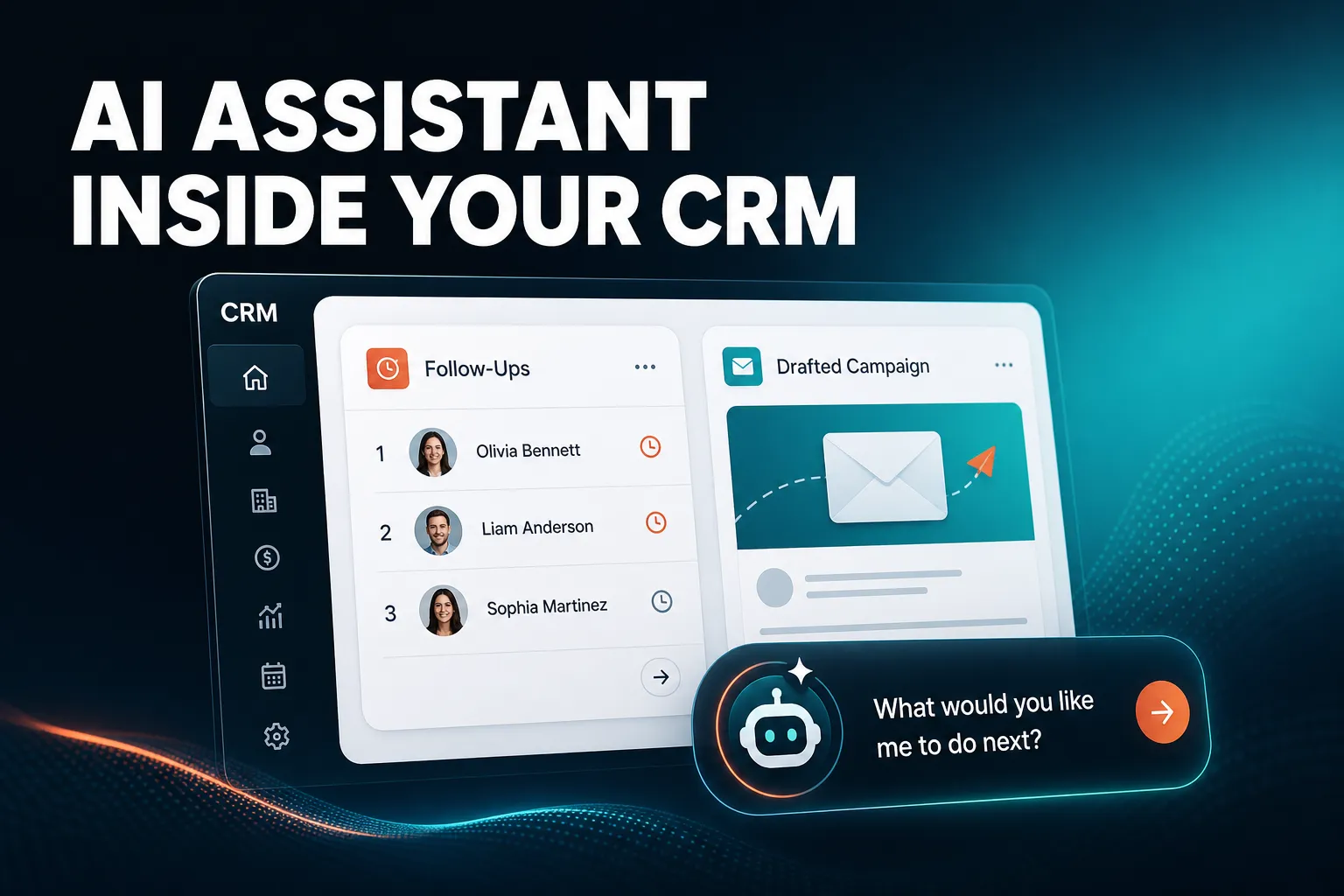
Several CRMs now offer AI help with campaigns, and AICRM is one of them, but they differ in how much the AI does for you. In AICRM you can ask the agent to draft an email campaign aimed at a segment, and its Daily Brief surfaces the leads and follow-ups that need attention each day. If you need a deal pipeline or multi-channel marketing across SMS and social, a larger platform will fit better.
Which AI CRM can create campaigns?
Many CRMs offer some AI help with campaigns, usually writing email copy. A smaller number can also build the audience, draft the whole campaign and set up automation. AICRM's agent can draft an email campaign, rewrite its message, build the segment it targets and set up a segment-triggered automation, asking you to confirm before anything is created or changed.
What 'create a campaign' can actually mean
The phrase covers three quite different jobs, and CRMs vary in how many they handle:
| Job | What to check |
|---|---|
| Writing the message | Can the AI draft and rewrite copy from a plain request, using what the CRM knows about the audience? |
| Choosing the audience | Can it build or edit a segment for you, and can you inspect who is in it? |
| Running and measuring | Is there A/B testing, open and click tracking, and automation that sends without you watching? |
A tool that only does the first job is a copywriting aid sitting inside a CRM. That is useful, but you still do the audience work and the setup yourself. A tool that handles all three removes most of the admin between 'I should email those customers' and the campaign actually going out.
A concrete example
Suppose you run a small consultancy and have not spoken to a batch of past clients for months. In AICRM you could ask the agent to find customers who have gone quiet, turn them into a segment, and draft a re-engagement campaign for that segment. The agent restates what it is about to create and asks you to confirm before it does. You then review the message, and you can ask it to rewrite the tone or shorten it.
If you want this to keep happening, you can set up an automation so that when a contact enters the 'Inactive 90 days' segment, a re-engagement email is sent. Campaigns support A/B message variants with results tracked per variant, and every send has open and click tracking.
Trade-offs to be aware of
AICRM's campaigns are email campaigns. It has no SMS features, and the Features page lists no social or ad management, so if your marketing runs across many channels you will need other tools alongside it. The AI also works from the data in your CRM. If your contact records are thin, the segments and messages will be thinner too.
Are there CRMs that act like an AI marketing and customer management assistant?
Yes. The idea is now common, but 'assistant' covers a wide range. Some CRMs add a chat box that answers questions or writes copy. Others give the assistant permission to change your data and act on it. AICRM sits in the second group: its agent creates and updates contacts, logs calls, builds segments, manages tasks, drafts campaigns and follow-up emails, and asks you to confirm before it runs.
Three levels of CRM assistant
It helps to separate what the assistant can do:
- It writes. It drafts emails, subject lines or campaign copy when you ask. Many CRMs, including the large established ones, offer this.
- It answers. You ask a question about your data, such as how many contacts came from a given source, and it replies. This is only useful if the answer comes from your real data rather than a guess.
- It acts. It creates the task, updates the contact, builds the segment or saves the draft. This is where the time saving is, and also where you want safeguards.
A good assistant does all three, and a great one also tells you what to look at before you think to ask.
What 'customer management assistant' means in practice
Customer management is the day-to-day part: remembering what happened last time, knowing who has gone quiet, and keeping on top of promises you made. AICRM approaches this as attention, then context, then action.
- Attention. The Daily Brief is computed live whenever you open the dashboard. It lists follow-ups due, emails awaiting a reply, open tasks, new company signals, recent contact activity, known contacts who came back to your website, recent campaigns, email drafts waiting to be sent, and a count of customers with no contact in 90 days or more.
- Context. Each contact has one record with a full activity timeline: calls, emails, meetings, notes and page views. You can ask the agent to pull up a contact's full record before you reach out.
- Action. You ask the agent to do the next thing: log the call, create the task, draft the follow-up, schedule the meeting.
The agent is also built to give grounded answers only. It does not make a factual claim about your data without a live lookup behind it, which matters if you are going to act on what it says.
A concrete example
You open AICRM on a Monday. The brief shows three follow-ups due, two open tasks and a known contact who is back on your site. You ask what needs your attention, and the agent returns one ranked list: overdue follow-ups and hot signals first, then follow-ups due today, unanswered emails, contacts back on the website, warm signals and tasks, each with its reason. You then say 'draft follow-ups for my top three contacts' and it saves a draft on each contact. Nothing is sent. You review, edit and send them from the contact.
On Mondays the brief covers the weekend with a three-day lookback, so Friday afternoon's loose ends do not vanish.
Things to look for in any AI assistant
- Real write access. Can it change records, or only talk about them?
- Confirmation before changes. AICRM restates every create, update or delete and confirms before it runs. That is a sensible default for anything touching customer data.
- Grounded answers. Ask it something you already know the answer to and check.
- Proactivity. Does it tell you what needs attention, or wait to be asked?
- Fit with how you work. AICRM's agent is a live, real-time conversation in the browser: you talk, it confirms, it acts. It is not a recorded voice-note or voicemail tool, so check that this suits how you like to work.
Which CRM uses AI to help me manage leads and follow-ups?
Many do. HubSpot, Pipedrive, folk, monday CRM, Close, Breakcold, Attio and Less Annoying CRM all have some form of follow-up reminder or next-action feature. AICRM's angle is to surface what needs attention in a daily brief, then let you act on it in the same conversation, with follow-up dates picked up from conversations you log.
How follow-ups work in AICRM
Each contact can have a next follow-up date with a reason attached. You can set it by hand on the contact, ask the agent to set it, or let AICRM pick it up from a logged call, meeting, note or email. If a note says 'call me after the 15th' or an email you sent says 'I'll send it Friday', the date and reason are captured. Due and overdue follow-ups appear in the Daily Brief with that reason, so you see why you were meant to get in touch, not just a name and a date.
If you log a conversation with a contact and there is no new follow-up in it, AICRM marks a due follow-up as done. That keeps the list honest without extra clicking.
One limit to be clear about: AICRM only reads follow-ups from conversations logged in it. That means notes, calls and meetings you log there, and emails sent from AICRM or BCC'd or forwarded to it. It does not listen to your calls or read your inbox.
Catching the ones that have gone quiet
Two features cover the people who slip through:
- Awaiting a reply. For one-to-one emails sent from AICRM, by the agent or by the contact's Send Email button, a contact shows as 'awaiting a reply' after 3 days with no reply, call or meeting. They stay in the brief for up to 14 days, and the agent can list them. This does not cover campaign or automation emails, or emails you send from your own inbox.
- Inactivity. The agent can find contacts you have not contacted in a set number of days (90 by default) and turn them into a segment. The brief also shows a count of customers with no contact logged in 90 days or more, or never.
Prioritising leads
Lead scoring in AICRM uses rules you set yourself in Settings, with no code. You can score on job title, industry, company size, location, lead source, recency, email opens and site visits. The score recalculates as soon as one of those events happens. If you disagree with it, you can add a manual adjustment with a reason, and the AI score stays visible underneath. You can ask the agent to list your highest-scoring leads.
There is a distinction worth knowing. When you ask 'what should I do next?', the ranked list comes from the Daily Brief data, ordered by urgency and type, not by lead score. Lead score answers 'who is my best prospect', and the brief answers 'what is due or has changed'. Use both.
Signals and website activity
AICRM runs a rate-limited enrichment pass, roughly 100 contacts a week, that looks for company news and job title changes. Each signal is tiered Hot, Warm or Monitor, and the ones that matter come with a drafted outreach message. New signals are logged on the contact's timeline and can be turned into a segment.
On the website side, a known contact who returns after submitting a form is recognised and flagged in the brief. Anonymous visitors are identified at company level only, so you might see that a manufacturing company has viewed four pages, but not which person it was.
A concrete example
A founder emails a prospect from AICRM on Tuesday. By Friday there is no reply, so the prospect appears in the brief as awaiting a reply. Meanwhile, the enrichment pass may flag that the prospect's company has raised funding, tiered Hot with a drafted message. The founder asks the agent to draft a follow-up, reviews it on the contact, tweaks it and sends it. Nothing had to be remembered along the way.
What should I look for when choosing an AI CRM for campaigns and follow-ups?
Look for a CRM that tells you what needs attention without being asked, can act on your behalf with confirmation, and keeps campaigns tied to real segments you can inspect. Check it handles the volume you have, lets you see why a lead is scored the way it is, and does not hide the limits of its AI.
A practical checklist
- Does it surface things proactively? A daily summary or alert beats a dashboard you have to remember to open. AICRM also emails its Daily Brief at 7am on weekdays in your timezone, skipping days with nothing in it, and you can turn that off in Settings. There are no mobile push notifications.
- Can the AI draft without sending? Drafts you review are safer than automatic sends. In AICRM, the agent only sends a one-off email when you explicitly ask it to, after confirming. Drafts are one-to-one only, with no scheduled send, and they do not sync to your Gmail or Outlook drafts folder.
- Is the audience inspectable? You should be able to see exactly who is in a segment. AICRM segments are live, so viewing one always shows who is in it now.
- Is scoring transparent? You should be able to see and edit the rules.
- Is the pricing predictable? Per-seat charges add up quickly for small teams.
- Does it fit your real workflow? Be honest about whether you need deals, SMS or calling.
Importing what you already have
If you are moving from a spreadsheet or another CRM, check how painful the import is. AICRM's CSV import maps fields automatically, reports failed rows individually, so one bad row does not sink the batch, and detects duplicates by email so re-imports do not create copies.
Where does AICRM not fit?
AICRM is not the right choice if you need a sales deal pipeline, multi-channel marketing or phone calling. It is built around contacts, lifecycle stages, lead scores, segments, tasks and campaigns, and it suits small teams that want to stay on top of customers with less admin.
No deals
AICRM has no deal pipeline or deal stages. If your sales process depends on moving opportunities through stages, with forecasting by stage, a CRM such as Pipedrive, HubSpot or Salesforce is the better choice, particularly for larger sales teams. Many small teams find that lifecycle stages plus follow-up tasks cover what they would have used deals for, but if that is not true for you, do not force it.
Not a full marketing suite
There is email, with A/B testing, tracking and segment-triggered automation, plus forms and a booking page. There is no SMS and no phone dialler, and the Features page lists no social or ad tools. Larger platforms offer broader marketing features, and if you have a dedicated marketing team running many channels, you will likely want one of them.
Integrations are limited
Beyond Google Calendar, email logging, CSV import and export, embeddable forms and booking pages, do not assume AICRM connects to your other tools. Check that the integrations you rely on are in the Features list before you commit.
Who is an AI marketing and customer assistant CRM best for?
It suits founders, consultants, small-business owners and small teams who lose track of follow-ups, forget what happened last time, or spend more time on CRM admin than on customers. Customer marketing and lifecycle work is one use among several, not the whole point.
The common thread is that you do not have a dedicated person keeping the CRM tidy. In that situation, a system that tells you what needs attention and helps you act on it saves more than one with a long feature list you never get round to configuring.
What it costs
AICRM has three plans, all with the full CRM and no per-seat charge. Starter is $29 a month with 120 voice-agent minutes and up to 2,000 contacts. Growth is $79 a month with 400 minutes and up to 5,000 contacts. Power is $149 a month with 600 minutes and up to 20,000 contacts. Minutes beyond your bundle cost $0.15 a minute, with a $2 a day safety cap. Everything else in the CRM, including segments, campaigns and automation, has no usage limit.
There is a 7-day free trial with full features. A card is required up front, but you are not charged until the trial ends.
What is the next step?
The simplest way to judge whether an AI assistant inside your CRM helps is to try it on your own data. Import a CSV of contacts, open the Daily Brief and ask the agent what needs your attention. You will quickly see whether it suits the way you work.
You can read the full list of capabilities on the Features page, compare plans on the Pricing page, or start the 7-day free trial.
Frequently asked questions
Which AI CRM can create campaigns?
Several can, though the depth differs from one CRM to the next. In AICRM you can ask the agent to draft an email campaign, rewrite its message, build the segment it targets and set up a segment-triggered automation. It asks you to confirm before it creates or changes anything.
Are there CRMs that act like an AI marketing and customer management assistant?
Yes. The best ones can write, answer questions from your live data and take actions such as creating tasks, logging calls and building segments. AICRM's agent does this with confirmation before each change, and its Daily Brief surfaces what needs attention without you asking.
Which CRM uses AI to help me manage leads and follow-ups?
Many CRMs have follow-up and next-action features, including HubSpot, Pipedrive, folk, Attio and Close. AICRM picks up follow-up dates from logged calls, notes and emails, shows due ones in its Daily Brief with a reason, flags one-to-one emails sent from AICRM that have had no reply after 3 days, and scores leads on rules you set.
Can an AI CRM send emails on its own?
It depends on the CRM. In AICRM, the agent saves follow-up emails as drafts on each contact for you to review, edit and send. It only sends a one-off email when you explicitly ask it to, after confirming. Segment-triggered automations can send campaigns without manual sending once you have set them up.
Does AICRM have a deal pipeline?
No. AICRM is built around contacts, lifecycle stages, lead scores, segments, tasks and campaigns, with no deal stages. Many small teams find lifecycle stages and follow-up tasks cover what they would use deals for, but a larger sales team needing a pipeline should consider a CRM designed around one.
Does AICRM read my inbox or listen to my calls?
No. It only picks up follow-ups from conversations logged in AICRM, such as notes, calls and meetings you log there, and emails sent from AICRM or BCC'd or forwarded to it. It does not listen to calls or read your inbox.