AI CRM vs Traditional CRM: What's Actually Different
An AI CRM tells you what needs attention and helps you act, while a traditional CRM stores records for you to search. Here is how to choose for a small team.
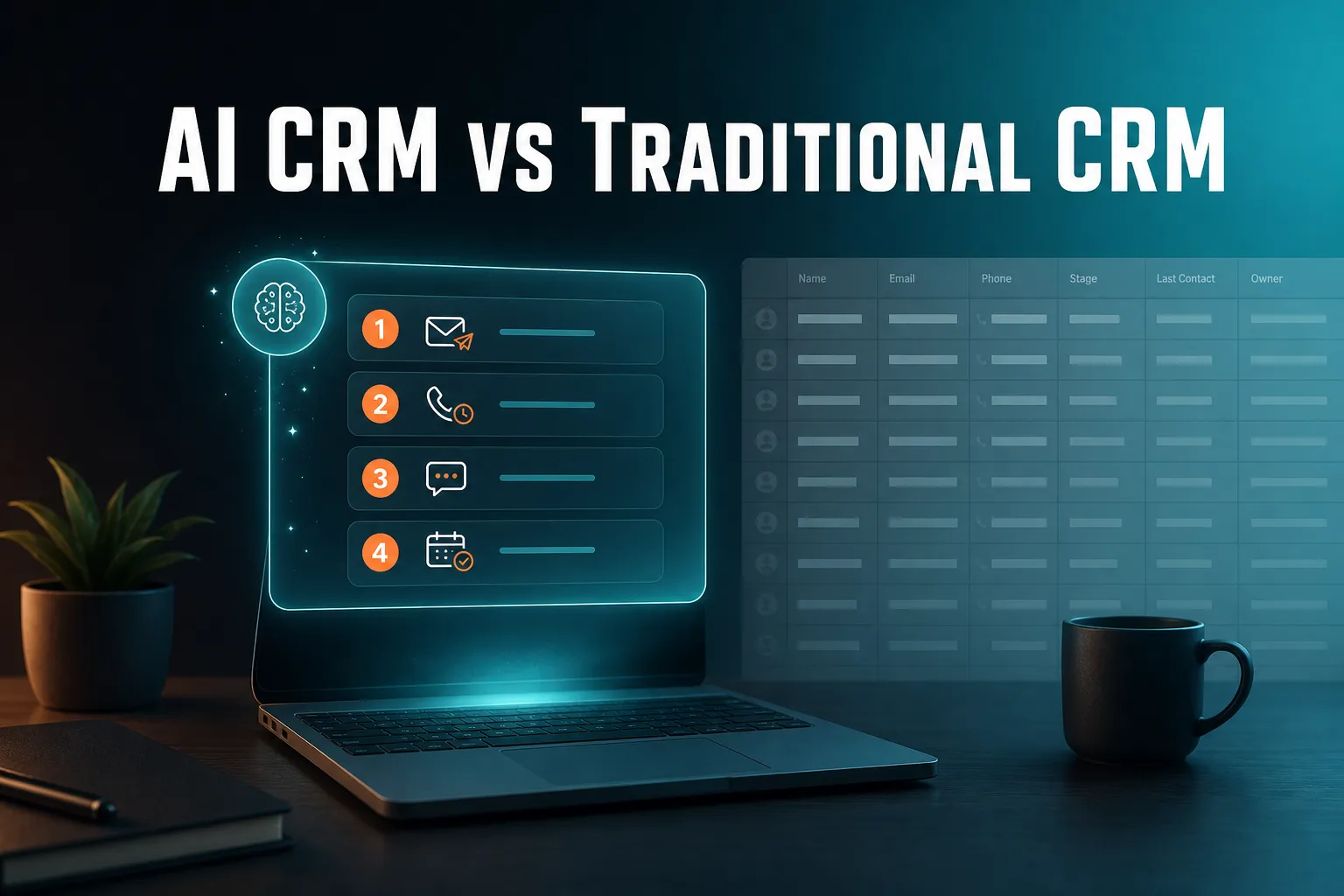
An AI CRM differs from a traditional CRM in who does the looking. A traditional CRM stores your customer records and waits for you to search, update and remember. An AI CRM checks the same data for you, tells you what needs attention and helps you act on it. An AI assistant can handle a good share of the routine, but it should ask before it changes anything or contacts a customer.
The rest of this article explains the difference in plain terms, what an assistant can and cannot safely do, what to look for when comparing tools, and where a traditional CRM is the better choice.
What's the difference between an AI CRM and a traditional CRM?
A traditional CRM is a database you operate: you enter records, build views, set reminders and go looking for what matters. An AI CRM adds a layer that watches the same data for you, surfaces what needs attention (an overdue follow-up, a customer gone quiet, news about a contact) and helps you act, often by conversation rather than forms and filters. The data is similar. The difference is who does the looking.
Why the label is not enough
"AI CRM" is a loose term. For some products it means a button that writes an email. For others it means the system actively works out what you should do today. And the line is blurring: many traditional CRMs, including HubSpot, Pipedrive, folk, monday CRM, Close, Breakcold, Attio and Less Annoying CRM, have their own versions of next-action and follow-up features. Neither side has a monopoly on being helpful.
So do not compare labels. Compare what happens when you open the product on a busy Monday morning.
A side-by-side view
| Question | Traditional CRM | Proactive AI CRM |
|---|---|---|
| Who finds what needs attention? | You, through views, filters and reports | The system surfaces it for you |
| How do records get updated? | You type into fields | You ask, or details are picked up from logged conversations |
| How do follow-ups work? | You set a reminder and rely on seeing it when it is due | Reminders you set, plus ones picked up from what you logged |
| How do you find information? | Searches and filters | You ask a question and get an answer |
| Main risk | Things get forgotten because nobody looked | A wrong action if you approve without reading |
| Best suited to | Larger teams with a defined process and deal pipeline | Small teams who want less admin |
A simple way to think about it: attention, context, action
A useful CRM does three jobs in order. First it shows you what needs attention. Then it gives you the context (what happened last time, what was promised, why this person matters now). Then it helps you take the action, whether that is a call, a task or an email draft.
A traditional CRM is usually strong on the context, because it holds the history. It leaves the first step, attention, to you. That is where most small teams lose things. Nobody forgets a customer on purpose. They forget because nothing reminded them at the right moment.
Can an AI assistant manage my CRM?
Partly, yes. An AI assistant can handle routine CRM work: finding contacts, logging calls, setting follow-ups, drafting emails, building segments and telling you what is due. It should not run unsupervised on anything customer-facing or destructive. The sensible model is a capable admin who prepares the work while you approve it, so every change is confirmed before it happens.
What an assistant handles well
- Finding things. "Who has gone quiet in the last 90 days?" is faster to ask than to build as a filter.
- Logging. Recording a call or meeting in a sentence instead of filling in a form.
- Follow-ups. Setting a date and a reason, then bringing it back when it is due.
- Drafting. Writing a first-pass email for you to edit.
- Grouping. Turning "customers with no contact in 90 days" into a segment you can email.
What it should not do alone
Sending email to customers, deleting records and changing ownership all deserve a pause. Look for a product that restates what it is about to do and waits for a yes. An assistant that acts silently will eventually make a mistake you only discover later.
What it can only know
An assistant is only as good as the data it can see. If your conversations happen in places the CRM cannot read, it cannot learn from them. This is worth checking before you buy, because it decides how much admin you really save.
How AICRM handles it
AICRM's agent has real write access, and every create, update or delete is restated and confirmed before it runs. A typical exchange:
"Log a call with Priya, she wants a demo next week." Logged. Want me to set a follow-up task, or check her calendar for next week?
It can also create and update contacts, assign owners, build and edit segments, manage tasks, schedule calendar events, and draft campaigns. If you say "draft follow-ups for my top three contacts", it saves a plain-text draft on each contact and sends nothing. You review, edit and send, or discard. It only sends when you explicitly ask it to, after confirming.
There are limits worth knowing. AICRM only picks up follow-ups from conversations logged in it: notes, calls and meetings you log there, and emails sent from AICRM or BCC'd or forwarded to it. It does not listen to calls or read your inbox. Drafts are one-to-one only, with no scheduled send, and they do not appear in your Gmail or Outlook drafts folder.
Is there a CRM that works more like an assistant than a database?
Yes, and several products are heading that way with different approaches. Some add suggestion panels or task queues, others add a chat or voice interface. AICRM is one option: it opens with a Daily Brief of what needs attention, and you can ask "what needs my attention today?" and act in the same conversation. The best test is to try any candidate on a real Monday morning.
Three tests for an assistant-style CRM
- Does it come to you? If you have to open the right report to find out you missed something, it is still a database.
- Does it explain why? A list of names is not enough. Each item should say why it is there: overdue, a reply is missing, news about the company.
- Can you act without leaving? If you see the problem in one place and have to go and fix it in three others, the assistant has only done half the job.
Example: Monday morning
Imagine a consultant who spent Friday on calls. On Monday she wants to know where to start. In a plain database she checks her task list, scans recent contacts, remembers a promise from last week and searches her sent mail to see who never replied. That is a lot of admin before any real work starts.
With an assistant-style CRM she opens one screen, sees a short list with reasons, and acts on the first item.
How AICRM does this
When you open AICRM, the dashboard shows a Daily Brief, computed live from your data. It includes:
- Follow-ups due or overdue, with the reason you set
- One-to-one emails sent from AICRM still awaiting a reply
- Open tasks
- New hot or warm signals, such as company news and role changes
- Recent contact activity
- Known contacts who came back to your website
- Recent campaigns and email drafts waiting to be sent
- A count of customers with no contact logged in 90+ days, or never
The same brief is emailed at 7am on weekdays in your timezone. It is skipped on days when there is nothing in it, and you can switch it off in Settings. Monday covers the weekend with a three-day lookback. There are no mobile push notifications.
If you ask the agent "what should I do next?", it returns one ranked list from that same data: overdue follow-ups and hot signals first, then follow-ups due today, unanswered emails, contacts back on the website, warm signals and tasks, each with its reason. It does not rank this list by lead score. Lead scoring is a separate tool for questions like "who are my highest-scoring leads?", based on rules you set yourself.
What should you look for when choosing an AI CRM?
Look for five things: whether it surfaces work without being asked, whether it shows its reasons, whether it confirms before acting, whether its limits are clearly stated, and whether pricing stays predictable as you use it. Ask for a trial on your own data. A demo with sample data hides the questions that matter, such as how messy contact lists are handled.
Practical checklist
- Proactive surfacing. Ask what it tells you without being asked. A daily summary, alerts or a ranked list all count. A blank dashboard does not.
- Visible reasons. You should be able to see why something was flagged or scored. Black-box scores are hard to trust and hard to correct.
- Confirmation before change. Especially for sending, deleting and reassigning.
- Honest data boundaries. Where does it learn from? Logged activity only, or your inbox too? Neither is wrong, but you should know which.
- Easy import. You will want your existing contacts in on day one. Look for field mapping, per-row error reporting and duplicate detection.
- Pricing you can predict. Check what is bundled and what is metered, and whether adding teammates costs extra.
Trade-offs to accept
A proactive system is only as good as what you put in. If nobody logs calls or notes, there is nothing to surface. Conversation interfaces are fast for quick actions but slower than a spreadsheet view for bulk editing, so most people use both. And any AI that drafts or acts needs a human glance. That glance is the price of the time saved, and it is usually small.
AICRM pricing in brief
AICRM has three plans, each with the full CRM: Starter at $29 a month (120 voice-agent minutes, up to 2,000 contacts), Growth at $79 (400 minutes, up to 5,000 contacts) and Power at $149 (600 minutes, up to 20,000 contacts). Voice minutes beyond your bundle cost $0.15 a minute with a $2 a day safety cap. Everything else, including segments, campaigns and automation, has no usage limit or per-seat charge. Details are on the pricing page.
When is a traditional CRM the better choice?
A traditional CRM is the better choice when your work revolves around a sales deal pipeline, when you have a large team with a formal sales process, or when you need calling, SMS or deep customisation. AICRM deliberately does not try to be that tool. If you need deals, stages and forecasting, choose a CRM built around them.
Where AICRM does not fit
- Deal pipelines. AICRM has no sales pipeline or deal stages. It is built around contacts, lifecycle stages, lead scores, segments, tasks and campaigns. For many small teams, lifecycle stages plus follow-up tasks cover what they would have used deals for, but if your sales process truly depends on staged deals, HubSpot, Salesforce, Pipedrive and similar tools are stronger choices.
- Calling and texting. AICRM has no phone dialler, SMS or calling features. You log calls you make elsewhere.
- Inbox-level awareness. It does not read your inbox. No-reply detection covers one-to-one emails sent from AICRM only: after 3 days with no reply, call or meeting, they show as awaiting a reply in the Daily Brief for up to 14 days. Emails sent from your own inbox and campaign emails are not covered.
- Large-team administration and integrations. AICRM's integrations are limited to those named on its Features page: Google Calendar, email logging, CSV import and export, embeddable forms and booking pages. If you need a large integration ecosystem or heavy customisation, an established platform will serve you better.
Where a traditional CRM is simply fine
If you are a disciplined solo operator with a short contact list, a simple database and a calendar reminder habit can work well. The problems tend to start when the list grows, a second person joins, or the follow-ups you promised start to outnumber your memory.
Where does AICRM fit best?
AICRM fits founders, consultants, small-business owners and small teams who want to stay on top of customers with less admin. Its angle is narrow: surface what needs attention, give you the context, then help you act in the same conversation. It is one option among several, and works best when you log your customer conversations in it.
Examples of the problems it is built for
- "I forgot to follow up." Set a follow-up date and reason by hand, ask the agent to set one, or let AICRM pick it up from a logged call, meeting, note or email, such as "call me after the 15th" or "I'll send it Friday". Due and overdue ones appear in the Daily Brief. Logging a conversation with no new follow-up in it marks a due one as done.
- "Who should I contact next?" Ask what needs your attention and get a single ranked list with reasons.
- "Customers have gone quiet." Find contacts not contacted in a set number of days (default 90), turn them into a segment, and, if you want, set up an automation that sends a re-engagement email when a contact enters that segment.
- "What happened last time?" Each contact has a full timeline of calls, emails, meetings, notes and page views.
- "Is anything happening with my contacts?" A rate-limited enrichment pass looks for company news and job title changes, roughly 100 contacts a week. Signals are tiered Hot, Warm or Monitor, and the ones that matter come with a drafted outreach message.
On the website side, known contacts are recognised when they return after submitting a form. Anonymous visitors are identified at company level only, not as individual people.
The same system covers customer marketing for those who need it: email campaigns with A/B testing aimed at live segments, plus segment-triggered automation. That is one capability among several, not the whole product.
What is a sensible next step?
The fastest way to judge any CRM is to use it on your own contacts. AICRM has a 7-day free trial with full features. A card is required up front, but you are not charged until the trial ends.
A practical test:
- Import a CSV of your real contacts.
- Log two or three recent conversations, including a promise to follow up.
- Open the Daily Brief and ask the agent "what needs my attention today?"
- Ask it to draft follow-ups for your top three contacts, then review what it saved.
If you would rather look first, the Features page lists everything the agent can do, and the demo shows it in action. Questions about a plan can go through the contact page.
Frequently asked questions
Can an AI assistant manage my CRM for me?
It can manage much of the routine, such as finding contacts, logging calls, setting follow-ups, drafting emails and building segments. It should not act silently on anything customer-facing. In AICRM, every create, update or delete is restated and confirmed before it runs, and emails are only sent when you explicitly ask and confirm.
What is the main difference between an AI CRM and a traditional CRM?
A traditional CRM stores records and leaves you to find what needs attention. An AI CRM looks through the data for you, surfaces what matters and helps you act. Many traditional CRMs now include AI features, so the practical test is whether the product tells you what to do next without being asked.
Is there a CRM that works more like an assistant than a database?
Yes, several products are moving in that direction. AICRM is one: it shows a Daily Brief when you open it, emails it at 7am on weekdays when there is something to act on, and lets you ask what needs your attention and act in the same conversation. Try any option on your own data before deciding.
Does AICRM have a sales deal pipeline?
No. AICRM has no deal pipeline or deal stages. It uses contacts, lifecycle stages, lead scores, segments, tasks and campaigns, which cover what many small teams use deals for. If your process depends on staged deals and forecasting, a CRM built around a pipeline is a better fit.
Does an AI CRM read my emails and calls automatically?
It depends on the product, so check before you buy. AICRM picks up follow-ups only from conversations logged in it: notes, calls and meetings you log, and emails sent from AICRM or BCC'd or forwarded to it. It does not listen to calls or read your inbox, so no-reply detection covers one-to-one emails sent from AICRM only.
How much does an AI CRM like AICRM cost?
AICRM plans are $29, $79 and $149 a month, differing in included voice-agent minutes and contact limits. Extra voice minutes cost $0.15 a minute with a $2 a day cap, and there is no per-seat charge. A 7-day free trial is available, with a card required up front and no charge until it ends.